Description
Enhancing Data Center Connectivity
Enhancing data center connectivity refers to the process of improving the connectivity and communication between the various components and devices in a data center, such as servers, storage devices, switches, and routers. The goal is to improve the efficiency and reliability of data transfers and ensure seamless communication between these devices.
In a data center, high-speed and reliable connectivity is crucial to ensure fast and efficient data transfer, minimize downtime, and reduce latency. This can be achieved through various means such as using high-speed network technologies, implementing load balancing and redundancy, and utilizing network virtualization.
Enhancing data center connectivity also involves ensuring the security of the data transfer, as sensitive information is constantly being transmitted within the data center. Implementing firewalls, encrypting data, and implementing access control measures can help secure data transfers and prevent unauthorized access.
By enhancing data center connectivity, organizations can achieve better performance, increased productivity, and improved data protection, thereby reducing the risk of data loss or downtime.
Scalable Storage Networking
Scalable storage networking refers to the ability of a storage network to grow and adapt to changing business requirements and demands, without sacrificing performance or availability. The goal is to provide an infrastructure that can handle increasing amounts of data, users, and applications, without requiring major upgrades or replacements.
Scalability is an important aspect of storage networking, as the amount of data being generated and stored continues to grow at an exponential rate. A scalable storage network allows organizations to add new storage devices and increase capacity as needed, without impacting existing operations or performance.
Scalable storage networking can be achieved through various means such as using network attached storage (NAS) and storage area networks (SAN) that support multiple protocols and can be easily expanded, implementing storage virtualization to pool resources and allocate storage dynamically, and utilizing cloud storage services that offer on-demand scalability.
By implementing scalable storage networking, organizations can ensure that their storage infrastructure can keep pace with their growing data needs and provide a flexible and reliable foundation for their critical data and applications. This can lead to improved productivity, reduced downtime, and increased cost savings.
Cost-Effective Solution
A cost-effective solution refers to a solution that provides the required outcomes or benefits at a relatively low cost, compared to other alternatives available in the market. The goal of a cost-effective solution is to achieve a high return on investment (ROI) by reducing costs while maintaining or improving the quality of the outcomes.
In the context of technology and business, cost-effectiveness is an important consideration when choosing solutions to meet organizational needs. This is especially true for small and medium-sized enterprises (SMEs), which have limited budgets and resources.
A cost-effective solution can be achieved through various means such as using open-source software, opting for cloud-based services instead of on-premise solutions, using standard hardware components instead of proprietary or custom-made components, and implementing automation to reduce manual labor.
By choosing cost-effective solutions, organizations can improve their bottom line by reducing costs and maximizing their investments. Additionally, a cost-effective solution can also help organizations allocate their resources more effectively and focus on their core business objectives.
General Information
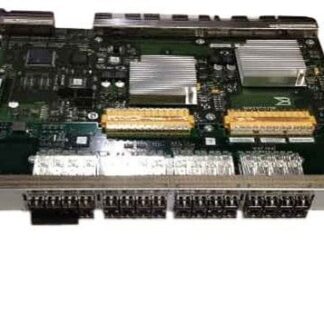
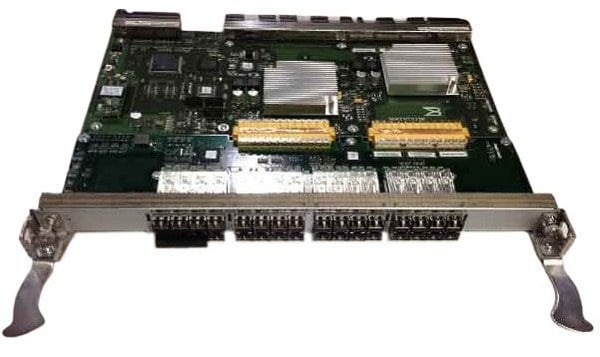
- Manufacturer: HP
- Part Number or SKU# AK859C
- Type: Networking
- Device Type : Switch – 32 Ports
- Enclosure Type : Plug-In Module
- Subtype : Fibre Channel
- Compatible Slots : 1 X Expansion Slot
- Ports : 32 X 8gb Fibre Channel Sfp
Expansion / Connectivity
- Interfaces : 32 X Sfp (Mini-Gbic)
- Installed Modules Qty (Max) : 0 (Installed) / 32 (Max)