

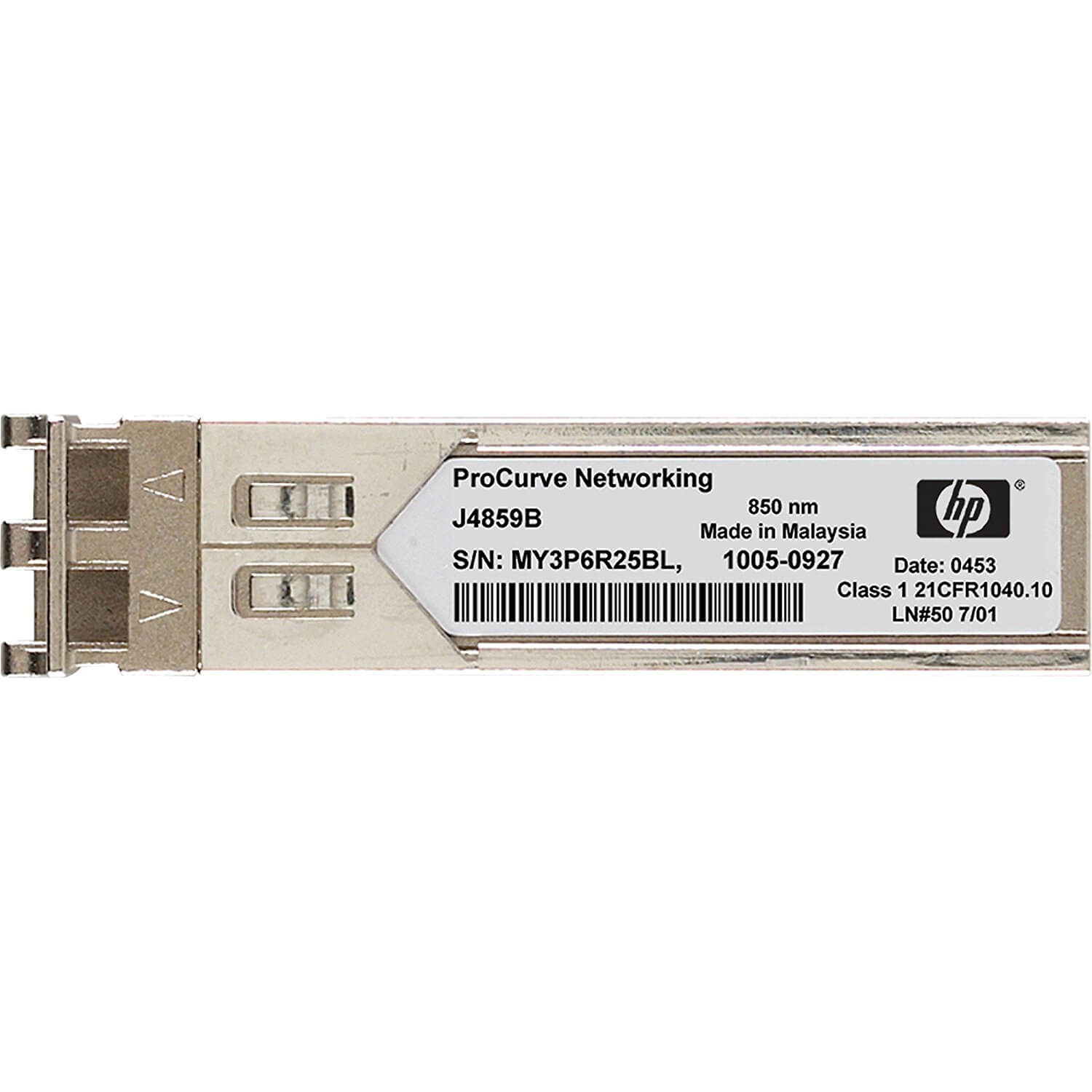
Description
Installation and Configuration
The AW573A is a Small Form-Factor Pluggable (SFP+) transceiver module designed for use with HPE (Hewlett Packard Enterprise) equipment. Specifically, it is used for 10 Gigabit short wave fiber channel connections.
Installation: To install the AW573A SFP, follow these steps:
- Power down the HPE equipment in which you plan to install the SFP.
- Locate the SFP slot on the equipment. The slot will be labeled with a symbol that looks like a stylized “S”.
- Remove the protective cover from the SFP slot.
- Carefully insert the AW573A SFP into the slot until it clicks into place.
- Replace the protective cover.
Configuration: After installing the AW573A SFP, you may need to configure it to work with your HPE equipment. Here are the basic steps:
- Power on the HPE equipment.
- Access the command-line interface (CLI) or web-based management console for the equipment.
- Navigate to the network interface configuration section.
- Find the configuration settings for the SFP port that corresponds to the slot where you installed the AW573A SFP.
- Configure the settings to match the specifications for your network, such as the link speed and duplex mode.
- Save the configuration and exit the interface.
Once the AW573A SFP is installed and configured, you should be able to establish a 10 Gigabit short wave fiber channel connection using the HPE equipment.
Key Features and Benefits
The AW573A is an HPE 10GB Short Wave Fiber Channel Xpack SFP (Small Form-factor Pluggable) transceiver module designed for high-speed data communication over optical fiber networks. Here are its key features and benefits:
- High-speed data transfer: The AW573A supports data transfer rates of up to 10 Gbps, making it ideal for high-speed data transmission in enterprise data centers, storage networks, and other high-performance computing environments.
- Short Wave (SW) Fiber support: This SFP module is designed for use with multimode fiber optic cables, specifically shortwave (SW) fiber, which is commonly used for distances up to 300 meters.
- Small Form-factor Pluggable (SFP) design: The AW573A is a hot-swappable SFP transceiver module that plugs into an SFP port on HPE switches, routers, and other network devices. This allows for easy installation and replacement of the module without interrupting network operations.
- LC Connector: The module has an LC connector, which is a small form-factor fiber optic connector commonly used in networking applications. It provides a secure and reliable connection between the module and the fiber optic cable.
- Compatibility: The AW573A is compatible with a wide range of HPE networking equipment, including HPE ProLiant Servers, HPE Synergy Composable Infrastructure, and HPE StoreFabric Switches.
- Low power consumption: This module has a low power consumption rate of 1.5 watts, which helps to reduce power costs and increase energy efficiency.
- Digital Diagnostics Monitoring (DDM): The AW573A module supports DDM, which provides real-time monitoring of key parameters such as optical power, temperature, and voltage. This allows for better network management and troubleshooting.
Maintenance and Troubleshooting
AW573A is a Short Wave Fiber Channel Xpack SFP (Small Form-factor Pluggable) module manufactured by Hewlett Packard Enterprise (HPE) and is designed for use with HPE Storage Area Networks (SANs). It supports data transfer rates of up to 10 Gbps over multimode fiber optic cables and is compatible with various HPE switches and routers.
Maintenance:
To maintain the AW573A module, follow these steps:
- Keep the module clean: Use a lint-free cloth or compressed air to remove dust and debris from the module’s connectors.
- Check for damage: Inspect the module for any signs of physical damage such as cracks or bent pins. If you find any damage, replace the module.
- Use compatible cables: Always use multimode fiber optic cables that are compatible with the AW573A module.
- Check for firmware updates: Check for any firmware updates for the module and update it if necessary.
Troubleshooting:
If you encounter any issues with the AW573A module, try the following troubleshooting steps:
- Check for proper installation: Ensure that the module is properly installed and securely seated in its slot.
- Check cable connections: Ensure that the cables are properly connected and that there are no loose or damaged connections.
- Check for compatibility: Ensure that the module is compatible with your switch or router and that the firmware is up to date.
- Check for errors: Check the logs for any errors or warnings related to the module. If you find any, try to resolve the issue or contact HPE support for assistance.
- Replace the module: If none of the above steps resolve the issue, replace the module with a new one.
General Information
- Manufacturer: HP
- Part Number or SKU# AW573A
- Product Model AW573A
- Product Name AW573A Short Wave Fibre Channel Transceiver
- Product Type Fiber Module


