

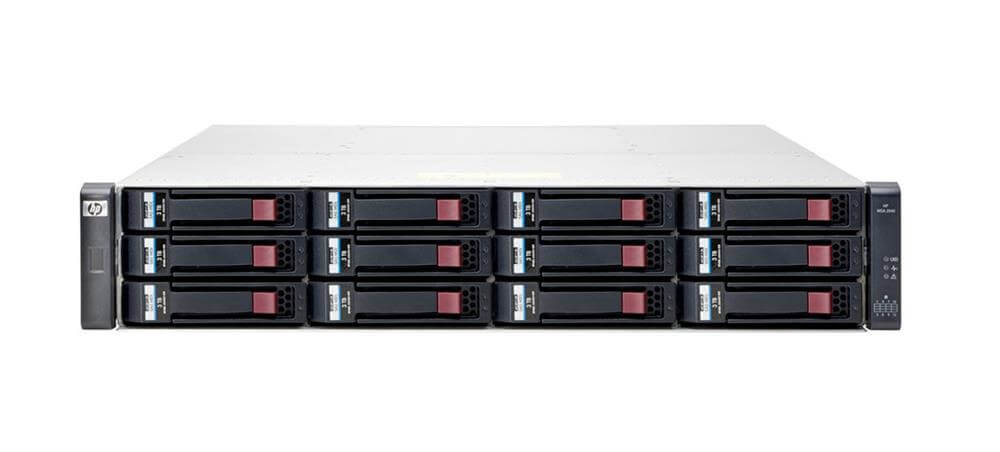

Description
Performance and Scalability
The B7E27A HP StoreVirtual 4730 SAN Array is a high-performance storage solution designed to meet the demands of large-scale enterprise storage environments. It features a compact 2U form factor and supports up to 25 hard disk drives (HDDs) for a maximum installed HDD capacity of 15 TB.
The performance of the HP StoreVirtual 4730 SAN Array is optimized for both read-intensive and write-intensive workloads, making it suitable for a wide range of applications. It features a dual-controller architecture that provides high availability and reliability, as well as redundant power and cooling systems to ensure maximum uptime.
In terms of scalability, the HP StoreVirtual 4730 SAN Array allows for easy expansion of storage capacity as your needs grow. You can add additional disk drives to the system to increase storage capacity, or even add additional arrays to create larger storage pools. This makes it a flexible and cost-effective solution for organizations that require scalable storage as they grow.
Installation and Configuration
The installation and configuration of B7E27A HP StoreVirtual 4730 SAN Array involves the following steps:
- Preparation: Before starting the installation, ensure that the system meets the minimum requirements and that all components are available.
- Hardware Installation: Connect the HP StoreVirtual 4730 SAN Array to the network switch using the network cables. Then, connect the power cables to the array and switch on the power.
- Array Configuration: To configure the HP StoreVirtual 4730 SAN Array, log in to the web-based management interface using a web browser. Go to the System Configuration tab, select the array and configure the network settings.
- Disk Configuration: Create a disk group by selecting the disks to be included and defining the RAID level. The recommended RAID level for the HP StoreVirtual 4730 SAN Array is RAID 5.
- LUN Creation: After creating a disk group, create a logical unit number (LUN) by selecting the disk group and defining the LUN size.
- Host Connectivity: Configure the host connectivity by creating a host group, defining the host type, and adding the host to the group.
- Data Protection: Enable data protection features such as snapshots, remote replication, and backup to ensure that data is safe in case of any disaster.
- Final Steps: Once the configuration is complete, validate the configuration and start using the HP StoreVirtual 4730 SAN Array.
With 25 hard disk drives installed and a total installed HDD capacity of 15 TB, the HP StoreVirtual 4730 SAN Array is a high-performance storage solution that provides ample storage capacity and fast data transfer rates.
Data protection and disaster recovery options
The B7E27A HP StoreVirtual 4730 SAN Array is equipped with various data protection and disaster recovery options to ensure the safety and availability of data.
- RAID (Redundant Array of Inexpensive Disks): This technology uses multiple disks to store data redundantly, ensuring data protection in case of disk failure.
- Snapshot Technology: This feature allows administrators to take snapshots of the data, which can be used as a backup in case of data loss or corruption.
- Remote Copy: This option enables administrators to copy data between arrays, providing disaster recovery in case of a site failure.
- Remote Replication: This technology replicates data between arrays, providing disaster recovery and data protection in case of a site failure.
- Cluster Mode: This feature allows multiple arrays to work together, providing load balancing and automatic failover in case of an array failure.
- Data Compression: This option reduces the amount of disk space required to store data, improving data protection and disaster recovery options.
- Encryption: This feature encrypts data, providing protection against data theft and unauthorized access.
General Information:
- Brand Name: HP
- MPN : B7E27A
- Product Line: Storevirtual
- Product Series: 4000
- Product Model: 4730
- Product Name: Storevirtual 4730 600gb Sas Storage
- Product Type:San Array


