


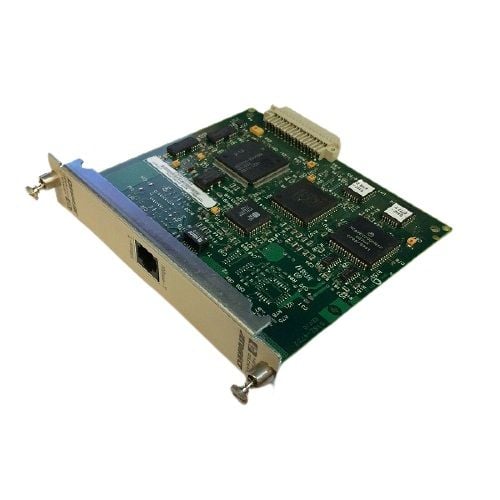

Description
Performance and Speed Tests
Performance and speed tests for the J2550-60001 HP 10 Base Jetdirect Print Server with Ethernet 10MBPS Mio Interface involve measuring the device’s capabilities to transmit print jobs quickly and efficiently over a network. These tests are important for evaluating the print server’s overall performance and ensuring that it can handle large and complex print jobs without slowing down.
Some common performance and speed tests for the J2550-60001 HP 10 Base Jetdirect Print Server include
- Print speed test: This involves sending a large print job to the print server and measuring the time it takes for the job to complete. This test is important for evaluating the print server’s ability to handle large and complex print jobs.
- Network throughput test: This measures the maximum amount of data that the print server can transfer over the network in a given period. This test helps evaluate the print server’s ability to handle high-volume printing environments.
- Latency test: This measures the time it takes for the print server to process and print a job after it has been received from a network device. This test helps evaluate the print server’s responsiveness to print requests.
- Compatibility test: This involves testing the print server’s compatibility with different printers, operating systems, and network environments. This test helps ensure that the print server can work seamlessly with a wide range of devices and networks.
Troubleshooting Common Issues
J2550-60001 HP 10 Base Jetdirect Print Server is a device that allows multiple users to share a single printer on a network. Like any other electronic device, it may encounter some common issues during its operation. Here are some troubleshooting tips for common issues that may arise with this print server
- Power-related issues: Check if the power adapter is plugged in correctly and if the device is getting power. If it is not getting power, try using a different power adapter or outlet.
- Connection issues: Check the Ethernet cable connection between the print server and the network. Make sure the Ethernet cable is securely connected on both ends.
- Configuration issues: Check if the print server is configured correctly. Make sure the IP address and other network settings are set up correctly.
- Print job issues: If print jobs are not printing, check if the printer is turned on and if it has enough paper and ink or toner.
- Compatibility issues: Check if the print server is compatible with the printer and operating system you are using.
- Firmware issues: If the print server is not working correctly, try updating the firmware. Visit the manufacturer’s website to download the latest firmware for your device.
- IP Address conflict issues: Check for IP address conflicts. If another device on the network is using the same IP address, it can cause issues with the print server. Change the IP address of the print server to avoid conflicts.
- Firewall and Security issues: Check if the firewall is blocking the print server or if there are any security settings that need to be changed. Make sure the print server is added to the allowed devices list on the firewall.
Security Features
The J2550-60001 HP 10 Base Jetdirect Print Server comes equipped with several security features designed to protect the printer and the network it is connected to. Some of the security features of this print server include
- Password Protection: The J2550-60001 HP 10 Base Jetdirect Print Server allows you to set up a password to restrict access to the print server configuration. This prevents unauthorized users from making changes to the print server settings.
- IP Filtering: This feature enables you to restrict access to the print server based on IP address. Only devices with specified IP addresses will be allowed to access the print server, providing an added layer of security.
- SNMPv3 Support: The print server supports SNMPv3, which is a secure protocol for network management. SNMPv3 provides encryption and authentication to protect network traffic from unauthorized access.
- SSL/TLS Encryption: The J2550-60001 HP 10 Base Jetdirect Print Server supports SSL/TLS encryption to secure the web-based configuration interface. This prevents eavesdropping and ensures that sensitive information, such as passwords and configuration settings, are protected.
- IPsec Support: The print server supports IPsec (Internet Protocol Security), which is a protocol used to secure internet communications. IPsec provides confidentiality, integrity, and authentication, ensuring that network traffic is secure.
General Information
- Manufacturer Name: HP
- Part Number or SKU# J2550-60001
- Sub-Type: Print Server 10-100
- Device Type : Print Server
- Form Factor : Plug-In Module
- Interface (Bus) Type : Mio
Networking
- Connectivity Technology : Wired
- Cabling Type : Ethernet 10Base-T
- Data Link Protocol : Ethernet
- Data Transfer Rate : 10 MBPS
- Remote Management Protocol : Snmp
- Features : Dhcp Support
- Compliant Standards : IEEE 802.3
Expansion / Connectivity
- Interfaces : 1 X Network – Ethernet 10base-T – Rj-45 – 1
- Compatible Slots : 1 X Mio


