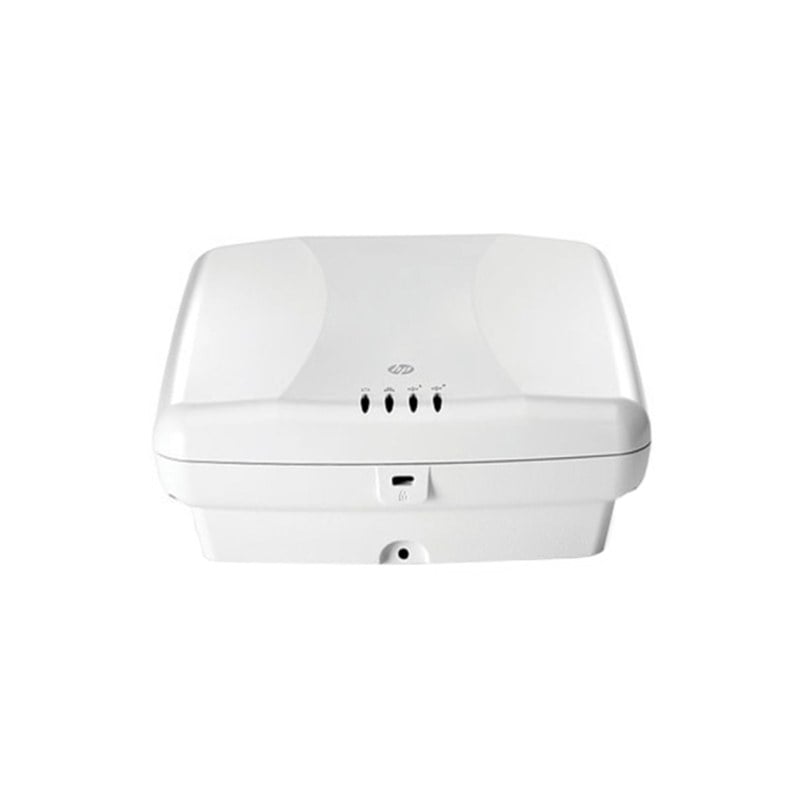
Description
Remote Management Options
Remote management options refer to the various methods and technologies that can be used to manage and monitor a wireless access point (AP) from a remote location. The goal of remote management is to provide network administrators with the ability to manage and troubleshoot their wireless networks from a central location, without the need to physically access each AP.
There are several remote management options available, including:
- Web-based management: This is the most common method of remote management, and allows network administrators to access the AP through a web browser, using a graphical user interface (GUI). This allows administrators to manage and monitor the AP from anywhere with an internet connection.
- Telnet and Secure Shell (SSH) access: Telnet and SSH provide administrators with a command-line interface (CLI) to the AP, allowing them to manage and troubleshoot the AP using text-based commands.
- Remote monitoring: This involves using network management tools, such as Simple Network Management Protocol (SNMP), to monitor the performance and status of the AP from a central location.
- Centralized management: This involves using a centralized management platform, such as HPE’s Intelligent Management Center (IMC), to manage and monitor multiple APs from a single location. This can be particularly useful for large, complex wireless networks.
Deployment Options
Deployment options refer to the different methods available for installing and setting up a wireless access point, such as the J9591A HPE MSM460 AP. Some of the common deployment options for wireless access points include:
- Ceiling Mount: The AP is mounted on the ceiling of a room or building, providing coverage for the entire area. This is a common option for indoor environments.
- Wall Mount: The AP is mounted on a wall, typically at a high location, to provide coverage for a specific area. This option is often used for indoor environments with limited ceiling space.
- Desktop Mount: The AP is placed on a desk or table and can be used to provide coverage for a small area, such as a small office or meeting room.
- Outdoor Mount: The AP is designed to be mounted outside, typically on a building or tower, to provide coverage for a large outdoor area.
- Mesh Network: Multiple APs are deployed throughout an area to create a mesh network, where data is transmitted from one AP to another until it reaches its destination. This is often used to provide coverage for large areas with complex network requirements.
- Wireless Bridge: The AP is used to create a bridge between two separate networks, allowing for communication between the networks. This option is often used for remote sites or to connect networks in different buildings.
The choice of deployment option depends on the specific requirements and constraints of each environment. For example, a small office might use a desktop mount AP, while a large outdoor area might require a mesh network.
Setting Up and Configuring
Setting up and configuring a wireless access point such as the J9591A HPE MSM460 AP involves the following steps:
- Physical Installation: The first step is to physically install the AP in the desired location. This might involve mounting the AP on a ceiling, wall, or desktop, or placing it in a specific location as part of a mesh network.
- Powering On: Once the AP is installed, it is powered on and connected to an Ethernet network.
- Connecting to the AP: A computer or other device is used to connect to the AP and access its web-based management interface.
- Configuring Basic Settings: The basic settings of the AP, such as the network name (SSID), channel, and password, are configured.
- Configuring Advanced Settings: More advanced settings, such as security and encryption, quality of service (QoS), and traffic prioritization, are configured as needed.
- Testing: The AP is tested to ensure that it is working as expected, and any necessary adjustments are made.
- Ongoing Management: The AP is monitored and managed on an ongoing basis to ensure that it continues to perform optimally.
It is important to carefully follow the steps involved in setting up and configuring the J9591A HPE MSM460 AP to ensure that it is configured correctly and working optimally. The exact steps may vary depending on the specific requirements and constraints of each environment, but the overall process should remain the same.
General Information about the HPE J9591A
- Manufacturer: HPE
- Part Number or SKU# J9591A
- Type: Networking
- Sub-Type: Switch 24 Ports
- Device Type : Wireless Access Point
Networking
- Form Factor : External
- Connectivity Technology : Wireless
- Data Transfer Rate : 450 MBPS
- Data Link Protocol : IEEE 802.11b, IEEE 802.11a, IEEE 802.11g, IEEE 802.11n
- Remote Management Protocol : Snmp 3, Snmp 2c
- Communication Mode : Half-Duplex, Full-Duplex
- Frequency Band : 2.4 GHz, 5 GHz
- Capacity : Voip Calls : 12
- Features : Dhcp Support, Manageable, Intrusion Detection System (Ids), Mimo Technology, Wi-Fi Multimedia (Wmm) Support, Spectralink Voice Priority (Svp) Support, Quality Of Service (Qos), Multiple Ssid Support, Management Information Base (Mib), Ceiling Mountable, Wi-Fi Clear Connect, Virtual Service Community (Vsc)
- Encryption Algorithm : Md5, Aes, Ssl, Tls, Peap, Ttls, Tkip, Wpa, Wpa2, Wep
- Authentication Method : Radius, Pap, Chap, Radio Service Set Id (Ssid), Ms-Chap V.2, Extensible Authentication Protocol (Eap), Eap-Fast
- Compliant Standards : IEEE 802.3, IEEE 802.3u, IEEE 802.11, IEEE 802.1q, IEEE 802.3ab, IEEE 802.1p, IEEE 802.11b, IEEE 802.11a, IEEE 802.3af, IEEE 802.11g, IEEE 802.1x, IEEE 802.11i, Wi-Fi Certified, IEEE 802.11e, IEEE 802.11n
Expansion / Connectivity
- Interfaces : 1 X 1000base-T – Rj-45
- 6 X Antenna
- 1 X Management – Rj-45 J-45