Description
Connectivity and Port Configuration
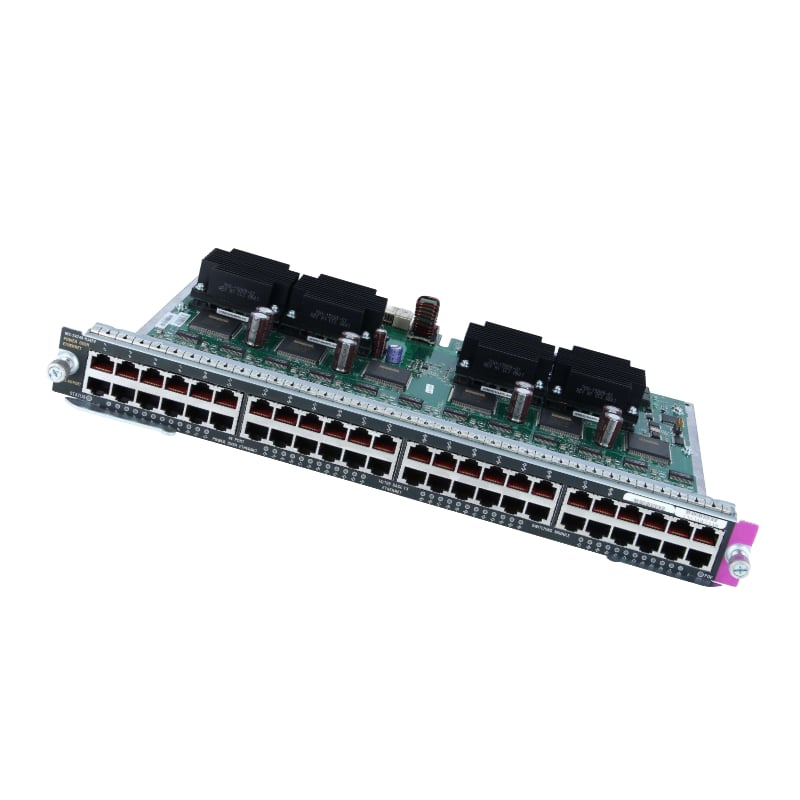
The J9778A HP 2530-48-PoE+ Ethernet switch has 48 Gigabit Ethernet ports, with 2 of them being twisted pair PoE ports. It is a manageable switch, which means it can be configured and managed through a web interface or command line interface. The switch supports both IPv4 and IPv6 protocols and also has advanced security features like Access Control Lists (ACLs) and Quality of Service (QoS) capabilities. Additionally, it supports PoE+ (Power over Ethernet Plus) which allows you to power devices over the Ethernet cable, eliminating the need for an additional power source. The switch also supports Link Aggregation Control Protocol (LACP) and can be used in a stackable configuration with other 2530 switches, allowing for a scalable network solution.
Security Features of Ethernet Switch
- IEEE 802.1X Authentication: This feature allows for the switch to authenticate users and devices on the network before granting access.
- Access Control Lists (ACLs): The switch can be configured to restrict access to certain parts of the network based on user or device attributes, such as IP address or MAC address.
- Port Security: This feature allows for the switch to limit the number of devices that can be connected to a specific port, and also to prevent unauthorized devices from connecting to the network.
- Secure Shell (SSH) and Telnet: The switch supports SSH and Telnet protocols for secure remote management and access.
- Secure Sockets Layer (SSL) and Transport Layer Security (TLS) : The switch supports SSL and TLS for secure data transmission.
- IEEE 802.1AE Media Access Control Security (MACsec): This feature provides a secure link between two switches by encrypting data transmitted between them.
- Dynamic Host Configuration Protocol (DHCP) Snooping: This feature helps to prevent DHCP server spoofing, which can allow unauthorized devices to access the network.
- Internet Group Management Protocol (IGMP) Snooping: This feature helps to prevent multicast flooding, which can cause network congestion and slow down network performance.
Troubleshooting and Maintenance
- Power Issues:
- Check to ensure that the power cord is properly connected and the switch is receiving power.
- Check the power supply to ensure that it is functioning properly.
- Check for any blown fuses or tripped circuit breakers.
- Connectivity Issues:
- Check to ensure that all cables are properly connected to the switch and devices.
- Check for any damaged or loose cables.
- Check the switch’s ports to ensure that they are functioning properly.
- Management Issues:
- Check to ensure that the switch is configured correctly.
- Check the switch’s firmware to ensure that it is up-to-date.
- Check to ensure that the switch’s management IP address is correct.
- PoE Issues:
- Check to ensure that the PoE ports are properly configured.
- Check the switch’s power budget to ensure that it is not exceeded.
- Check to ensure that the connected devices are PoE-compatible.
- Regular Maintenance:
- Clean the switch’s vents and fans to ensure proper cooling.
- Check the switch’s internal temperature to ensure that it is not overheating.
- Check the switch’s ports and cables for signs of wear and tear.
- Perform regular firmware updates to ensure that the switch is running the latest version.
General Information about the HPE
- Manufacturer: HP
- Model Number or SKU# J9778A
- Type: Networking
- Sub-Type: Switch 48 Ports
- Device Type : Switch – 48 Ports – Managed
- Enclosure Type : Desktop, Rack-Mountable, Wall-Mountable – 1u
- Ports : 48 X 10/100 + 2 X Combo Gigabit Sfp + 2 X 10/100/1000
- Power Over Ethernet (Poe) : Poe+
Performance J9778A
- Throughput : 13 MPPS
- Switching Capacity : 17.6 GBPS
Capacity
- Mac Addresses : 16000
- Mac Address Table Size : 16000 Entries
- Jumbo Frame Support : 9220
- Remote Management Protocol : Snmp 1, Rmon 1, Rmon 2, Rmon 3, Rmon 9, Telnet, Snmp 3, Snmp 2c, Http, Tftp, Ssh-2, Cli