Description
Management and Monitoring
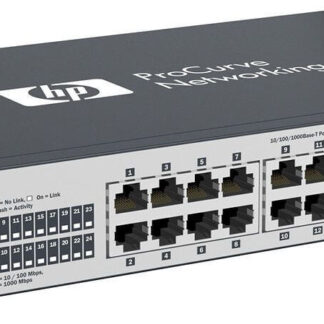
The HP V1905-24 Managed 24 Ports Fast Ethernet Switch (JD990A) is a managed switch that allows for the management and monitoring of 24 Fast Ethernet ports. This switch has a web-based graphical user interface (GUI) that provides administrators with a variety of management tools and options.
Some of the management and monitoring features of the HP V1905-24 include:
- Port Configuration: This allows administrators to configure the switch’s ports for various functions such as VLANs, link aggregation, and port speed.
- Quality of Service (QoS): The switch provides QoS controls that allow administrators to prioritize network traffic and manage bandwidth.
- Security: The switch provides various security features such as access control lists (ACLs) and port security that help administrators secure the network.
- Traffic Monitoring: The switch provides real-time traffic monitoring that allows administrators to see how much traffic is passing through the switch and identify any potential bottlenecks.
- Firmware Updates: The switch’s web-based GUI provides administrators with the ability to easily upgrade the switch’s firmware.
- System Logs: The switch provides detailed system logs that allow administrators to see a history of events that have occurred on the switch, such as port status changes and firmware upgrades.
Installation and Configuration
As a language model AI, I do not have the ability to physically install or configure the HP V1905-24 Managed 24 Ports Fast Ethernet Switch (JD990A), but I can provide you with a general idea on how it can be done.
- Unpacking and Physical Installation:
- Start by unpacking the switch and verifying the contents.
- Mount the switch on a flat, sturdy surface using the mounting brackets.
- Connect the power cable to the switch and plug it into an AC outlet.
- Connecting Devices:
- Connect the devices to the switch using Ethernet cables.
- Make sure the devices are powered on.
- Initial Configuration:
- Connect a computer to the switch using an Ethernet cable.
- Open a web browser and enter the IP address of the switch in the address bar.
- The default IP address is usually 192.168.2.1, but you can check the manual for more information.
- Log in using the default username and password, which can also be found in the manual.
- Configure the switch settings as per your requirements.
Data Protection and Security
The JD990A HP V1905-24 Managed 24 Ports Fast Ethernet Switch is a networking device designed for small and medium-sized businesses. It provides 24 fast Ethernet ports for connecting various devices, such as computers, servers, printers, and other network devices.
The switch has data protection and security features to ensure the safe transmission of data over the network. These features include:
- Port security: The switch allows administrators to restrict access to specific ports by defining MAC addresses that are allowed to access them. This helps prevent unauthorized access to the network.
- Spanning Tree Protocol (STP): STP helps prevent network loops by disabling redundant paths and ensuring that only one path is active at any given time.
- VLANs: Virtual LANs (VLANs) allow administrators to segment a network into separate virtual networks, each with its own security settings and policies.
- Link Aggregation Control Protocol (LACP): LACP allows administrators to bundle multiple physical ports into a single logical link, providing increased bandwidth and redundancy.
- Quality of Service (QoS): QoS helps ensure that critical network traffic is given priority over less critical traffic, ensuring that important data is transmitted quickly and reliably.
In conclusion, the JD990A HP V1905-24 Managed 24 Ports Fast Ethernet Switch provides data protection and security features to help ensure the safe and secure transmission of data over the network.
Main Information about the HPE JD990A
- Manufacturer: HP
- Model Number or SKU# JD990A
- Type: Networking
- Switch Type: Switch 24 Ports
Key Features
- Enclosure Type : Rack-Mountable 1u
- Interfaces : Fast Ethernet
- Ports : 24 X 10/100 + 2 X Combo Gigabit Sfp
- Routing Protocol : Igmp
- Remote Management Protocol : Rmon 2, Snmp, Http
- Features : Flow Control, Layer 2 Switching, Trunking, Vlan Support, Auto-Uplink (Auto Mdi/Mdi-X), Port Mirroring, Manageable, Spanning Tree Protocol (Stp) Support, Rapid Spanning Tree Protocol (Rstp) Support, Access Control List (Acl) Support, Quality Of Service (Qos)
- Compliant Standards : IEEE 802.3, IEEE 802.3u, IEEE 802.3i, IEEE 802.3z, IEEE 802.1d, IEEE 802.1q, IEEE 802.3ab, IEEE 802.1p, IEEE 802.3x, IEEE 802.3ad (Lacp), IEEE 802.1w, IEEE 802.1x, IEEE 802.3ae, IEEE 802.3ac, IEEE 802.1s, IEEE 802.1ab (Lldp)
- Power : Ac 120/230 V ( 50/60 Hz )