Description
Network Connectivity Options
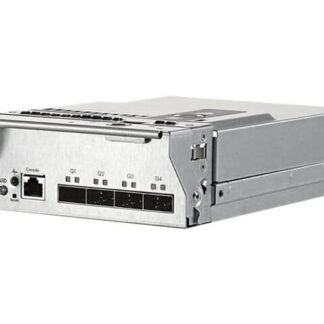
The HPE Moonshot 4q SFP Uplink Kit Expansion Module is designed to provide uplink connectivity to the network. The module has four SFP (Small Form-factor Pluggable) ports that support various types of SFP transceivers to provide the network connectivity.
To connect the Expansion Module to the network, the SFP transceivers need to be inserted into the corresponding ports on the module. The type of SFP transceivers used will depend on the type of network and uplink connectivity required. For example, if a fiber network is used, then fiber SFP transceivers will be required, and if a copper network is used, then copper SFP transceivers will be required.
Once the SFP transceivers are inserted, the uplink cables need to be connected from the SFP transceivers to the corresponding network switch ports. The network switch ports should also be compatible with the type of SFP transceivers used.
It is recommended to use high-quality and certified cables to ensure that the network connectivity is reliable and stable.
The Expansion Module supports a variety of network protocols, including Ethernet, Fibre Channel, and InfiniBand, among others. The module also supports various network speeds, including 1Gbps, 10Gbps, and 40Gbps.
After the Expansion Module is connected to the network, the system needs to be configured to ensure that the network settings are correct and that the module is functioning properly. This may include configuring the IP address, subnet mask, gateway, and VLAN settings.
Proper network connectivity is critical for the optimal functioning of the HPE Moonshot system, and it is important to ensure that the Expansion Module is connected correctly to the network to prevent any issues and to ensure that the system functions optimally.
Installation Guide
The installation guide for the HPE Moonshot 4q SFP Uplink Kit Expansion Module outlines the step-by-step process for physically installing and connecting the module to the HPE Moonshot system.
The first step in the installation process is to ensure that the HPE Moonshot chassis is powered off and disconnected from all power sources. This is important to ensure that no damage is caused during the installation process.
Next, the Expansion Module needs to be removed from its packaging and the contents checked against the packing list to ensure that everything is included.
The Expansion Module needs to be installed into the HPE Moonshot chassis. This involves locating the correct slot for the module, opening the chassis and inserting the module into the slot. The module should slide in smoothly and click into place securely.
Once the Expansion Module is installed, the SFP transceivers need to be inserted into the module. The SFP transceivers provide the uplink connectivity to the network. The transceivers need to be inserted into the corresponding ports on the module and securely fastened in place.
The final step is to connect the Expansion Module to the network. This involves connecting the uplink cables from the SFP transceivers to the corresponding network switch ports.
After the module is physically installed and connected, the next step is to configure and manage the module using the appropriate software. This will involve configuring the network settings, management and monitoring of the module, and configuring any necessary settings for the network switches.
Hardware Requirements
The HPE Moonshot 4q SFP Uplink Kit Expansion Module has certain hardware requirements that need to be met for the module to function properly.
Firstly, the module requires an HPE Moonshot System. This is the primary requirement as the module is designed to be used as an expansion module for the HPE Moonshot system.
The Expansion Module also requires a compatible network switch that supports the required uplink connectivity. The module has four SFP (Small Form-factor Pluggable) ports that require compatible SFP transceivers to provide the network connectivity. The network switch should also have compatible SFP ports to allow the connection of the uplink cables from the Expansion Module.
The module requires a compatible power supply. The HPE Moonshot system usually comes with an internal power supply that can provide power to the Expansion Module. However, if the power supply is not sufficient to power the module, an external power supply may be required.
The Expansion Module also requires adequate cooling to ensure that it functions properly. This includes ensuring that the system has adequate airflow to cool the module and that the ambient temperature of the installation environment is within the recommended temperature range.
Finally, it is recommended to use compatible and certified accessories such as cables, connectors, and mounting hardware for the module to ensure that the installation is done correctly and that the system is functioning optimally.
It is important to ensure that all the hardware requirements are met before installing the Expansion Module to
Specification
- Brand Name: HPE
- Part Number: 712694-001
- Type: Networking
- Sub-Type: 40 Gigabit
- Device Type : Expansion Module
Networking
- Connectivity Technology : Wired
- Ports : 40 Gigabit Qsfp+ X 4
- Data Link Protocol : 10 GIGE, 40 Gigabit Lan
- Data Transfer Rate : 40 GBPS
- Interfaces : 4 – Qsfp+ 1 X Management – Rj-45