


Description
Product overview of the HPE 717708-002
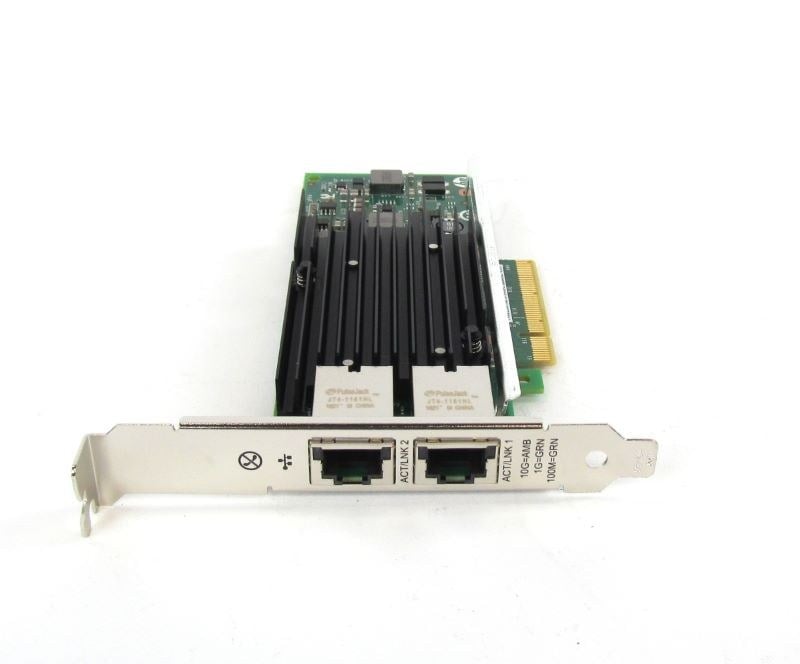
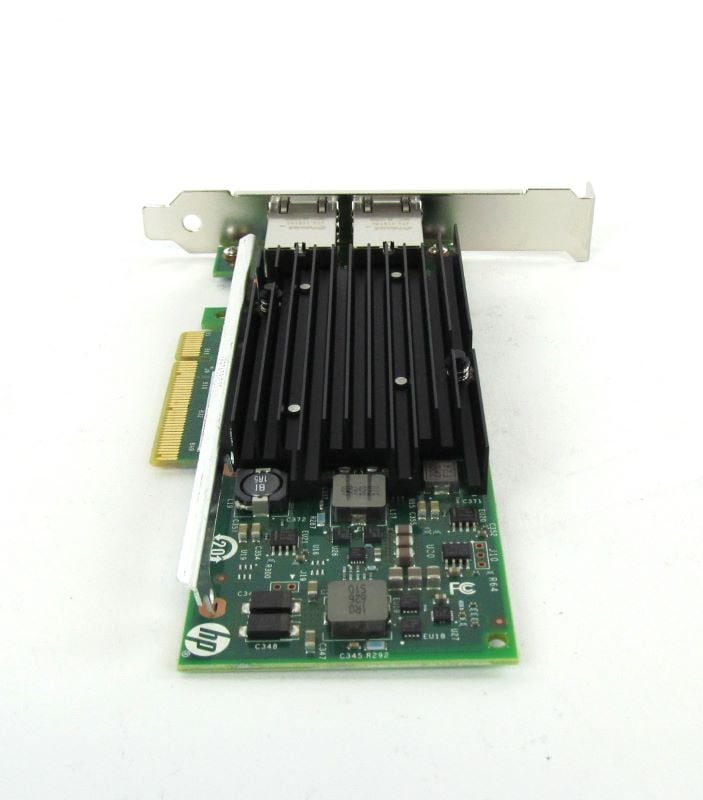
The HPE Ethernet Dual Port 561T PCI 10GB Network Adapter is a high-performance, dual-port network card designed for use in servers and other high-end computing systems. It offers 10 Gigabit Ethernet (10 GbE) connectivity, providing fast and reliable data transfer speeds. The adapter features dual ports, allowing for connection to multiple network devices or for link aggregation to increase bandwidth. It is designed to work with a variety of network protocols, including TCP/IP, iSCSI, and Fibre Channel over Ethernet (FCoE). The adapter is also compatible with various operating systems, including Windows, Linux, and VMware. Overall, the HPE Ethernet Dual Port 561T PCI 10GB Network Adapter is a powerful and versatile solution for organizations that require high-speed network connectivity for their data-intensive workloads.
Installation and setup
Installing and setting up the HPE Ethernet Dual Port 561T PCI 10GB Network Adapter involves a few steps:
- Shut down your server or other computer system and disconnect it from power.
- Locate an available PCI Express (PCIe) slot and insert the HPE Ethernet Dual Port 561T PCI 10GB Network Adapter into the slot, making sure it is securely seated.
- Connect the Ethernet cables to the ports on the adapter.
- Power on the server or computer system and boot it up.
- Install the appropriate driver and software for the HPE Ethernet Dual Port 561T PCI 10GB Network Adapter, if necessary. Drivers and software can be downloaded from the HPE website.
- Configure the network settings for the adapter, including the IP address, subnet mask, and default gateway.
- Test the connectivity of the adapter by pinging other devices on the network or by running a speed test.
- If you are using link aggregation, you need to configure it in the operating system and in the switch that the adapter is connected to.
It is recommended to consult the HPE’s documentation or with a network administrator for more detailed instructions and troubleshooting if necessary.
It is also important to note that the instructions may vary depending on the operating system and the specific configuration of your network.
Configuration options
There are a variety of configuration options available for the HPE Ethernet Dual Port 561T PCI 10GB Network Adapter. Some of the most common include:
- IP Address Configuration: Allows you to set the IP address and subnet mask for the adapter.
- Flow Control: Allows you to enable or disable flow control, which can help prevent network congestion.
- Link Aggregation: Allows you to group multiple physical Ethernet ports together to form a single logical link, increasing bandwidth and providing redundancy.
- VLAN Tagging: Allows you to assign virtual LANs (VLANs) to the adapter, which can help improve network segmentation and security.
- Quality of Service (QoS): Allows you to prioritize network traffic based on different types of data, such as video or voice.
- Teaming: Allows you to group multiple network adapters together to improve performance and provide redundancy.
- Jumbo Frame: Allows you to increase the maximum frame size, allowing for more data to be sent in a single packet, potentially increasing performance.
- Energy Efficient Ethernet (EEE): Allows you to reduce the power consumption of the adapter when it is not in use.
- Wake on LAN (WOL): Allows you to remotely wake up a computer using the adapter.
- Advanced features like DSCP, VLAN, TCP/UDP checksum offload, TCP segmentation offload, and other features are also available for advanced configuration
It is important to consult the HPE’s documentation or with a network administrator for more detailed instructions and troubleshooting if necessary.
General Information
- Manufacturer: HPE
- Part Number or SKU#717708-002
- Option Part Number: 716591-B21
- Adapter Type: Network Adapter
- Form Factor: Plug-in Card
- Interface (Bus) Type: PCI Express 2.1 x8
Networking
Compliant Standards: IEEE 802.3, IEEE 802.3x, IEEE 802.3ad (LACP), IEEE 802.1AX, IEEE 802.1Qbb, IEEE 802.1Qaz, IEEE 802.1Qau
Connectivity Technology: Wired
Data Link Protocol: 10 GigE
Data Transfer Rate: 10 Gbps
Features: Jumbo Frames support, teaming support, PXE support, Large Send Offload (LSO), Receive Side Scaling (RSS), TCP Segmentation Offload (TSO)
Ports: 10Gb Ethernet x 2
Remote Management Protocol: SNMP
Status Indicators: Port status, link/activity
Processor / Memory
- Processor: 1 x x540 – Intel
Expansion / Connectivity
- Interfaces: 2 x 10Gb Ethernet – RJ-45
Software / System Requirements
SunSoft Solaris 10, Microsoft Windows Server 2008 Foundation, SuSE Linux Enterprise Server 11, SuSE Linux Enterprise Server 10, Red Hat Enterprise Linux 5, Microsoft Windows Server 2008 Enterprise, Microsoft Windows Server 2008 Standard, Microsoft Windows Web Server 2008, Microsoft Windows Server 2008 Datacenter, Red Hat Enterprise Linux 6, Microsoft Windows Small Business Server 2011 Standard, Microsoft Windows Small Business Server 2011 Essentials, Microsoft Windows MultiPoint Server 2011, Citrix XenServer 6.0, Microsoft Windows Server 2012, SunSoft Solaris 11, Citrix XenServer 6.1, VMware vSphere 5.0, VMware vSphere 4.1
Miscellaneous
Compliant Standards: UL, BSMI, BSMI CNS 13438 Class A, EN 61000-3-2, ICES-003, EN 61000-3-3, EN55024, EN55022 Class A, WEEE, FCC Part 15 A, VCCI V-3 Class A ITE
Environmental Parameters
- Humidity Range Operating: 5 – 95% (non-condensing)
- Max Operating Temperature: 55 °C
- Min Operating Temperature: 0 °C
Dimensions & Weight
- Width: 9.50 inch
- Height: 2.25 inch
- Depth: 7.50 inch
Weight: 1.00 lbs
Compatibility Information 717708-002 HPE Ethernet 10GB
- HPE Apollo pc40, sx40
- HPE ProLiant DL Series DL160 Gen8, DL160 Gen8 Base, DL160 Gen8 Entry, DL160 Gen8 Performance, DL180 Gen9, DL180 Gen9 Base, DL180 Gen9 Entry, DL180 Gen9 Storage, DL20 Gen9, DL20 Gen9 Entry, DL20 Gen9 Performance, DL360p Gen8, DL360p Gen8 Base, DL360p Gen8 CMS, DL360p Gen8 High Performance, DL360p Gen8 Performance, DL360p Gen8 Special Server, DL380 Gen9 High Performance, DL380p Gen8 Base, DL380p Gen8 High Performance, DL380p Gen8 Performance, DL380p Gen8 Special, DL385p Gen8, DL385p Gen8 Dedicated Workload, DL385p Gen8 Entry, DL385p Gen8 Maximized Consolidation, DL385p Gen8 Storage, DL385p Gen8 Storage Centric, DL560 Gen8, DL560 Gen8 Base, DL560 Gen8 Entry, DL560 Gen8 Performance, DL560 Gen9, DL560 Gen9 Base, DL560 Gen9 Entry, DL560 Gen9 Performance, DL80 Gen9 Entry
- HPE ProLiant ML Series ML110 Gen9, ML110 Gen9 Base, ML110 Gen9 Entry, ML30 Gen9, ML30 Gen9 Base, ML30 Gen9 Performance, ML350 Gen9, ML350 Gen9 Base, ML350 Gen9 Entry, ML350 Gen9 Performance, ML350e Gen8, ML350e Gen8 Base, ML350e Gen8 Entry, ML350e Gen8 Performance, ML350e Gen8 v2, ML350p Gen8, ML350p Gen8 Base, ML350p Gen8 Special Server
- HPE ProLiant SL Series SL230s Gen8 1U Left Half Width Tray, SL230s Gen8 1U Right Half Width Tray, SL230s Gen8 Base 1U Left Tray Server, SL230s Gen8 Base 1U Right Tray Server, SL250s Gen8 2U Left Half Width Tray, SL250s Gen8 2U PCIe Gen3 Left Tray, SL250s Gen8 2U PCIe Gen3 Right Tray, SL250s Gen8 2U Right Half Width Tray, SL250s Gen8 Base 2U Left Half Width Tray, SL250s Gen8 Base 2U Left Tray Server, SL250s Gen8 Base 2U Right Half Width Tray, SL250s Gen8 Base 2U Right Tray Server, SL270s Gen8 1U Left Half Width Tray, SL270s Gen8 1U Right Half Width Tray, SL270s Gen8 Base 4U Left Half Width Tray, SL270s Gen8 Base 4U Right Half Width Tray, SL270s Gen8 SE 4U Left Tray, SL270s Gen8 SE 4U Right Tray, SL4540 Gen8, SL4540 Gen8 Tray 2x Node Server, SL4545 G7
- HPE ProLiant XL Series XL170r Gen9, XL190r Gen9
- HPE SimpliVity 380 Gen9 Node
- HPE StoreEasy 3850 Gateway Single Node


