Description
Supported Networks Protocols
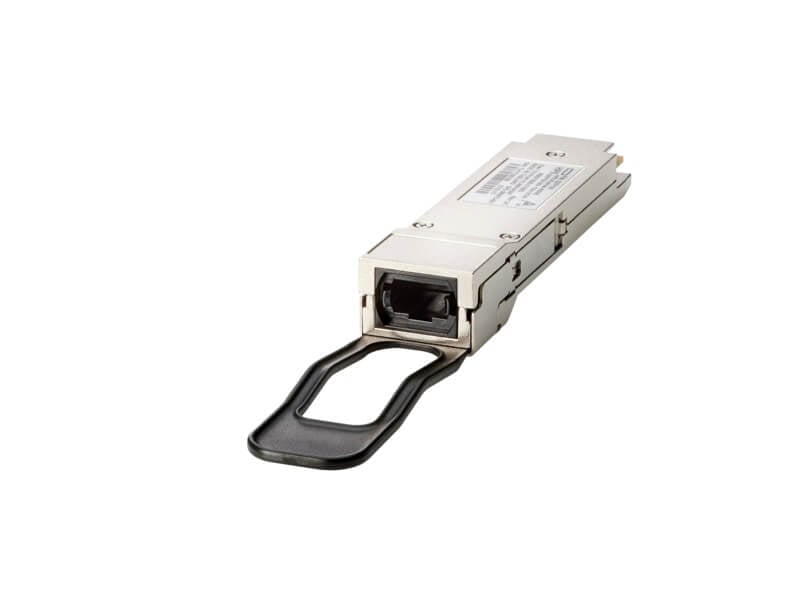
Supported networks and protocols refer to the types of networks and data transmission protocols that a particular networking device or component can operate with. In the case of the HPE M-Series 10GBE SFP+ SR MM 300M Transceiver, it is designed to support Ethernet networks with a speed of 10 gigabits per second (10GBE) and fiber optic cabling with multimode (MM) transmission up to 300 meters.
This transceiver supports a range of protocols that are commonly used in data networking, including:
- Ethernet: This is the most widely used local area network (LAN) protocol for transmitting data packets between devices over a wired connection.
- Fibre Channel: This is a high-speed data transfer protocol used primarily in storage area networks (SANs) to connect storage devices with servers and other network components.
- InfiniBand: This is a high-performance data transfer protocol used in high-performance computing (HPC) environments to connect compute and storage nodes.
- SONET/SDH: These are high-speed transport protocols used primarily in telecommunications networks to transmit voice and data signals over long distances.
- CPRI: This is a protocol used in mobile network base stations to transmit data between the radio and baseband units.
The HPE M-Series 10GBE SFP+ SR MM 300M Transceiver is also designed to be compatible with a range of HPE networking devices, including switches, routers, and servers. Understanding the supported networks and protocols is essential when selecting and deploying networking components to ensure they are compatible with the existing network infrastructure and applications.
Installation and Configuration
Installation and configuration of the HPE M-Series 10GBE SFP+ SR MM 300M Transceiver involve the following steps:
- Choose a compatible HPE networking device: Ensure that the networking device is compatible with the HPE M-Series 10GBE SFP+ SR MM 300M Transceiver. Check the device manual or specifications to confirm compatibility.
- Power off the device: Power off the HPE networking device where you plan to install the transceiver module.
- Install the transceiver: Insert the transceiver module into the SFP+ slot on the HPE networking device. Ensure that it is securely inserted and locked into place.
- Connect the fiber optic cable: Connect the fiber optic cable to the transceiver module. Make sure the cable is securely plugged into the transceiver.
- Power on the device: Power on the HPE networking device.
- Configure the device: Once the networking device is powered on, you need to configure it to recognize the transceiver module. This may involve setting the interface speed, enabling the SFP+ port, and configuring the interface to use the correct wavelength.
- Verify the connection: Verify that the transceiver is working correctly and that the networking device is recognizing it by checking the device logs or using a network management tool.
It is important to follow the manufacturer’s installation and configuration guidelines when installing and configuring the HPE M-Series 10GBE SFP+ SR MM 300M Transceiver. In addition, you may need to refer to the device manual or seek assistance from a qualified network technician for guidance on specific installation and configuration procedures.
Comparison Transceiver Models
When comparing transceiver models, there are several factors to consider to determine which model is best suited for your specific needs. Some of the key factors to consider include:
- Supported Networks and Protocols: Different transceiver models may support different network speeds and protocols. It is important to choose a model that is compatible with your network infrastructure and applications.
- Distance: Transceiver models may support different transmission distances over fiber optic cabling. Consider the distance requirements of your network when selecting a transceiver.
- Wavelength: Transceivers may use different wavelengths for transmitting and receiving data. It is important to choose a model that matches the wavelength requirements of your network.
- Connector Type: Different transceiver models may use different connector types, such as LC or SC. Ensure that the connector type is compatible with your cabling infrastructure.
- Power Consumption: Some transceiver models may consume more power than others. Consider the power consumption requirements of your network when selecting a transceiver.
- Price: Different transceiver models may vary in price. Consider your budget when selecting a transceiver.
When comparing the HPE M-Series 10GBE SFP+ SR MM 300M Transceiver to other transceiver models, it is important to consider the above factors and compare them to the requirements of your network. You may also want to consider the brand reputation, warranty, and technical support offered by the manufacturer. Ultimately, the best transceiver model for your network will depend on your specific requirements and budget.
General Information
- Manufacturer : HPE
- Part Number or SKU# 880972-001
- Product Type : Networking
Networking
- Connectivity Technology : Wired
- Cabling Type : 10GBASE-Sr
- Data Link Protocol : 10 GIGE
- Data Transfer Rate : 10 GBPS
- Optical Wave Length : 850 NM
- Max Transfer Distance : 1230 FT
- Features : Full Duplex Mode
Expansion / Connectivity
- Interfaces : 1 X Ethernet 10GBASE-SR – LC Multi-Mode