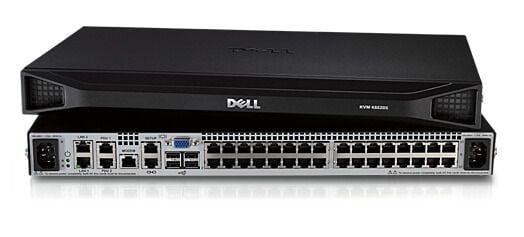
Description
Managing user Accounts and Permissions
The AF652A HPE KVM Console G3 Switch 0x2x16 KVM Switch 16 Ports provides remote access and management of servers in a data center. Managing user accounts and permissions is an important part of maintaining security and controlling access to the servers. Here are some steps to manage user accounts and permissions on the KVM switch:
- Log in to the KVM switch with an administrator account.
- Create user accounts: Click on the “User” tab in the web interface and select “Add User.” Enter the user’s name and password, and assign them to a group with the appropriate permissions.
- Create user groups: Click on the “User” tab and select “Add Group.” Give the group a name and select the permissions that the group should have.
- Assign permissions to user groups: Click on the “User” tab and select “Edit Group.” Select the group you want to edit and assign the appropriate permissions.
- Assign users to groups: Click on the “User” tab and select “Edit User.” Select the user you want to edit and assign them to the appropriate group.
- Modify user permissions: Click on the “User” tab and select “Edit User.” Select the user you want to edit and modify their permissions as needed.
- Delete users and groups: Click on the “User” tab and select “Delete User” or “Delete Group” to remove unwanted users or groups.
Performance and Reliability
The AF652A HPE KVM Console G3 Switch 0x2x16 KVM Switch 16 Ports is a device that allows multiple servers to be controlled using a single keyboard, video display, and mouse (KVM) console.
In terms of performance, the AF652A KVM switch is designed to support high-resolution video up to 2048×1536 at 75Hz, and it supports USB and PS/2 connectivity for input devices. It also features advanced security features like two-factor authentication, remote authentication, and authorization, and 256-bit SSL encryption for secure communication between the console and servers.
In terms of reliability, the AF652A KVM switch is built with high-quality components and is designed to withstand the rigors of everyday use in data center environments. It features hot-swappable components, such as power supplies and fans, which means that if one component fails, it can be replaced without powering down the switch. Additionally, it features redundant power supplies for added reliability.
Maintenance and Support Options
The AF652A HPE KVM Console G3 Switch 0x2x16 KVM Switch 16 Ports requires regular maintenance to ensure optimal performance and longevity. Here are some tips for maintaining and supporting the KVM switch:
- Keep the KVM switch clean: Regularly clean the switch with a soft, lint-free cloth to remove dust and debris. Avoid using harsh chemicals or abrasive materials that could damage the enclosure.
- Check for firmware updates: Check the HPE website for firmware updates for the KVM switch. Keeping the firmware up-to-date can improve performance and add new features.
- Verify connections: Check the cables and connections between the KVM switch and the servers to ensure they are properly connected and secure.
- Backup configuration settings: Back up the KVM switch’s configuration settings periodically in case of a hardware failure or other issue.
- Contact technical support: If you experience any issues with the KVM switch, contact HPE technical support for assistance. They can help troubleshoot issues and provide solutions.
- Maintain warranty coverage: If the KVM switch is still under warranty, make sure to maintain coverage by following the manufacturer’s guidelines for use and maintenance.
HPE also offers various support options for the AF652A KVM Console G3 Switch, including phone support, online chat, and email support. They also provide documentation, software updates, and firmware downloads on their website.
Product Information
- Manufacturer: HPE
- Part Number : AF652A
- Product Type : Console Switch
Key Features
- Device Type : KVM Switch – 16 Ports – Cascadable
- Enclosure Type : Rack Mountable
- Kvm Local Users Qty : 2 Local Users
- Keyboard / Mouse Interface : USB