Description
Hot-Swappable Design
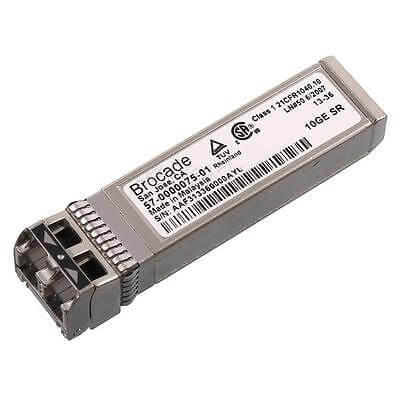
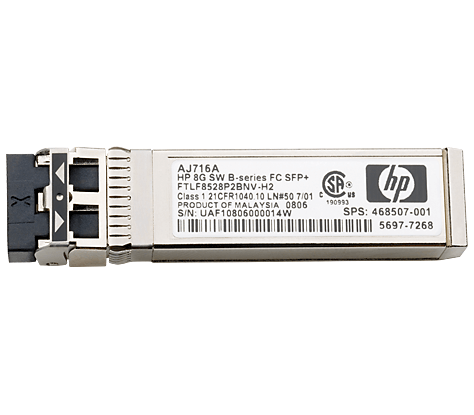
The HPE Brocade Xbr-000172 8-Pack 8GB 10km Fibre Channel Long Wave Length SFP+ Transceiver is designed with a hot-swappable form factor. This means that the transceiver can be removed and replaced while the equipment is still powered on, without the need to shut down or reboot the system.
The hot-swappable design of the HPE Brocade Xbr-000172 transceiver allows for easy maintenance and upgrades of networking equipment. It reduces downtime and enables administrators to replace or upgrade transceivers without disrupting the operation of the network.
The hot-swappable design of the HPE Brocade Xbr-000172 transceiver is also important for high-availability environments where continuous operation of the network is critical. By enabling hot-swapping of transceivers, the HPE Brocade Xbr-000172 transceiver helps to ensure that the network remains operational even in the event of a hardware failure or maintenance event.
The hot-swappable design of the HPE Brocade Xbr-000172 8-Pack 8GB 10km Fibre Channel Long Wave Length SFP+ Transceiver provides flexibility and convenience for network administrators, enabling them to quickly and easily maintain and upgrade their networking equipment with minimal disruption to network operations.
Installation and Configuration Process
The installation and configuration process of the HPE Brocade Xbr-000172 8-Pack 8GB 10km Fibre Channel Long Wave Length SFP+ Transceiver involves several steps that are designed to ensure that the transceiver is properly installed and configured to work with the networking equipment.
Here are the general steps for installing and configuring the HPE Brocade Xbr-000172 transceiver:
- Ensure that the networking equipment is powered off before installing the transceiver.
- Insert the transceiver into the corresponding transceiver slot in the networking equipment. The transceiver should be inserted firmly, and the latch should be engaged to ensure that the transceiver is securely connected.
- Connect the appropriate fiber optic cable to the transceiver. The cable should be inserted firmly into the transceiver, and the connector latch should be engaged to ensure a secure connection.
- Power on the networking equipment and verify that the transceiver is recognized by the equipment. Most networking equipment will automatically recognize and configure the transceiver, but some equipment may require manual configuration.
- Verify that the transceiver is configured with the appropriate settings, such as transmission speed, wavelength, and distance. These settings may need to be configured manually if the networking equipment does not automatically configure the transceiver.
- Test the transceiver and verify that it is functioning properly. This can be done by transmitting data over the fiber optic cable and monitoring the transmission for errors or signal degradation.
It is important to follow the manufacturer’s instructions and guidelines for installing and configuring the HPE Brocade Xbr-000172 transceiver, as improper installation or configuration can lead to network errors, signal degradation, or other issues. It is also recommended to consult with a qualified network administrator or technician if you are unsure about any aspect of the installation or configuration process.
System Requirements and Compatibility
The HPE Brocade Xbr-000172 8-Pack 8GB 10km Fibre Channel Long Wave Length SFP+ Transceiver has specific system requirements and compatibility considerations that should be taken into account before purchasing or installing the transceiver.
Here are some key system requirements and compatibility considerations for the HPE Brocade Xbr-000172 transceiver:
- The transceiver is designed to work with Fibre Channel networking equipment that supports SFP+ transceivers.
- The transceiver is designed to work with multimode fiber optic cables that use a wavelength of 1310 nm.
- The transceiver supports a transmission distance of up to 10 kilometers, but the actual transmission distance may vary depending on the quality and type of fiber optic cable being used.
- The transceiver supports a transmission speed of up to 8 gigabits per second (Gbps).
- The transceiver is hot-swappable and designed to work with various networking equipment, but it is important to verify compatibility with the specific make and model of equipment being used.
- The transceiver should be installed in accordance with the manufacturer’s instructions and guidelines to ensure proper functionality and compatibility with the networking equipment.
It is recommended to consult with the manufacturer’s documentation or a qualified network administrator or technician to verify system requirements and compatibility before purchasing or installing the HPE Brocade Xbr-000172 transceiver. This can help to ensure that the transceiver is properly configured and installed to work with the networking equipment and to prevent issues such as signal degradation or network errors.
Main Specification about the HPE E7Y42A
- Manufacturer: HPE
- Part Number or SKU # E7Y42A
- Device Type: Transceiver Module
- Transceiver Type : SFP+
Technical Information
- Form Factor : Plug-in Module
- Connectivity Technology : Wired
- Cabling Type : Fibre Channel
- Data Link Protocol : 8gb Fibre Channel (lw)
- Data Transfer Rate : 8.5 Gbps
- Max Transfer Distance : 6.2 Miles
Expansion / Connectivity
- 1 X 8gb Fibre Channel (long Wave)