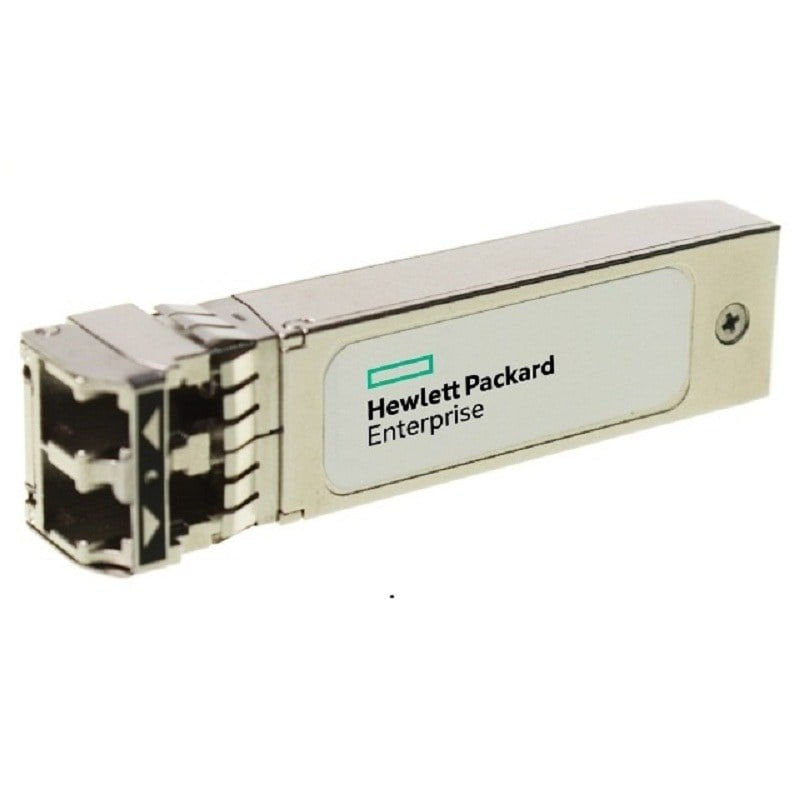
Description
Features and Specifications of Short Wave Transceiver
The FTLF8529P3PCV-H2 is a 16GB SFP+ short wave transceiver module manufactured by Hewlett Packard Enterprise (HPE). It is designed to work with HPE B-series switches and supports Fibre Channel (FC) and Ethernet applications.
Some of the key features and specifications of the FTLF8529P3PCV-H2 transceiver module are:
- Connector Type: The transceiver module comes with a dual LC connector interface that is designed to plug into the SFP+ port of the HPE B-series switches.
- Data Transfer Rate: The FTLF8529P3PCV-H2 supports a maximum data transfer rate of 16Gbps, making it suitable for high-speed networking applications.
- Wavelength: The transceiver module operates at a wavelength of 850nm, making it suitable for short-range data transmission applications.
- Distance Support: The FTLF8529P3PCV-H2 supports a maximum distance of 300 meters over multi-mode fiber (MMF) cables, which makes it ideal for intra-building and short-range data transmission.
- Power Consumption: The transceiver module has a maximum power consumption of 1.5W, making it energy-efficient and cost-effective.
- Digital Diagnostics: The FTLF8529P3PCV-H2 comes with a digital diagnostics monitoring (DDM) interface that allows users to monitor the performance of the transceiver module in real-time.
- Compliance: The transceiver module is compliant with various industry standards, including RoHS, FC, and Ethernet.
Installation and Configuration of B-Series Transceiver
Sure, I’d be happy to help with the installation and configuration of the HPE B-Series 16GB SFP+ Short Wave Transceiver, also known as FTLF8529P3PCV-H2. Here’s a step-by-step guide on how to install and configure the transceiver:
Installation:
- Turn off the switch or device you are going to install the transceiver into.
- Locate the SFP+ slot on the switch or device.
- Remove the protective dust cover from the SFP+ slot.
- Insert the transceiver into the SFP+ slot until it clicks into place.
- Turn on the switch or device.
Configuration:
Once the transceiver is installed, you may need to configure it in order to use it. Here’s how to do that:
- Log into the switch or device using the appropriate credentials.
- Navigate to the configuration page for the SFP+ slot where you installed the transceiver.
- Configure the transceiver according to your network requirements. This may include setting the transmit and receive power levels, setting the link speed, and configuring any other relevant settings.
- Save the configuration changes.
- Test the transceiver to ensure it is working properly.
That’s it! Once the transceiver is installed and configured, it should be ready to use on your network. If you have any issues or questions during the installation or configuration process, don’t hesitate to consult the manufacturer’s documentation or contact their support team for assistance.
Troubleshooting and Maintenance of SFP+ Transceiver Module
The FTLF8529P3PCV-H2 HPE B-Series 16GB SFP+ Short Wave Transceiver is a small form-factor pluggable (SFP+) module designed to support data transfer rates of up to 16 Gbps over multimode fiber optic cables. As with any networking hardware, it may experience issues that require troubleshooting and maintenance.
Here are some common troubleshooting and maintenance steps for the FTLF8529P3PCV-H2 HPE B-Series 16GB SFP+ Short Wave Transceiver:
- Check the physical connection: Ensure that the transceiver is properly seated in its port and that the fiber optic cable is securely connected on both ends. If the connection appears loose, reseat the transceiver and cable to ensure proper alignment.
- Check for link errors: Use diagnostic tools to check for link errors, such as CRC errors or packet loss. If these errors occur, it may indicate a problem with the transceiver or the fiber optic cable. Try replacing the cable or the transceiver to see if the issue persists.
- Check for compatibility issues: Verify that the transceiver is compatible with the switch or router it is being used with. Some devices may require a specific type of transceiver or may not support certain models.
- Check the fiber optic cable: Inspect the fiber optic cable for any signs of damage, such as kinks, bends, or cuts. If the cable is damaged, it may need to be replaced.
- Clean the transceiver: Use a fiber optic cleaning kit to clean the transceiver’s connector. Dust, dirt, and other debris can accumulate on the connector, which can affect performance. Cleaning the connector can help ensure proper transmission of data.
- Upgrade firmware: Check for any available firmware updates for the transceiver and update it if necessary. Firmware updates can address performance issues and add new features.
- Consult the manufacturer: If you are unable to resolve the issue using the above steps, consult the manufacturer’s documentation or contact their support team for further assistance.
Regular maintenance of the FTLF8529P3PCV-H2 HPE B-Series 16GB SFP+ Short Wave Transceiver can help prevent issues from occurring. This may include cleaning the connector periodically, checking for firmware updates, and verifying compatibility with other networking hardware.
Main Specification about the HPE FTLF8529P3PCV-H2
- Manufacturer: HPE
- Part Number or SKU # FTLF8529P3PCV-H2
- Device Type: SFP+ Transceiver Module
Technical Information
- Enclosure Type : Plug-In Module
- Connectivity Technology : Wired
- Cabling Type : Fibre Channel
- Data Link Protocol : 16gb Fibre Channel (Short Wave)
- Data Transfer Rate : 14.025 Gbps
- Interfaces : 1 X Network – 16gb Fibre Channel (Short Wave) – Lc
- Compatible Slots : 1 X Sfp+