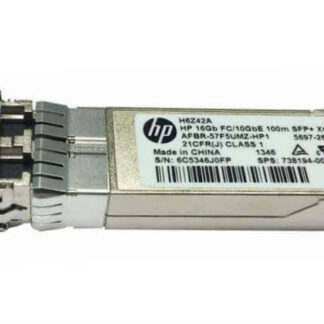
Description
Maintenance and Cleaning
Maintenance and cleaning of the H6Z42A HPE StoreFabric 16GB FC/10GBe 100m SR SFP+ transceiver is important to ensure optimal performance and extend the lifespan of the device. Here are some key points to keep in mind:
- Regular inspection: Periodic visual inspection of the transceiver is recommended to check for any physical damage, scratches, or dirt on the surface.
- Cleaning: The transceiver should be cleaned whenever it is removed from the equipment or when there is a noticeable drop in performance. The cleaning process involves using a specialized cleaning kit that contains lint-free swabs and cleaning solution. The kit should be approved by the transceiver manufacturer.
- Handling: The transceiver should be handled with care to prevent any physical damage. It should be held by the plastic tab and never by the optical connector or the cage.
- Storage: The transceiver should be stored in a clean and dry environment when not in use. It should be stored in an anti-static bag to prevent electrostatic discharge.
- Upgrades: If upgrading to a newer version of the transceiver, ensure that it is compatible with the existing network infrastructure before installation.
- Replacement: If the transceiver fails or shows signs of damage that cannot be repaired, it should be replaced immediately.
- Avoidance: To avoid damaging the transceiver, never expose it to extreme temperatures, high humidity, or liquids.
By following these maintenance and cleaning practices, the H6Z42A HPE StoreFabric 16GB FC/10GBe 100m SR SFP+ transceiver will be kept in good condition, and it will continue to provide fast and reliable data transfer for your network.
Transceiver Cost Considerations
When considering the cost of the H6Z42A HPE StoreFabric 16GB FC/10GBe 100m SR SFP+ Transceiver, there are several factors to keep in mind.
Firstly, the cost of the transceiver itself will vary depending on the manufacturer and the vendor. It is important to shop around and compare prices to ensure that you are getting a good deal.
Secondly, the cost of the cabling and other network equipment required to support the transceiver should be taken into consideration. This can include the cost of fiber optic cables, switches, and other networking hardware.
Thirdly, it is important to consider the long-term costs of using the transceiver. This includes factors such as power consumption, maintenance and support costs, and the cost of upgrades or replacements over time.
Lastly, it is important to consider the overall value that the transceiver provides. The H6Z42A HPE StoreFabric 16GB FC/10GBe 100m SR SFP+ Transceiver provides high bandwidth and fast data transfer capabilities, which can be essential for enterprise networks that require reliable and fast data transfer.
Transceiver upgrade and Replacement
The H6Z42A HPE StoreFabric 16GB FC/10GBe 100m SR SFP+ Transceiver is a modular component of a network infrastructure that can be upgraded and replaced when necessary. Upgrading or replacing the transceiver can help to improve the performance, reliability, and security of the network, and can also help to extend the lifespan of the overall network infrastructure.
When upgrading a transceiver, it is important to consider the compatibility of the new transceiver with the existing network equipment. This includes factors such as the form factor, data rate, transmission distance, and power consumption of the new transceiver. It is recommended to consult the manufacturer’s documentation and technical support to ensure that the new transceiver is compatible with the existing network equipment.
Replacing a transceiver is typically a straightforward process. The first step is to power down the device that the transceiver is connected to, and then remove the old transceiver by gently pulling it out of the slot. The new transceiver can then be inserted into the slot and secured in place. It is important to ensure that the transceiver is inserted correctly and securely to avoid damage to the equipment or the transceiver itself.
After replacing or upgrading the transceiver, it is important to perform appropriate testing and configuration to ensure that the network is functioning properly. This includes verifying the connectivity, data rate, and transmission distance of the transceiver, as well as configuring any necessary settings or parameters.
Main Specification about the HPE H6Z42A
- Manufacturer: HPE
- Part Number or SKU# H6Z42A
- Product Name Storefabric 16gb Fc10gbe 100m Sr Sfp+ Transceiver
- Product Type: Sfp+ Transceiver
Technical information
- Application / Usage : Data Networking
- Application / Usage : Optical Networking
- Compatibility : Hp Storefabric Switch
- Connectivity Media : 50/125 µm Multi-Mode Optical Fiber 10gbase-Sr
- Data Transfer Rate : 10 Gbps 10 Gigabit Ethernet
- Data Transfer Rate : 16 Gbps Fibre Channel
- Form Factor : Flexiblelom
- Interfaces / Ports : 1 X 10gbase-Sr