


Description
Features and Benefits
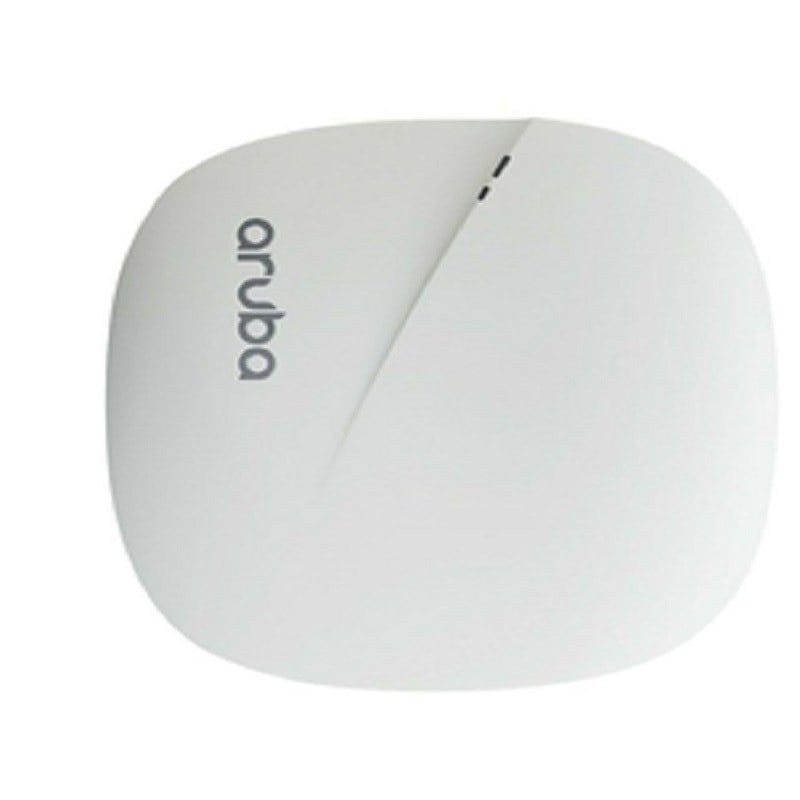
The JX946A HPE Aruba Instant IAP-305 is a high-performance wireless access point that offers a range of features and benefits for businesses and organizations. Some of these include:
- High-speed wireless connectivity: With a maximum data rate of 1.7 Gbps, the IAP-305 offers fast and reliable wireless connectivity for devices such as laptops, smartphones, and tablets.
- Advanced security features: The IAP-305 includes a variety of security features, such as WPA2-Enterprise encryption, rogue access point detection, and built-in firewalling.
- Easy deployment and management: The IAP-305 is designed to be easy to deploy and manage, with a simple web-based interface and support for remote management.
- Scalability: The IAP-305 can be easily scaled to meet the needs of growing businesses, with support for up to 16 access points per cluster.
- Quality of Service (QoS): The IAP-305 supports Quality of Service (QoS) which allows for prioritization of traffic.
- Robust coverage: The IAP-305 offers a wide coverage range and robust signal strength, making it ideal for use in large buildings or outdoor areas.
- Flexible deployment options: The IAP-305 can be deployed in a variety of environments, including indoor and outdoor locations, making it a versatile solution for a wide range of applications.
- High-performance: The IAP-305 is designed for high-performance, with support for advanced technologies such as MU-MIMO and beamforming.
- 802.11ac Wave 2: The IAP-305 supports the latest 802.11ac Wave 2 standard, providing faster wireless speeds and better overall performance.
Deployment and Setup
The JX946A HPE Aruba Instant IAP-305 is a wireless access point that can be deployed and set up in several ways depending on the specific needs of the network. Here are some common steps for deploying and setting up the IAP-305:
- Hardware installation: First, physically install the IAP-305 in the desired location. This could be on a ceiling, wall, or other surface. Ensure that the access point is securely mounted and has power and internet connectivity.
- Configuration: Next, log in to the access point’s web interface to configure basic settings such as the network name (SSID), security settings, and IP address.
- Instant mode: The IAP-305 can be deployed in “Instant mode” which allows for easy and fast deployment of multiple access points without the need for a separate controller. This can be done by connecting the access point to a wired network, and then using the Instant web interface to discover and configure the access points.
- Virtual controller: Alternatively, the IAP-305 can be deployed as a virtual controller in an existing Aruba wireless network. This allows for centralized management of multiple access points and additional features such as load balancing and RF management.
- Authentication: The IAP-305 supports various authentication methods such as WPA2-Enterprise, RADIUS, and ClearPass for secure user access to the network.
- Monitoring: Finally, it’s important to monitor the access point’s performance and usage to ensure optimal performance and troubleshoot any issues that may arise. This can be done through the web interface or by using a network management tool such as AirWave or Aruba Central.
Management and Troubleshooting
The JX946A HPE Aruba Instant IAP-305 is a wireless access point that supports speeds of up to 1.7GBPS. It is designed for use in small to medium-sized businesses and offers features such as easy deployment and centralized management.
The management of the IAP-305 is done through the Aruba Instant web interface, which allows for the configuration of various settings such as wireless network settings, security settings, and network access. The interface also allows for the monitoring of network performance and troubleshooting of any issues that may arise.
To troubleshoot issues with the IAP-305, the first step is to check the status of the access point through the web interface. This will provide information on the current status of the device and any error messages that may be present.
Next, it is important to check the network settings and ensure that they are configured correctly. This includes checking the wireless network name and password, as well as the security settings.
If the issue persists, it may be necessary to perform a firmware update or reset the device to its factory settings. In some cases, it may be necessary to seek assistance from a qualified technician or the HPE Aruba support team.
Detail Description HP JX946A
- Manufacturer: HPE
- MPN: JX946A
- Type : Networking
- Wireless -Type : Wireless 1.7GBPS
- SKU: JX946A
- Form Factor : In-Ceiling – Indoor
- Connectivity Technology : Wireless
- Line Coding Format : CCK, 64 QAM, 256 QAM, BPSK, QPSK, 16 QAM
- Data Link Protocol : IEEE 802.11B, IEEE 802.11A, IEEE 802.11G, IEEE 802.11N, IEEE 802.11AC
- Spread Spectrum Method : OFDM, DSSS
- Frequency Band : 2.4 GHZ, 5 GHZ
- Performance : Concurrent Data Rate (5 GHZ): 1300 MBPS ¦ Concurrent Data Rate (2.4 GHZ): 400 MBPS ¦ Peak Data Rate: 1.7 GBPS
- Capacity : Wireless Clients Per Wi-Fi Radio: 255 ¦ Bssids Per Radio: 16
- Status Indicators : System, Wireless
- Features : Auto-Uplink (Auto MDI/MDI-X), DFS Support, Quality Of Service (QOS), Trusted Platform Module (TPM), Reset Button, 2T2R Mimo Technology, Maximum Ratio Combining (MRC), 3T3R Mimo Technology, Low Density Parity Check (LDPC), Transmit Beam-Forming (TXBF) Ready, Cyclic Delay Diversity (CDD), Space Time Blocking Code (STBC), Advanced Cellular Coexistence (ACC), Cyclic Shift Diversity (CSD), Mu-Mimo Technology, Enhanced Clientmatch, Aruba Beacons Bluetooth Low-Energy (BLE) Technology, Wireless Intrusion Protection
- Compliant Standards : IEEE 802.11B, IEEE 802.11A, IEEE 802.11G, IEEE 802.11N, IEEE 802.3AZ, IEEE 802.11AC
Antenna JX946A
- Antenna : Internal
- Antenna Qty : 3
- Directivity : Omni-Directional
- Expansion / Connectivity
- Interfaces : 1X 1000BaseT RJ 45,1X USB 2.0,Type A
Dimension and Weight
- Height: 1.5inch
- Width: 6.5inch
- Depth: 6.5inch
- Weight: 1 Lbs


