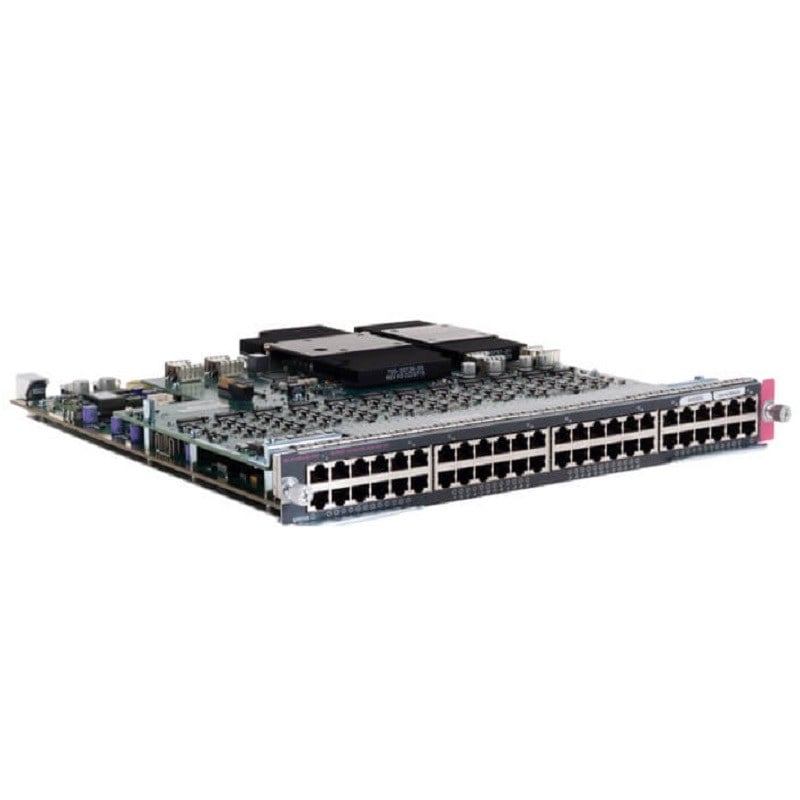
Description
Network Security Considerations
Network security is a critical consideration when using the R0X41-61001 HPE Aruba Line Module. Here are some of the security considerations to keep in mind:
- Access control: Implement access control mechanisms, such as authentication and authorization, to prevent unauthorized access to the network.
- Firewall protection: Use a firewall to protect the network from external threats, such as cyber attacks.
- Encryption: Consider using encryption to secure sensitive data transmitted over the network.
- VLAN segregation: Use Virtual LANs (VLANs) to segment the network and limit the spread of security threats.
- Network monitoring: Regularly monitor network traffic and logs to detect and respond to security incidents.
- Software updates: Keep the switch software up-to-date to ensure that any known security vulnerabilities are addressed.
- Physical security: Maintain physical security of the switch and the module to prevent unauthorized access to the network.
By implementing these security measures and regularly reviewing and updating your security strategy, you can help protect your network and sensitive data from security threats when using the R0X41-61001 HPE Aruba Line Module.
Cost-Effective Expansion Solution
The R0X41-61001 HPE Aruba Line Module is a cost-effective solution for expanding network capacity. The module provides additional ports and functionalities to the switch, allowing you to add more devices to the network without having to replace the entire switch. This results in a lower total cost of ownership compared to purchasing a new switch to accommodate growth.
Additionally, the R0X41-61001 HPE Aruba Line Module is designed to be easily installable and configurable, reducing the need for costly professional installation and setup services. This allows organizations to quickly and easily expand their network capacity to meet changing demands.
Furthermore, the R0X41-61001 HPE Aruba Line Module is compatible with a wide range of HPE Aruba switches, making it a versatile and cost-effective option for organizations looking to expand their network. The module can be easily added to existing switches, providing a scalable and flexible network infrastructure that can grow with your business.
Installation and Configuration
Installation and configuration of the R0X41-61001 HPE Aruba Line Module involves the following steps:
- Preparation: Before installing the R0X41-61001 HPE Aruba Line Module, make sure that you have all the necessary tools and equipment, including an electrostatic discharge (ESD) wrist strap, Phillips screwdriver, and other tools specified in the product documentation.
- Physical Installation: To install the R0X41-61001 HPE Aruba Line Module, you need to insert the module into the appropriate slot on the switch. The module should securely lock into place.
- Powering on the switch: Once the module is physically installed, power on the switch.
- Configuring the module: The next step is to configure the module using the switch’s management interface, such as the Command Line Interface (CLI) or the web-based graphical user interface (GUI). The exact configuration process will depend on the specific switch model and the type of network setup you are using.
- Verifying the Configuration: After configuring the module, verify that the module is functioning correctly by checking the status of the ports, LEDs, and any other relevant indicators.
It’s important to carefully follow the instructions in the product documentation and seek technical support if needed to ensure a successful installation and configuration of the R0X41-61001 HPE Aruba Line Module.
Main Specification about the HPE R0X41-61001
- Manufacturer: HPE
- Part Number or SKU# R0X41-61001
- Device Type: Expansion Module
Technical Information
- Form Factor : Plug-in Module
- Ports : 5gbase-t X 48 + 50 Gigabit Sfp56 X 4
- Connectivity Technology : Wired
- Cabling Type : Ethernet 1000base-t, Ethernet 2.5gbase-t, Ethernet 5gbase-t
- Data Link Protocol : 5 Gigabit Ethernet
- Data Transfer Rate : 5 Gbps
- Features : Power Over Ethernet (poe)
Expansion / Connectivity
- Interfaces : 48 X 1/2.5/5gbase-t (poe)
- 4 X Sfp56