Description
Choosing the Right Solid State Drive for Your Needs
Choosing the right solid state drive (SSD) for your needs requires a careful evaluation of various factors, including performance, capacity, form factor, interface, and cost.
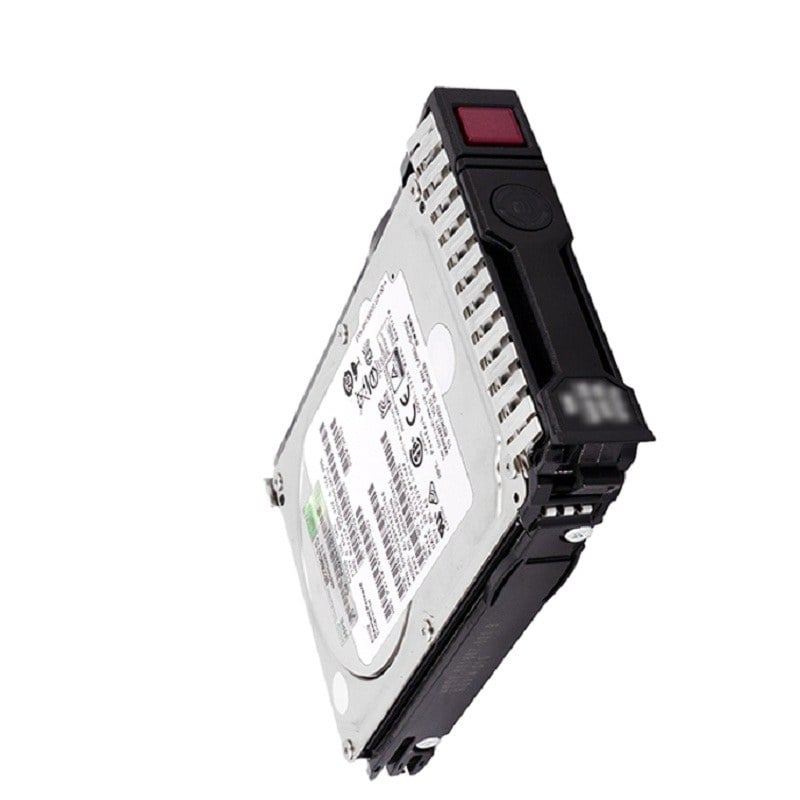
The HPE VK000960KWWFL 960GB NVMe Read Intensive SFF Solid State Drive is a high-performance storage solution designed for use in enterprise environments. It features an NVMe interface and a read-intensive workload optimization, which makes it suitable for demanding read-intensive applications. With a capacity of 960 GB, it provides ample storage space for your data. The SFF form factor is compact and ideal for use in small form factor systems, making it a good choice for space-constrained environments.
When choosing an SSD, it is important to consider the performance requirements of your applications. NVMe-based drives like the HPE VK000960KWWFL offer faster read and write speeds compared to SATA-based drives, making them a good choice for demanding applications like databases, virtualization, and high-performance computing.
Maintenance and Troubleshooting
To ensure the proper functioning of the HPE VK000960KWWFL 960GB NVMe Read Intensive SFF Solid State Drive, it’s important to perform regular maintenance and troubleshoot any issues that may arise. Here are some general steps you can follow for maintenance and troubleshooting:
- Firmware updates: Keeping the firmware of the drive up-to-date is important to ensure that it functions optimally. HPE provides regular firmware updates for its solid-state drives, which can be downloaded from the HPE website and installed using the appropriate tools.
- Monitoring drive health: Regular monitoring of the drive’s health status can help prevent any potential issues from becoming serious problems. You can use software tools or the system’s built-in management interface to monitor the drive’s health status.
- Maintenance tasks: To ensure optimal performance and longevity of the drive, it’s important to perform regular maintenance tasks such as defragmentation and error checking. You can use the built-in tools in your operating system to perform these tasks.
- Troubleshooting: If you encounter any issues with the drive, there are several steps you can take to troubleshoot and resolve the issue:
- Check the drive’s health status: This can help determine if there are any issues with the drive’s health or firmware.
- Check for compatibility: Make sure that the drive is compatible with your system and that the necessary drivers are installed.
- Check for any cable or connection issues: Ensure that all cables are properly connected and free of any damage.
- Perform a firmware update: Installing the latest firmware for the drive can help resolve any issues with its performance or stability.
- Check for any disk errors: You can use the disk check utility in your operating system to check for any disk errors and resolve them.
Advantages of Solid State Drives
HPE VK000960KWWFL 960GB NVMe Read Intensive SFF Solid State Drive is a high-performance solid-state drive (SSD) designed for use in enterprise and data center environments. The drive features an NVMe interface, which provides faster performance than traditional SATA or SAS interfaces.
Here are some of the key advantages of using solid-state drives:
- Faster Performance: One of the biggest advantages of SSDs is their faster performance compared to traditional hard disk drives (HDDs). SSDs have faster read and write speeds, lower latency, and improved I/O performance, which can result in faster boot times, quicker application launches, and faster data access.
- Increased Reliability: SSDs have no moving parts, which makes them more reliable and resistant to physical damage compared to HDDs. This also means that SSDs are less likely to fail and can result in reduced downtime and lower maintenance costs.
- Higher Energy Efficiency: SSDs consume less power than HDDs, which can result in lower energy bills and a more environmentally-friendly computing environment.
- Increased Capacity: With advancements in NAND flash memory technology, SSDs now offer higher storage capacities than ever before.
- Improved Durability: SSDs are more durable than HDDs and can withstand shock, vibration, and extreme temperatures. This makes them well-suited for use in mobile devices and other environments where physical damage may be a concern.
General Information about this HPE VK000960KWWFL
- Manufacturer: HPE
- Part Number or SKU# VK000960KWWFL
- Product Type: Solid State Drive (SSD)
- Type: NVME SSD
Technical Information of 960GB Solid State Drive
- Capacity: 960GB Storage
- Flash Type: Triple Level Cell (TLC)
- Height: 15 Mm
- Form Factor: Small Form Factor (SFF)
- Plug Type: Hot-plug
- Carrier Type: Scn
- Port: Single
Performance of Nonvolatile Memory Express (NVME) SSD
- Sequential Reads: 3.3K MBPS
- Sequential Write: 650 MBPS
- Random Reads: 125K Iops
- Random Writes: 30K Iops
Dimension & Weight
- Height: 0.6 inch
- Width: 2.7 inch
- Depth: 3.9 inch
- Weight: 0.35 lbs
Contact us or ask for live chat/help if you have any questions about the compatibility of this item to ensure the model’s matching features with your current system