

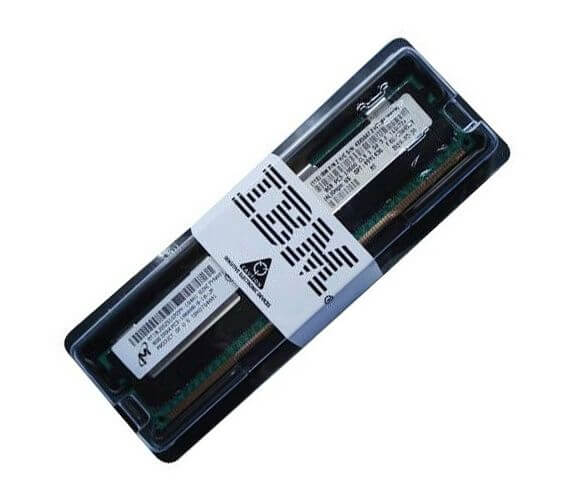
Description
Overview of the IBM 47J0256 Memory
Performance and Benchmarking Results
The performance and benchmarking results for the IBM 47J0256 memory would depend on the specific system it is being used in and the workloads being run on it. In general, DDR4 memory such as the IBM 47J0256 offers improved performance compared to its predecessor DDR3, due to its faster transfer rate and increased memory bandwidth. It also offers lower power consumption and higher density per module.
When benchmarked in a specific system, the IBM 47J0256 memory could show improved performance in tasks such as multi-tasking, large data set processing, and high-end gaming and other memory-intensive applications. However, without specific benchmarking results for this specific memory module in a specific system, it is not possible to provide an accurate assessment of its performance.
It is worth noting that overall system performance is affected by many factors, such as CPU speed, disk storage, and other hardware and software components, so the memory is just one part of the overall performance equation.
Installation and Maintenance Instructions
Installing the IBM 47J0256 memory module into a computer system is a straightforward process, but it is important to follow the proper procedures to ensure that it is installed correctly and safely. The following steps outline the general process for installing the memory:
- Before installing the memory, make sure to turn off the computer and unplug it from the power source.
- Locate the memory slots on the motherboard. These will typically be located near the CPU and will have a label indicating their purpose.
- Carefully release the tabs on either side of the memory slot to open it.
- Align the notches on the memory module with the notches on the memory slot. Carefully insert the memory module into the slot at a 45-degree angle.
- Gently press down on the memory module until the tabs on either side of the slot lock into place, securing the module.
- Repeat the process for any additional memory modules that you are installing.
- Once the memory is installed, reattach any cables and power connectors that were removed during the installation process.
- Finally, power on the computer and check the system BIOS or UEFI to ensure that the memory has been recognized and is functioning properly.
As for maintenance instructions, it is important to keep the memory module clean and dust-free, as dust buildup can cause overheating and other problems. Additionally, it is a good idea to monitor the memory usage of your system and periodically check for errors using diagnostic software. If you notice any issues or errors, it’s best to contact the manufacturer for further assistance.
It is also good to check for any firmware updates for the memory module and the motherboard to ensure that they are compatible and working efficiently.
General Information
- Manufacturer: IBM
- Manufacturer Part Number: 47J0256
- Type: Memory (RAM)
- Sub-Type: PC4-17000
- Product Name: 32GB DDR4 SDRAM Memory Module
Technical Information
- Storage Capacity : 32GB
- Memory Technology : DDR4 Sdram
- Number Of Modules : 1 X 32GB
- Memory SPEED : 2133MHZ DDR4-17000/PC4-17000
- Data Integrity Check : Ecc
- Signal Processing : Registered, 2rx4
- Cas Latency TIMINGS : Cl15
- Voltage: 1.2V
Physical Characteristics
- Form Factor: 288-pin RDIMM
- Shipping Dimensions: 0.5 Height X 2.25 Width X 6.75 Depth
- Shipping Weight: 0.1 Lb


