Description
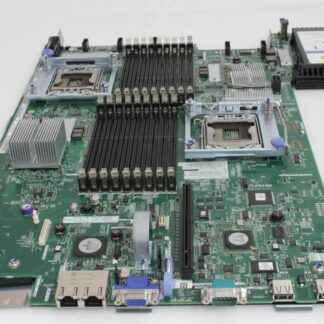
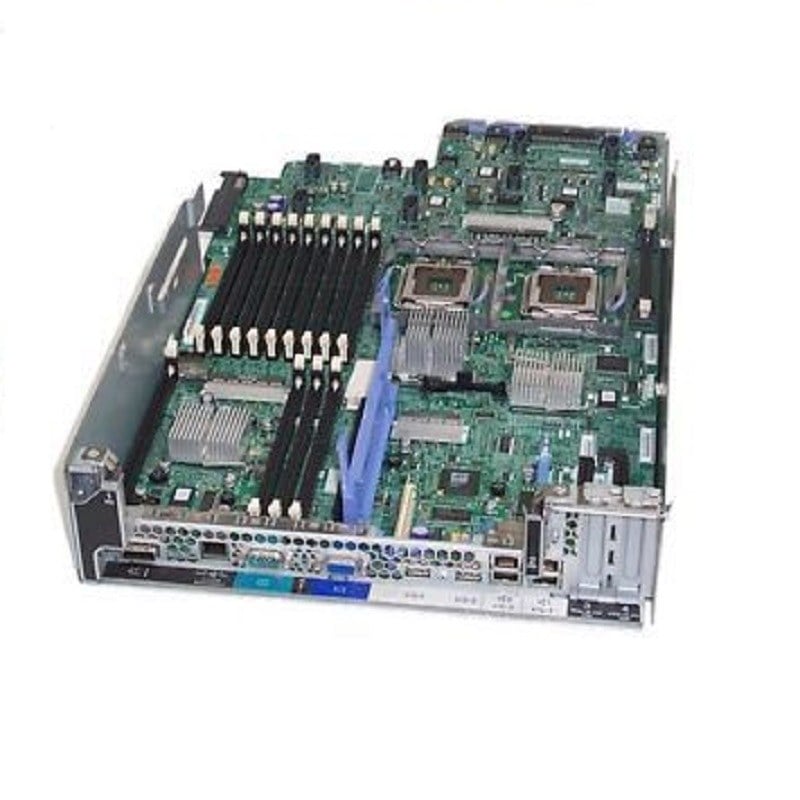
Product Details of the IBM 94Y7586 System Board for X3550 M4 Server
In the realm of server hardware, the IBM 94Y7586 System Board holds a significant position, specifically designed for the X3550 M4 Server. This critical component plays a vital role in the overall functionality and performance of the server. In this comprehensive guide, we will delve into the intricacies of the IBM 94Y7586 System Board, exploring its features, compatibility, installation process, and the impact it can have on the overall performance of the X3550 M4 Server.
Understanding the Importance of System Boards in Servers
Before delving into the specifics of the IBM 94Y7586, it’s essential to grasp the fundamental role that system boards play in the context of server board. The server board, often referred to as the motherboard, serves as the central hub that connects and facilitates communication between various hardware components within the server. It acts as a foundation for the server’s architecture, ensuring seamless integration and coordination of different elements. The efficiency and speed of a server are significantly influenced by the quality and capabilities of its system board. A well-designed system board can enhance data transfer rates, support advanced processing technologies, and contribute to overall system stability.
IBM 94Y7586 Unveiling the Specifications
Now, let’s turn our attention to the specific features and specifications that define the IBM 94Y7586 System Board tailored for the X3550 M4 Server.
Compatibility
One of the key considerations when selecting a system board is its compatibility with the server model. The IBM 94Y7586 is explicitly designed for the X3550 M4 Server, ensuring a seamless fit and optimal performance within this specific hardware environment.
Processor Support
The 94Y7586 is equipped to support a range of processors compatible with the X3550 M4 Server. This includes details on the supported processor types, clock speeds, and maximum core counts, providing users with the flexibility to choose a configuration that best suits their computational requirements.
Memory Specifications
Memory is a critical aspect of server performance, and the IBM 94Y7586 System Board doesn’t disappoint in this regard. We’ll explore the supported memory types, capacities, and configurations, shedding light on how users can leverage the full potential of their server’s memory resources.
Expansion Slots and Peripheral Connectivity
To accommodate additional hardware components, expansion slots, and peripheral connectivity options are crucial. The IBM 94Y7586 offers a comprehensive array of expansion slots, including details on PCIe slots, USB ports, and other interfaces, allowing users to expand and enhance their server’s capabilities. Now that we have a clear understanding of the IBM 94Y7586’s specifications, let’s walk through the installation process. Proper installation is crucial for maximizing the performance and longevity of the system board. Before diving into the physical installation, it’s essential to conduct a thorough review of the server environment. This includes checking for compatibility with the IBM 94Y7586, ensuring that all necessary tools are on hand, and creating a backup of critical data to prevent any potential data loss during the installation process. We’ll provide a detailed step-by-step guide on physically installing the IBM 94Y7586 System Board into the X3550 M4 Server. This includes handling the board with care, aligning it correctly with the server chassis, securing it in place, and connecting necessary cables. Post-installation, it’s crucial to ensure that the server’s firmware and drivers are up-to-date. We’ll guide users through the process of updating firmware and installing the necessary drivers to guarantee compatibility and optimal performance.
Impact on X3550 M4 Server
With the IBM 94Y7586 System Board seamlessly integrated into the X3550 M4 Server, users can expect a tangible impact on overall system performance.
Enhanced Processing Power
The support for advanced processors translates to enhanced processing power, allowing the server to handle more demanding workloads and applications with ease.
Improved Memory
The optimized memory specifications contribute to improved data access speeds and efficient memory management, enabling the server to handle multitasking and memory-intensive operations more effectively.
Scalability and Expansion
The presence of versatile expansion slots opens up opportunities for users to scale their server’s capabilities. Whether it’s adding more storage, connecting specialized hardware, or enhancing network capabilities, the IBM 94Y7586 provides the flexibility needed for future expansion. No hardware component is immune to potential issues, and the IBM 94Y7586 System Board is no exception. In this section, we’ll address common troubleshooting scenarios, offering guidance on identifying and resolving issues that users may encounter.
Diagnostic Tools
We’ll explore built-in diagnostic tools and methods for identifying potential issues with the IBM 94Y7586. This includes leveraging server management software and conducting thorough diagnostic tests to pinpoint any hardware or connectivity issues.
Common Error Codes and Messages
Understanding error codes and messages is crucial for effective troubleshooting. We’ll provide a comprehensive list of common error codes and messages associated with the IBM 94Y7586, along with explanations and recommended actions for each.
Support and Warranty Information
In the event of persistent issues, users can turn to the support and warranty options provided by IBM. We’ll outline the available support channels, warranty coverage details, and the process for seeking assistance or replacement in case of hardware failure.
General Information for the IBM 94Y7586
- Manufacturer: IBM
- Part Number or SKU# 94Y7586
- Product Type: Sunfire System X
- Product Name: System Board
In summary, the IBM 94Y7586 System Board stands as a pivotal component in the X3550 M4 Server, contributing to its overall performance, scalability, and reliability. By understanding its specifications, following a meticulous installation process, and addressing potential issues through effective troubleshooting, users can unlock the full potential of their server hardware. This comprehensive guide serves as a valuable resource for both novice and experienced users looking to harness the capabilities of the IBM 94Y7586, ensuring a seamless integration into their X3550 M4 Server environment. Whether you’re a system administrator, IT professional, or enthusiast, this guide aims to empower you with the knowledge needed to make the most of this critical hardware component.