


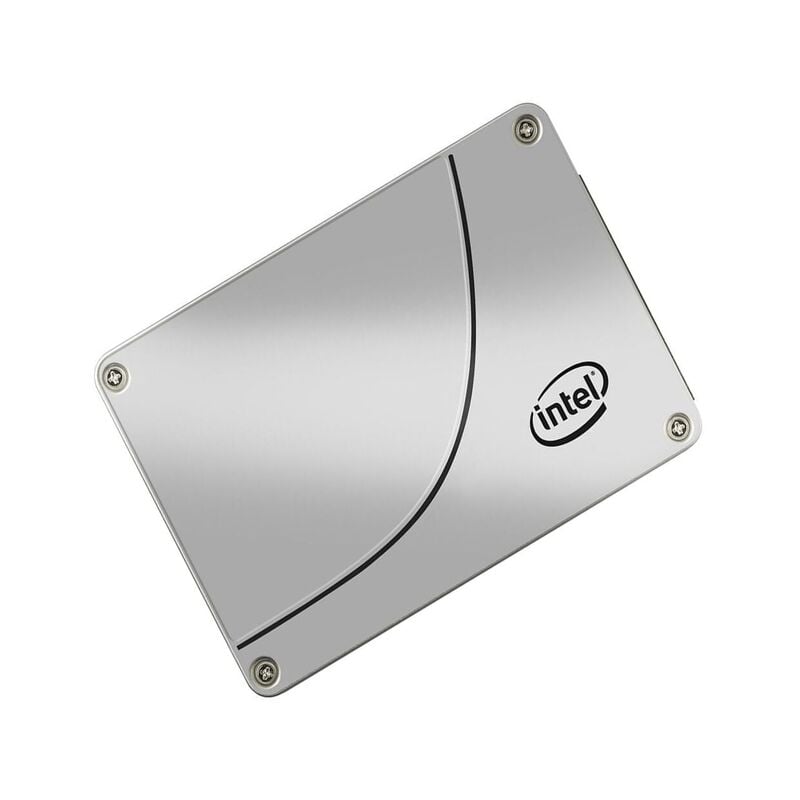


Description
Product overview
In the world of computer hardware, storage devices play a crucial role in ensuring the efficient and speedy operation of our machines. One such storage device is the SSDSC2BX400G401, a 400GB Serial Advanced Technology Attachment (SATA) 6GBPS 2.5-inch Internal Solid State Drive. This complex-sounding device is actually quite fascinating when we break down its components and understand its functions. In this article, we will delve deep into what SSDSC2BX400G401 is, its features, benefits, and how it contributes to enhancing your computer’s performance.
Understanding SSD
To comprehend what SSDSC2BX400G401 is, we first need to break down its name. The “SSD” in SSDSC2BX400G401 stands for Solid State Drive. An SSD is a type of data storage device that uses NAND-based flash memory to store data. Unlike traditional Hard Disk Drives (HDDs), which use spinning disks to read and write data, SSDs have no moving parts. This absence of moving components makes SSDs faster, more reliable, and less prone to mechanical failure.
The SATA Interface
The “SC2BX400G401” part of the name provides additional information about the drive. “SATA” stands for Serial Advanced Technology Attachment. It refers to the type of interface used to connect the SSD to a computer or motherboard. SATA is a widely used interface for both HDDs and SSDs due to its compatibility and reliability. The “6GBPS” indicates the data transfer speed of the drive, which is 6 gigabits per second. This speed determines how quickly data can be read from and written to the SSD.
2.5-inch Form Factor
The “2.5-inch” in the name refers to the physical size of the SSD. It is designed to fit into the standard 2.5-inch drive bays commonly found in laptops and desktop computers. This form factor makes it a versatile choice for various computer systems.
Key Features of SSDSC2BX400G401
Now that we’ve broken down the name, let’s explore the key features of SSDSC2BX400G401 that make it a compelling choice for storage needs.
Storage Capacity
One of the standout features of SSDSC2BX400G401 is its storage capacity of 400GB. This ample storage space allows you to store a substantial amount of data, including your operating system, applications, games, and files. It strikes a balance between capacity and performance, making it suitable for both casual users and professionals who require reliable storage.
Speed and Performance
The 6GBPS SATA interface ensures that data transfer occurs at a rapid pace. SSDs are known for their impressive speed compared to traditional HDDs, resulting in faster loading times for applications and quicker data access. This boost in speed greatly enhances the overall performance of your computer.
Durability
As mentioned earlier, SSDs have no moving parts, which makes them inherently more durable than HDDs. They are less susceptible to physical shocks and vibrations, making SSDSC2BX400G401 a reliable choice for laptops and desktops that are frequently on the move.
Energy Efficiency
SSDSC2BX400G401 consumes less power than HDDs, contributing to energy efficiency and longer battery life in laptops. This feature not only benefits your device but also reduces your carbon footprint.
Reliability
Reliability is a critical aspect of any storage device. SSDs are known for their reliability due to the absence of mechanical components that can wear out over time. This means fewer chances of data loss or drive failure, providing peace of mind for your important data.
Compatibility
SSDSC2BX400G401 is designed to be compatible with a wide range of systems. Whether you have a Windows PC, Mac, or Linux machine, you can likely install and use this SSD without compatibility issues. Its SATA interface ensures that it can connect to most modern motherboards.
Benefits of SSDSC2BX400G401
Now that we’ve covered its key features, let’s delve into the practical benefits of using SSDSC2BX400G401 in your computer system.
Faster Data Access
One of the most noticeable benefits of SSDSC2BX400G401 is the significant improvement in data access speed. Traditional HDDs rely on a spinning disk and a mechanical arm to read and write data, which takes time. SSDs, on the other hand, can access data almost instantly since there are no moving parts involved. This results in faster loading times for applications, quicker file transfers, and smoother overall system performance.
Improved System Boot Time
If you’ve ever been frustrated by a slow computer booting up, SSDSC2BX400G401 can provide a welcome solution. Thanks to its speed, it dramatically reduces the time it takes for your operating system to load. You can expect to see your computer spring to life within seconds of pressing the power button.
Enhanced Multitasking
SSDSC2BX400G401’s fast data access capabilities are especially beneficial when you’re multitasking. Whether you’re running multiple applications, editing videos, or gaming, the SSD’s ability to quickly retrieve data ensures that your system remains responsive and efficient even under heavy workloads.
Quiet and Cool Operation
Unlike HDDs, which can produce noticeable noise when they’re reading or writing data, SSDSC2BX400G401 operates silently. It generates virtually no noise since there are no moving parts involved. Additionally, the absence of moving components results in lower heat production, contributing to a cooler and quieter computing environment.
Longer Lifespan
SSDSC2BX400G401 offers a longer lifespan compared to HDDs. While the exact lifespan can vary depending on usage, SSDs generally outlast HDDs due to their durability and lack of mechanical wear and tear. This means you can rely on your SSDSC2BX400G401 for years to come without worrying about frequent replacements.
Gather Necessary Tools
Before you begin, ensure you have the following tools and materials:
- SSDSC2BX400G401
- Screwdriver (typically Phillips-head)
- SATA data cable
- SATA power cable (if your power supply doesn’t have enough SATA connectors)
- Mounting bracket or adapter (if your computer’s drive bay doesn’t fit a 2.5-inch drive)
Prepare Your Computer
- Shut down your computer and disconnect all cables, including the power cord.
- Open your computer’s case or access panel to access the drive bays.
Data Migration (if necessary)
If you’re replacing an existing storage drive with SSDSC2BX400G401 and want to transfer your data, you can use data migration software. Many SSD manufacturers provide free migration tools that simplify the process. Follow the instructions provided by the manufacturer to clone your old drive onto the new SSD.
Software Configuration
Once the physical installation is complete, you’ll need to configure your computer’s BIOS/UEFI settings to recognize the new SSD as a bootable drive. Consult your motherboard or computer manual for specific instructions on accessing and configuring the BIOS/UEFI settings.
After configuring the BIOS/UEFI, you can install or transfer your operating system and data onto the SSDSC2BX400G401. This typically involves reinstalling the OS or using the cloned data from the old drive.
Maintenance and Care
To ensure the longevity and optimal performance of your SSDSC2BX400G401, consider the following maintenance and care tips:
Keep Your Drive Clean
- Physically clean your computer’s interior regularly to prevent dust buildup. Dust can accumulate on the SSD and affect its cooling capabilities.
Monitor Drive Health
- Use software tools provided by the SSD manufacturer or third-party applications to monitor the health of your SSD. These tools can provide insights into the drive’s performance and remaining lifespan.
Regular Backups
- Always maintain up-to-date backups of your important data. While SSDs are reliable, data loss can still occur due to unforeseen circumstances.
Firmware Updates
- Check for firmware updates from the SSD manufacturer and apply them as recommended. Firmware updates can improve performance, reliability, and security.
In summary, the SSDSC2BX400G401 is not just a jumble of letters and numbers; it’s a powerful and versatile storage solution for modern computers. Its 400GB storage capacity, high-speed SATA interface, durability, energy efficiency, and compatibility make it a standout choice for both casual and professional users.
The benefits of using SSDSC2BX400G401 include faster data access, improved system boot times, enhanced multitasking capabilities, quiet and cool operation, and a longer lifespan compared to traditional HDDs. Additionally, the installation process, while requiring some basic tools and knowledge, is relatively straightforward.
By following the maintenance and care tips outlined in this article, you can maximize the lifespan and performance of your SSDSC2BX400G401, ensuring that your computer continues to operate smoothly for years to come. So, whether you’re upgrading your laptop or desktop, consider the SSDSC2BX400G401 as a reliable and efficient storage solution to boost your computing experience.
General Information about this Intel SSDSC2BX400G401
- Manufacturer : Intel
- Part Number or SKU# SSDSC2BX400G401
- Type: Solid State Drive(SSD)
- SSD Type: SATA 6 GBPS
Technical Information of 400 GB Solid State Drive
- Storage Capacity: 400 GB
Interfaces / Ports
- Drive Interface: SATA
- Drive Interface Standard: SATA/600


