


Description
Overview of the Kingston KVR52U42BS8-16 PC5-41600 Memory Module
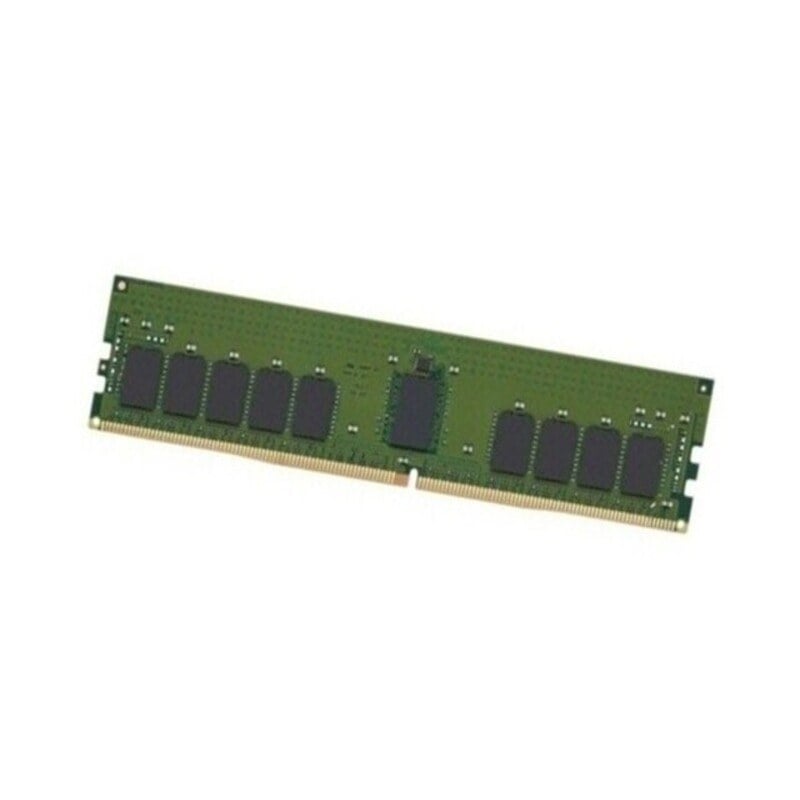
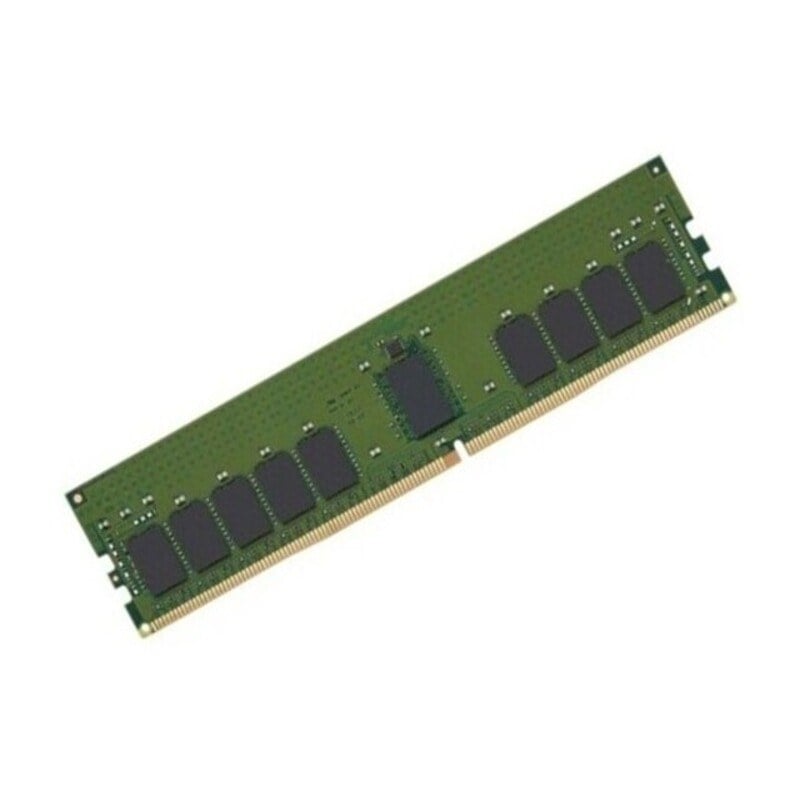
Kingston is a well-known name in the world of computer hardware, and their KVR52U42BS8-16 DDR5 RAM module is a product that has gained significant attention from tech enthusiasts. In this description, we will break down the specifications and features of this memory module in simple terms to help you understand what it is and how it can benefit your computer system.
Understanding the 16GB KVR52U42BS8-16 Memory Module
The Kingston KVR52U42BS8-16 DDR5 16GB RAM module is identified by a specific model number. Let’s break down what each part of the model number means:
- KVR: This is a prefix used by Kingston to identify their memory modules.
- 52: The number “52” typically denotes the DDR5 generation of RAM.
- U: The “U” signifies Unbuffered, which means this module does not have a memory buffer.
- 42: “42” represents the memory speed in giga transfers per second (GT/s). In this case, it is 5200MT/s, which is quite fast.
- BS8: This part refers to the number of memory banks, and “BS8” suggests 8 banks.
- 16: Finally, “16” indicates the capacity of the module in gigabytes, which, in this case, is 16 Gigabytes
DDR5 RAM Explained
DDR5 stands for Double Data Rate 5, and it is a type of synchronous dynamic random-access memory (SDRAM). Let’s break down what each part of this name means:
- Double Data Rate: DDR5, like its predecessors (DDR4, DDR3, etc.), is designed to transfer data on both the rising and falling edges of the clock signal. This allows for twice as much data to be transferred per clock cycle, increasing overall data transfer rates.
- 5: The number “5” indicates that DDR5 is the fifth generation of DDR SDRAM. Each new generation typically brings improvements in speed, power efficiency, and capacity.
- Synchronous Dynamic Random-Access Memory (SDRAM): This is a type of computer memory that stores data that can be quickly accessed and modified. Synchronous means that it is synchronized with the clock signal of the computer, allowing for efficient data transfer.
Non-Error Correction Code
The Kingston KVR52U42BS8-16 DDR5 16GB RAM module is classified as Non-Error Correction Code (ECC) memory. Let’s understand what this means:
- Error Correction Code (ECC): ECC memory is designed to detect and correct errors in data. It is commonly used in mission-critical applications such as servers, where data integrity is of utmost importance. ECC memory can identify and fix single-bit errors, ensuring that data remains accurate and reliable.
- Non-ECC: Non-ECC memory, on the other hand, does not include error correction capabilities. While it is more common in consumer-grade systems, it is also used in applications where data integrity is not as critical, such as gaming or general productivity tasks. Non-ECC memory is generally more affordable and offers high performance.
5200MT/S Memory Speed
One of the key specifications of the Kingston KVR52U42BS8-16 DDR5 16GB RAM module is its memory speed, which is expressed as 5200MT/s. Let’s break down this specification:
- MT/s: MT/s stands for mega transfers per second. In the context of DDR5 RAM, it represents the rate at which data can be transferred between the RAM module and the rest of the computer system. Higher MT/s values indicate faster data transfer rates, which can lead to improved overall system performance.
- 5200: The number “5200” is the specific value of the memory speed in mega transfers per second. This is quite fast and is suitable for demanding applications, including gaming, content creation, and more.
16 Gigabytes Capacity
The Kingston KVR52U42BS8-16 DDR5 RAM module has a capacity of 16 gigabytes (GB). Let’s delve deeper into what this means and how it affects your computer system:
- Gigabytes (GB): A gigabyte is a unit of digital information storage capacity. One gigabyte is equal to 1,024 megabytes. In the case of this RAM module, it provides a storage capacity of 16 gigabytes, which is substantial and allows for running multiple applications simultaneously, handling large datasets, and providing smooth performance in resource-intensive tasks.
- Capacity Impact: The capacity of a RAM module affects how much data and how many programs your computer can handle at once. More RAM allows for multitasking and running memory-hungry applications with ease. For example, if you’re a gamer, having 16GB of RAM can significantly enhance your gaming experience and enable smooth gameplay with high-quality graphics.
288 Pin CL42 Dual Inline Memory Module
The Kingston KVR52U42BS8-16 DDR5 16GB RAM module uses a 288-pin CL42 DIMM form factor. Let’s break down what each of these specifications means:
- 288 Pin: The number “288” refers to the physical number of pins on the RAM module. These pins connect the module to the motherboard, allowing for the transfer of data and power. DDR5 modules generally have 288 pins.
- CL42: CL stands for CAS Latency, which is a timing measurement in RAM modules. The lower the CAS Latency, the better the RAM’s performance. In this case, CL42 indicates a CAS Latency of 42, which is a decent value for DDR5 memory.
- DIMM: DIMM stands for Dual Inline Memory Module. It’s a common form factor for RAM modules. DIMMs have a row of pins on both sides and are widely used in desktop computers.
1Rx8 Memory Module
The Kingston KVR52U42BS8-16 DDR5 16GB RAM module is specified as a 1Rx8 memory module. Let’s understand what this specification signifies:
- “1R” indicates a single rank module. A rank, in memory terms, is a set of memory chips that are accessed together. Single-rank modules are more common in consumer systems and offer good performance for most applications.
- “x8” signifies the organization of the memory chips on the module. In this case, “x8” indicates that there are eight memory chips on the module, and data is accessed in an 8-bit configuration. This is the most common organization for consumer DDR5 memory modules.
Benefits of Kingston KVR52U42BS8-16 DDR5 16GB RAM Module
Now that we have dissected the various specifications of the Kingston KVR52U42BS8-16 DDR5 16GB RAM module, let’s explore the benefits of using this memory module in your computer system:
Enhanced Performance
The Kingston KVR52U42BS8-16 DDR5 module boasts a high memory speed of 5200MT/s. This means that data can be transferred to and from the RAM module at a rapid pace. This high-speed performance is particularly advantageous for applications that demand quick data access, such as gaming, video editing, 3D rendering, and scientific simulations.
Smooth Multitasking
With a generous capacity of 16GB, this RAM module can handle multiple applications and tasks simultaneously. This is particularly beneficial for users who frequently multitask or run resource-intensive software. You won’t have to worry about your system slowing down or applications becoming unresponsive due to insufficient memory.
Compatibility
Kingston is known for producing reliable and compatible hardware. This RAM module is designed to work seamlessly with a wide range of motherboards and systems, ensuring that you can easily upgrade your system without compatibility issues.
Cost-Effective Solution
For users who don’t require error correction (ECC) memory, non-ECC RAM modules are a cost-effective solution. The Kingston KVR52U42BS8-16 DDR5 16GB RAM module offers a balance of high performance and affordability. You can enjoy the benefits of DDR5 RAM without breaking the bank.
Applications of Kingston KVR52U42BS8-16 DDR5 16GB RAM Module
The Kingston KVR52U42BS8-16 DDR5 16GB RAM module is a versatile component that can find applications in various computing scenarios. Let’s explore where this RAM module can be used effectively:
Content Creation
Content creators, such as video editors, graphic designers, and 3D modelers, rely on powerful hardware to work efficiently. The Kingston KVR52U42BS8-16 DDR5 RAM module can handle the memory demands of content creation software, allowing for faster rendering and smoother multitasking while working on complex projects.
General Productivity
For everyday computer use, including web browsing, document editing, and email management, the Kingston KVR52U42BS8-16 DDR5 16GB RAM module offers ample capacity and performance. It ensures that your system remains responsive and smooth, even when running multiple applications simultaneously.
Home Servers and Network Attached Storage
If you’re setting up a home server or a network-attached storage (NAS) system, this RAM module can provide the necessary memory for efficient data handling. It’s a cost-effective option for home server applications, where ECC memory may not be a strict requirement.
Considerations for Upgrading to Kingston KVR52U42BS8-16 DDR5 16GB RAM
Before upgrading to the Kingston KVR52U42BS8-16 DDR5 16GB RAM module, there are a few key considerations to keep in mind:
Existing RAM Modules
If you are adding the Kingston KVR52U42BS8-16 DDR5 module to an existing system, consider the compatibility of this module with your current RAM. Mixing different types of RAM modules can lead to instability. It’s advisable to use identical modules for best results.
Cooling Solutions
Higher-performance RAM modules can generate more heat. If you’re upgrading in a system with limited airflow or a compact case, consider whether additional cooling solutions, such as fans or heat sinks, are necessary to keep the RAM module at an optimal operating temperature.
Future Expansion
Consider your future needs when upgrading your RAM. While 16GB may be sufficient for your current requirements, think about whether you may need more memory in the future. Upgrading to a 32GB or 64GB system may be a better choice if you anticipate increasing memory demands.
16GB RAM Module
Installing a RAM module is a straightforward process. Here are the general steps to install the Kingston KVR52U42BS8-16 DDR5 16GB RAM module:
- Prepare Your Workspace: Turn off your computer and unplug it from the power source. Make sure you’re working in an area with adequate lighting and a clean, static-free surface.
- Open Your Computer Case: Depending on your computer’s form factor, open the case or remove the side panel. Most desktop computers have easily removable side panels for this purpose.
- Locate the RAM Slots: Identify the RAM slots on your motherboard. They are long, thin slots usually located near the CPU.
- Release Existing RAM Modules (if applicable): If you’re replacing existing RAM modules, press down on the tabs on either side of the module to release it from the slot. Gently remove the module.
- Align the Notch: Ensure that the notch on the Kingston KVR52U42BS8-16 DDR5 module aligns with the notch on the RAM slot. Most DDR5 modules have a notch off-center, so they can only be inserted in one direction.
- Insert the Module: Carefully insert the module into the RAM slot, applying even pressure on both sides until it clicks into place. The tabs on the slot should secure the module in position.
- Close the Computer Case: Once the module is securely in place, close the computer case or replace the side panel.
- Power Up: Plug your computer back in, turn it on, and check your system properties to ensure that the RAM has been recognized and is functioning correctly.
It’s important to handle the RAM module with care, avoiding static discharge by grounding yourself before handling the module. Additionally, always refer to your motherboard’s user manual for specific instructions on installing and configuring RAM.
General Information about this Kingston KVR52U42BS8-16
- Manufacturer: Kingston
- Part Number or SKU# KVR52U42BS8-16
- Product Type: Memory (RAM)
- RAM Type: PC5-41600
Technical Information of the 16GB Memory Module
- Storage Capacity: 16GB
- Memory Technology: DDR5 SDRAM
- CAS Latency: CL42
- Form Factor: DIMM Memory
- Speed: 5200 MHz
- Error Checking: Non-ECC
- Number of Pins: 288-pin
- Signal Processing: Unbuffered
- Memory Rank: Dual-rank
In summary, the Kingston KVR52U42BS8-16 DDR5 16GB RAM module is a high-performance, non-ECC memory module that offers excellent speed, ample capacity, and compatibility with a wide range of systems. Whether you’re a gamer, content creator, or simply looking to enhance your computer’s multitasking capabilities, this RAM module can significantly improve your system’s performance. Before upgrading, ensure compatibility with your existing hardware and consider your future memory needs. With the right installation and care, this RAM module can be a valuable addition to your computer system, providing faster data access and improved overall performance.

