

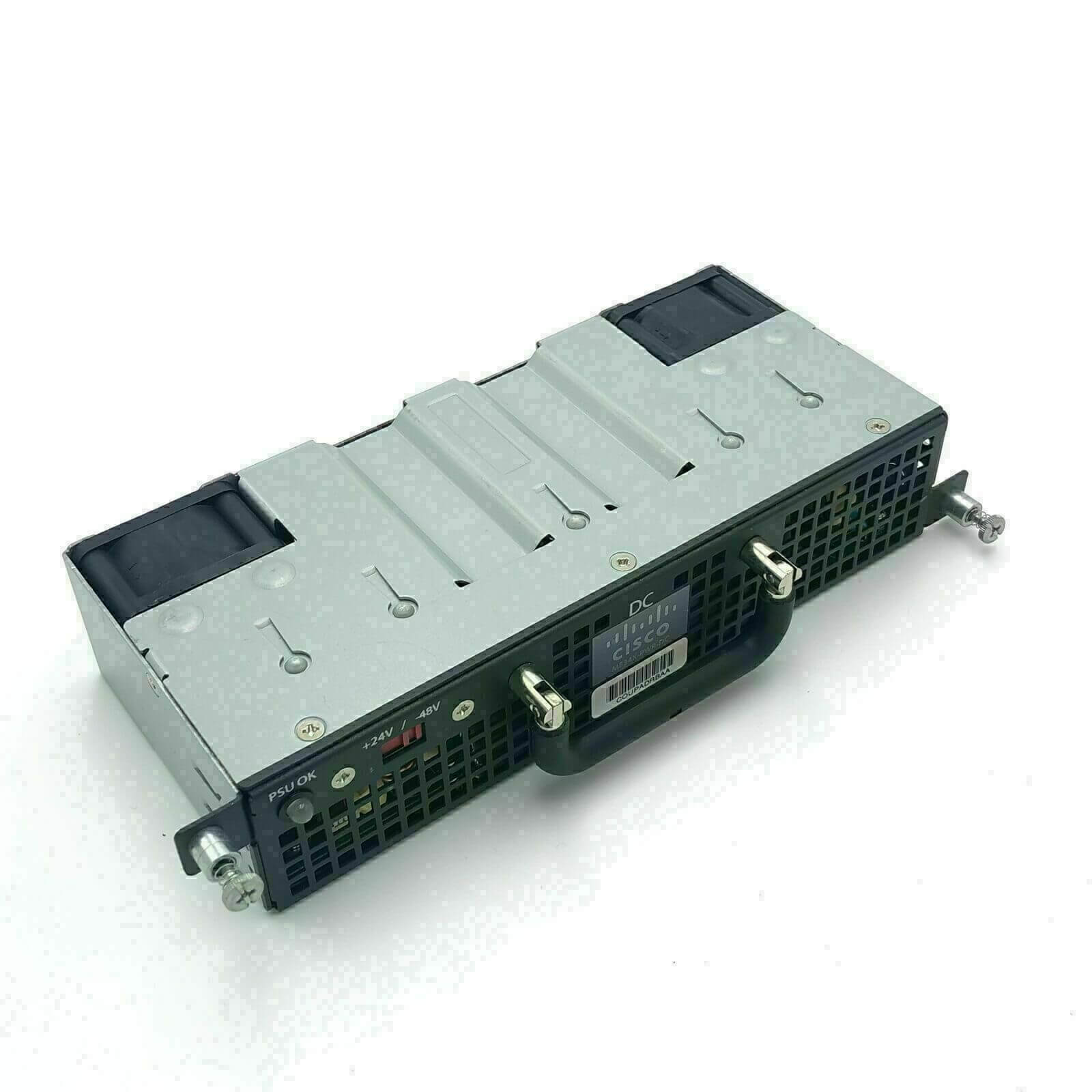
Description
Installation and Configuration
Installing the ME34X-PWR-DC Cisco 3400e Series Dc Power Supply 80 Watt requires the following steps:
- Prepare the Site: Check the site requirements for power, cooling, and physical space for the switch.
- Gather Tools and Parts: Gather the necessary tools such as screwdrivers and the parts required for installation.
- Unpack the Device: Carefully unpack the device and verify that all components are included.
- Install the Power Supply: Install the power supply in the switch by following the instructions in the hardware installation guide.
- Connect the Power Cords: Connect the power cables to the power supply and to a power source.
- Power On the Device: Power on the switch and wait for it to boot up.
- Verify the Installation: Verify that the power supply is working properly by checking the power indicator LED.
For configuration, follow these steps:
- Connect to the Switch: Connect to the switch using a console cable.
- Enter Privileged EXEC Mode: Enter privileged EXEC mode by typing “enable” and entering the password.
- Configure Power Supply: Configure the power supply by using the “power supply” command in the configuration mode.
- Verify the Configuration: Verify the configuration by using the “show power” command.
It is important to follow the instructions carefully and to be aware of any safety precautions when installing and configuring the device. It is also recommended to consult the hardware installation guide and the Cisco configuration guide for specific details.
Power Management and Monitoring
The ME34X-PWR-DC Cisco 3400e Series DC Power Supply 80 Watt has the following power management and monitoring features:
Power Management:
- Power-On Delay: The device has a power-on delay feature to ensure a safe and controlled power-up process.
- Overload Protection: The device has built-in overload protection to prevent damage to the device and connected equipment in case of a power surge.
Power Monitoring:
- Power Status Indicator: The device has a power status indicator to show the operational status of the power supply.
- Fault Detection: The device has built-in fault detection to identify and alert the user of any power-related issues.
It is important to note that these features may vary depending on the configuration and setup of the device. It is recommended to check the datasheet or consult with Cisco for specific details and specifications.
Compatibility with Cisco 3400e Series Devices
The ME34X-PWR-DC Cisco 3400e Series DC Power Supply 80 Watt is compatible with the following Cisco 3400e Series switches:
- Cisco Catalyst 340X Stackable Switch
- Cisco Catalyst 3430G Stackable Switch
- Cisco Catalyst 3435G Stackable Switch
It is important to note that compatibility may vary depending on the specific model and software version of the switch. It is recommended to check the datasheet or consult with Cisco for specific compatibility information.
It is also important to note that the ME34X-PWR-DC DC Power Supply is not compatible with the Cisco Catalyst 3400E Switch models that support PoE+ (Power over Ethernet Plus). For those switches, the Cisco ME-3400E-24TS-M and ME-3400E-24FS-M switches, the compatible power supply is the ME-CNP6U-120AC.
General Information
- Manufacturer Cisco Systems, Inc
- Manufacturer Part Number ME34X-PWR-DC
- Brand Name Cisco
- Product Name DC Power Supply
- Product Type Proprietary Power Supply
Power Description
- Input Voltage Range 18 V DC to 36 V DC
- Input Voltage Range -36 V DC to -72 V DC
- Output Voltage 12 V DC @ 6.70 A
- Output Power 80 W
Miscellaneous
- Package Contents
- DC-power-supply
- Terminal block
- DC-voltage selector
- For telecom applications (-36 to -72 VDC)
- For industrial applications (+18 to +36 VDC)
- Compatibility Cisco ME 3400E Series Ethernet Access Switches


