

Description
Key Features and Benefits of the QLE2742-CK HBA
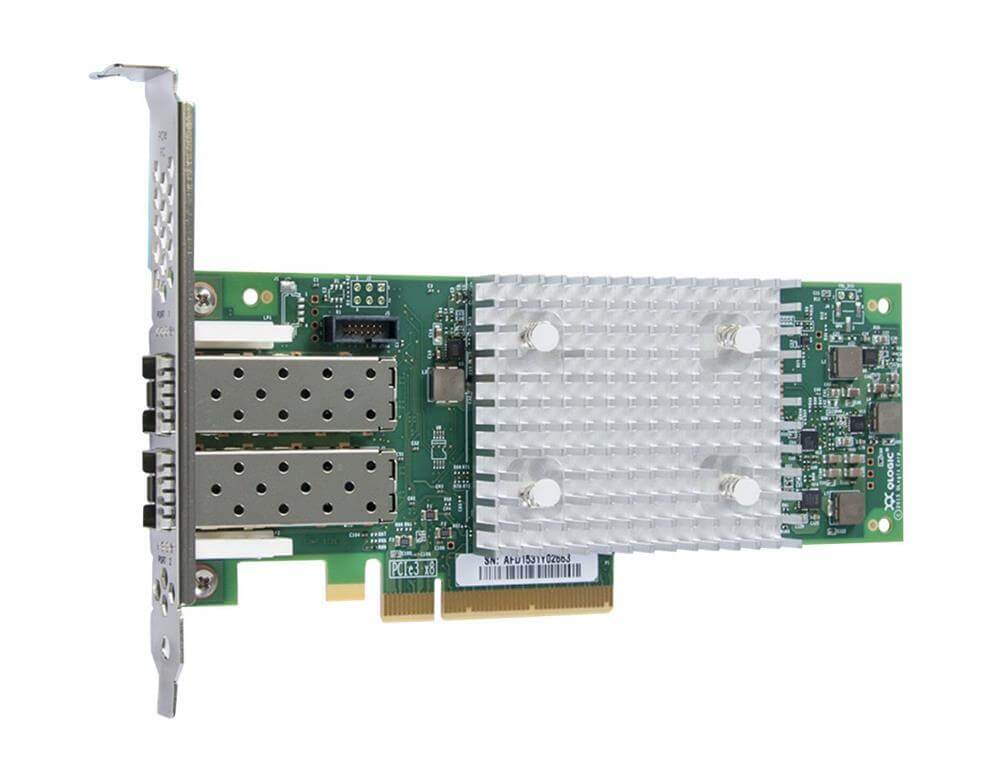
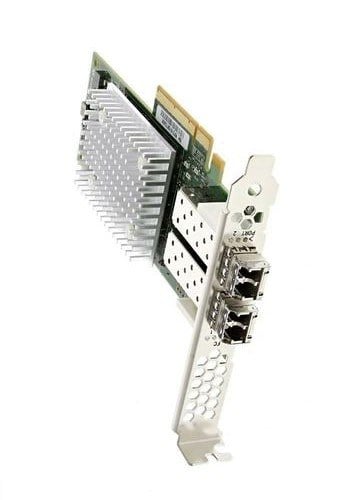
The QLE2742-CK is a dual-port Fibre Channel Host Bus Adapter (HBA) manufactured by QLogic. Here are some of its key features and benefits:
- High Performance: The QLE2742-CK delivers up to 2.6 million IOPS (input/output operations per second) and 32 Gbps of bandwidth per port, providing high performance and low latency for storage area network (SAN) applications.
- Dual-Port Configuration: The QLE2742-CK has two Fibre Channel ports, allowing for redundancy and failover in case one port fails. This provides enhanced reliability and availability for mission-critical applications.
- PCIe Gen3x8 Interface: The QLE2742-CK uses a PCI Express Gen3x8 interface, which provides high bandwidth and low latency for fast data transfer between the HBA and the host server.
- Support for Virtualization: The QLE2742-CK is compatible with a variety of virtualization platforms, including VMware, Microsoft Hyper-V, and Citrix XenServer, making it ideal for virtualized environments.
- Compatibility with Operating Systems: The QLE2742-CK is compatible with a range of operating systems, including Microsoft Windows Server, Red Hat Enterprise Linux, SUSE Linux Enterprise Server, and Oracle Linux, providing flexibility for different IT environments.
- SAN Management: The QLE2742-CK supports QLogic’s SANsurfer management suite, which provides a graphical user interface for managing and configuring SAN fabrics and HBAs. This simplifies SAN management and reduces the risk of errors.
Installation process for the QLE2742-CK HBA
Here are the general steps to install a QLE2742-CK QLogic Sanblade 32GB Dual Port PCI-E GEN3X8 Fibre Channel Host Bus Adapter:
- Power off the server and unplug it from the electrical outlet.
- Remove the server cover.
- Insert the QLE2742-CK HBA into an available PCI Express 3.0 x8 slot on the server. Make sure to align the HBA connector with the slot on the motherboard and push the HBA down firmly until it is seated securely.
- Connect the Fibre Channel cables to the HBA ports and to the corresponding ports on the SAN switch or storage device.
- Replace the server cover and power on the server.
- Install the appropriate drivers and software for the operating system and/or virtualization platform being used. These can usually be downloaded from the manufacturer’s website or included with the HBA.
Compatibility with Different Operating Systems and Virtualization Platforms
The QLE2742-CK is a dual-port Fibre Channel Host Bus Adapter (HBA) manufactured by QLogic. Here are the operating systems and virtualization platforms that are compatible with the QLE2742-CK:
Operating Systems:
- Microsoft Windows Server 2012, 2012 R2, 2016, and 2019 (x64 editions)
- Red Hat Enterprise Linux 6.x and 7.x (x86 and x64 architectures)
- SUSE Linux Enterprise Server 11 SP4 and 12 SP3 (x86 and x64 architectures)
- VMware ESXi 5.5, 6.0, 6.5, and 6.7 (x86 and x64 architectures)
- Oracle Linux 6.8, 6.9, and 7.3 (x86 and x64 architectures)
Virtualization Platforms:
- VMware vSphere 5.5, 6.0, 6.5, and 6.7
- Microsoft Hyper-V Server 2012 R2, 2016, and 2019
- Citrix XenServer 7.1
General Information
- Brand: QLogic
- MPN : QLE2742-CK
- Type: Controller
- Sub-Type: Fibre Channel
- Form Factor : Plug-In Card – Low Profile
- Interface (Bus) Type : PCI Express 3.0 X8
- PCI Specification Revision : PCIE 3.1
Technical Information
- Ports : 32GB Fibre Channel X 2
- Connectivity Technology : Wired
- Data Link Protocol : 32GB Fibre Channel
- Fibre Channel : Fc-Gs-2, Fc-Gs-3, Fc-Tape, Fcp-2, Fc-Pi-5, SCSI-Fcp, Fc-Pi-6
- Data Transfer Rate : 32 GBPS
- Max Transfer Distance : 623 Ft
- Capacity : Concurrent Logins : 2048 Active Exchanges: 2048
- Remote Management Protocol :Smi-S, Cli
Expansions And Connectivity
- Interfaces : 2 X 32GB Fibre Channel – Sfp+