

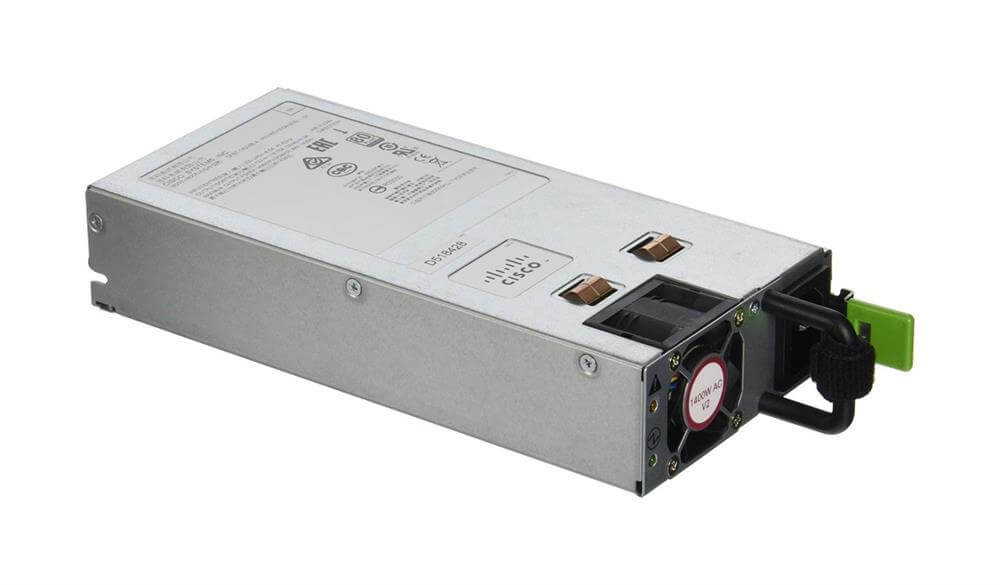
Description
Technical specifications and features of AC Power Supply
The UCSC-PSU2V2-1400W Cisco DC Power Module is a power supply unit that is designed to provide power to Cisco Network Convergence System 4000 (NCS4K) routers. It has the following technical specifications and features:
- Input voltage range: -40 VDC to -72 VDC
- Maximum power output: 1600W
- Efficiency: 94% at full load
- Operating temperature range: -40°C to +65°C
- Operating altitude: up to 15,000 feet
- Safety certifications: UL 60950-1, CSA C22.2 No. 60950-1, EN 60950-1
- Emissions certifications: FCC Part 15 Class A, ICES-003 Class A, VCCI Class A, EN 55022 Class A
- Immunity certifications: EN 55024, EN 61000-4-2, EN 61000-4-3, EN 61000-4-4, EN 61000-4-5, EN 61000-4-6, EN 61000-4-8, EN 61000-4-11
Additionally, the UCSC-PSU2V2-1400W has built-in over-voltage, over-current, and short-circuit protection to ensure safe and reliable operation. It also has an LED indicator that displays the power status and alerts the user of any fault conditions. The module is also designed to be field-replaceable, allowing for easy maintenance and replacement.
Power output and compatibility of Proprietary Power Supply
The UCSC-PSU2V2-1400W Cisco DC Power Module is a power supply unit that is designed to provide power to Cisco network devices. It is compatible with the Cisco 4000 Series Integrated Services Routers (ISRs) and has a power output of 200W.
The power output of the UCSC-PSU2V2-1400W is 200W, which means it can provide up to 200 watts of power to the connected device. This is enough to power most Cisco 4000 Series ISRs, which typically require around 150W of power.
In terms of compatibility, the UCSC-PSU2V2-1400W is designed specifically to work with Cisco 4000 Series ISRs. It connects directly to the power supply bay of the router and is fully compatible with the router’s power management features. It is not compatible with other Cisco routers or devices that use a different power supply unit.
Installation and setup of 1400 Watt Power Supply
- Unpack the UCSC-PSU2V2-1400W Cisco DC Power Module and inspect it for any damage.
- Connect the DC power cables to the power module. The cables should be securely attached to the terminals on the power module.
- Install the power module into the Cisco NCS 4200 Series chassis. The power module should be inserted into the designated slot and securely locked into place.
- Connect the power cables to the power source. The power source should be a DC power supply with the appropriate voltage and amperage for the power module.
- Turn on the power to the Cisco NCS 4200 Series chassis. The power module should be recognized by the system and the status LED should indicate that it is operational.
- Verify that the power module is working properly by checking the system logs and monitoring the power usage. If there are any issues, troubleshoot them according to the Cisco NCS 4200 Series troubleshooting guide.
- Configure the power module according to the Cisco NCS 4200 Series configuration guide. This may include setting up power redundancy and defining power budgets.
- Test the power module by performing a power cycle test on the Cisco NCS 4200 Series chassis. This will ensure that the power module can handle a power outage and switch to the redundant power supply without interruption.
- Once the power module is fully operational and configured, it is ready for use in the Cisco NCS 4200 Series chassis.
General Information
- Manufacturer Cisco Systems, Inc
- MPN: UCSC-PSU2V2-1400W
- Brand Name Cisco
- Product Name Proprietary Power Supply
- Product Type Proprietary Power Supply
- SKU: UCSC-PSU2V2-1400W
Power Description:
- Input Voltage 230 V AC
- Output Power 1400 W
Miscellaneous:
- Compatibility Cisco 2U & 4U C Series Servers


