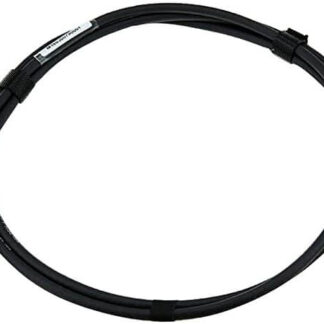
Description
Installation instructions
- Begin by gathering all necessary tools and equipment, including the HP 716191-B21 2.0M External Mini SAS High Density To Mini SAS Cable, and any necessary adapters.
- Connect one end of the cable to the Mini SAS connector on the external device, such as a storage array or server. Ensure that the connector is securely plugged in and that the cable is not bent or twisted.
- Connect the other end of the cable to the Mini SAS connector on the host device, such as a server or controller card. Again, ensure that the connector is securely plugged in and that the cable is not bent or twisted.
- Power on both the external device and the host device.
- Verify that the connection is working properly by checking for any error messages or by running a diagnostic test.
- Once the connection is confirmed to be working properly, you can proceed to use the external device as intended.
- If the connection is not working properly, check the cable connections and ensure that they are securely plugged in. If the problem persists, contact HP support for further
Technical Support Options
The HP 716191-B21 2.0M External Mini SAS High Density To Mini SAS Cable is a high-performance cable designed to connect storage devices with Mini SAS high density ports to host systems with Mini SAS ports. The cable is 2 meters in length and has a high-density Mini SAS connector on one end and a Mini SAS connector on the other.
Technical support options for the HP 716191-B21 2.0M External Mini SAS High Density To Mini SAS Cable include:
- Online resources: HP provides a variety of online resources, such as FAQs, user manuals, and troubleshooting guides, that can help users troubleshoot and resolve common issues with the cable.
- Phone support: Users can contact HP’s technical support team over the phone for assistance with installation, configuration, and troubleshooting issues related to the cable.
- Email support: Users can also contact HP’s technical support team via email for assistance with the cable.
- On-site support: For businesses or organizations that require on-site support, HP offers on-site technicians who can help troubleshoot and resolve issues with the cable.
- Warranty: The HP 716191-B21 2.0M External Mini SAS High Density To Mini SAS Cable comes with a one-year limited warranty, which covers any defects in materials or workmanship.
It is highly recommended that users consult the product manual and troubleshooting guides before contacting technical support to ensure that the issue can be resolved quickly and efficiently.
Installation and Setup
To install and set up the HP 716191-B21 2.0M External Mini SAS High Density To Mini SAS Cable, follow these steps:
- Make sure that you have the necessary equipment and tools to complete the installation. This includes the HP 716191-B21 cable and any other necessary cables or adapters.
- Connect one end of the cable to the external Mini SAS high-density connector on the host controller or drive backplane.
- Connect the other end of the cable to the Mini SAS connector on the external storage device.
- Power on both the host controller and the external storage device.
- Configure the host controller and the external storage device according to the manufacturer’s instructions.
- Test the connection to ensure that data can be transferred between the host controller and the external storage device.
It’s important to follow the manufacturer’s instructions for your specific device and setup. Please check the compatibility of the product with your system or devices before installation.
Product Information
- Manufacturer: HP
- MPN: 716191-B21
- Type: Cable
- Sub-Type: 2 Meter
- SKU: 716191-B21
TECHNICAL INFORMATION
- Cable Type: Sas
- Cable Length: 6.56 Ft
- Connector On First End: Mini-SAS
- Connector On Second End: Mini-SAS
- Conductor: Copper