Description
Configuring and Managing
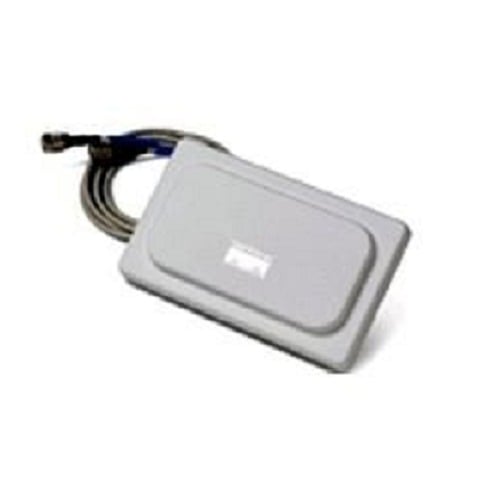
The AIR-ANT5145V-R Cisco Aironet Directional Antenna is a high-gain directional antenna used for wireless networks. It can be used to provide extended coverage in a specific direction and can be used with a variety of Cisco wireless access points and bridges.
Configuring:
- Antenna Type: The antenna type must be correctly configured on the wireless access point or bridge to ensure that it is operating correctly.
- Antenna Gain: The gain of the antenna should be configured to match the requirements of the wireless network. The gain can be configured through the access point or bridge’s management interface.
- Radio Frequency (RF) Channel: The RF channel must be configured to match the channel used by the wireless network. This can be done through the access point or bridge’s management interface.
Managing:
- Monitoring: The status of the antenna can be monitored through the access point or bridge’s management interface. This helps to ensure that the antenna is operating correctly and providing the desired coverage.
- Troubleshooting: In the event of a problem with the antenna, the access point or bridge’s management interface can be used to troubleshoot the issue.
Radiation Pattern and Directionality
The AIR-ANT5145V-R Cisco Aironet antenna is a directional antenna, meaning that it focuses the radio frequency (RF) signal in a specific direction. This type of antenna has a narrow radiation pattern, meaning that it has a high gain and provides focused coverage in a specific direction. The directionality of the AIR-ANT5145V-R is omnidirectional, meaning that it radiates RF energy in a 360-degree pattern around the antenna. This type of antenna is commonly used for point-to-point wireless communications, providing focused coverage for a single direction, making it ideal for outdoor and industrial environments. The specific radiation pattern and directionality of the AIR-ANT5145V-R can be found in the antenna’s datasheet, which can be obtained from the Cisco website.
Fault Detection and Recovery
Fault detection and recovery of the AIR-ANT5145V-R Cisco Aironet directional antenna involves identifying and fixing issues that may prevent the antenna from functioning properly. The following steps can be taken to detect faults and recover the antenna:
- Verify the mounting: Ensure that the antenna is securely mounted on the access point or bridge. If the antenna is loose, it may cause connectivity issues.
- Check the cables: Inspect the cables connecting the antenna to the device to make sure they are properly attached and not damaged. If the cables are damaged, they should be replaced.
- Physical inspection: Look for any physical damage to the antenna such as cracks or missing parts. If the antenna is damaged, it will not function properly and should be replaced.
- Reset the device: If the antenna is still not functioning, try resetting the access point or bridge. This can often resolve connectivity issues.
- Upgrade the firmware: If the problem persists, consider upgrading the firmware on the access point or bridge. New firmware updates can often resolve issues with the antenna.
If these steps do not resolve the issue, it may be necessary to replace the antenna or seek assistance from a qualified technician.
General Information
- Manufacturer Cisco
- MPN: AIR-ANT5145V-R
- Product Line Aironet
- Product Name Aironet Diversity Omnidirectional Antenna
- Product Type Antenna
Technical Information
- Maximum Antenna Range 731.6 ft
- Frequency Band Type SHF
- Frequency 5.15 GHz to 5.85 GHz
- Antenna Gain 5 dB
- Impedance 50 Ohm
- Polarization Linear
- Cable Length 3 ft
Interfaces / Ports
- Number of Connectors 2
- Connector Type RP-TNC
Dimensions & Weight
- Height 5.3 Inch
- Width 4.1 Inch
- Depth 5 Inch
- Weight 11.64 oz
Miscellaneous
- Application/Usage Wireless Sound System
- Package Contents-
- Aironet 4.5-dBi Low Profile Omnidirectional Antenna
- The antenna ships with a mounting bracket and the hardware required to install the antenna on a suspended ceiling
- Additional Information-
- All range estimations are based on an external antenna associating with an integrated Intel Centrino client adapter under ideal conditions. The distances referenced here are approximations and should be used for estimation purposes only.
- Application: Indoor midrange antenna
- Compatibility
- Cisco Aironet 1200 Series Access Points