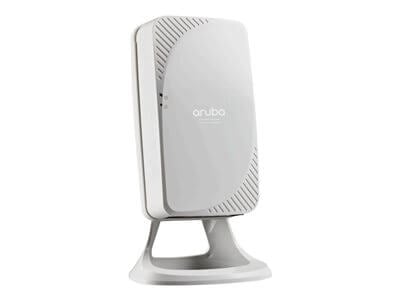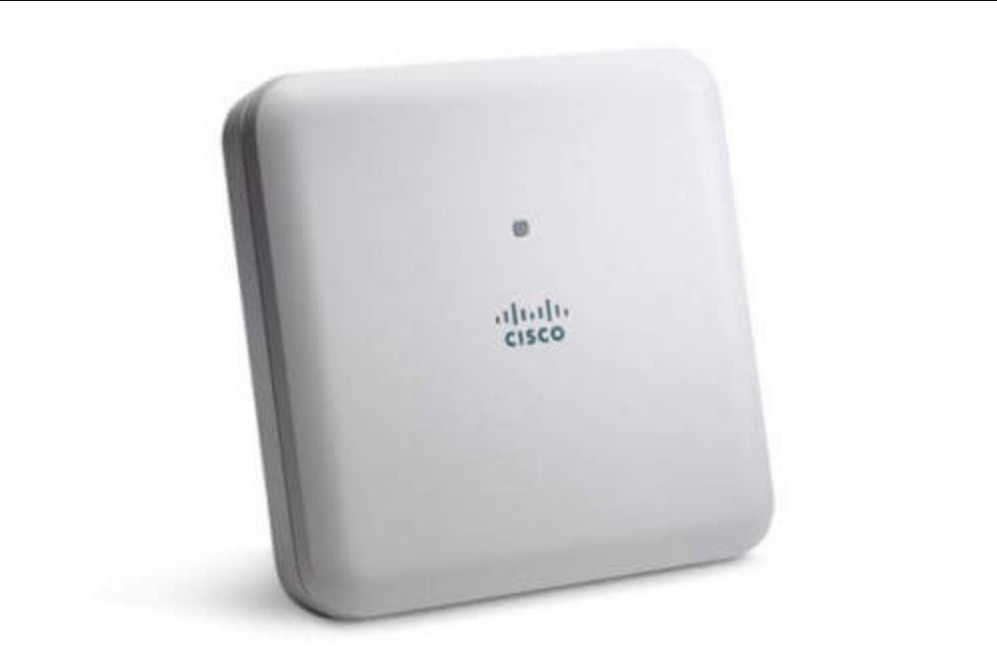
Description
Configuration and management
The Cisco Aironet AP1832I Wireless Access Point is a device that provides wireless network connectivity to client devices such as laptops, smartphones, and tablets. It is important to properly configure and manage the access point to ensure that it is secure, efficient, and providing the best possible performance.
Here are some key steps to configure and manage the AIR-AP1832I-A-K9C Cisco Aironet AP1832I Wireless Access Point:
- Connect the access point to a network: The access point needs to be connected to a network via an Ethernet cable or via a wireless uplink. This allows it to receive power and communicate with other devices on the network.
- Access the access point’s configuration page: Once the access point is connected to a network, you can access its configuration page through a web browser. Enter the access point’s IP address in the browser’s address bar, and then enter the username and password to log in.
- Configure basic settings: Once you are logged in, you can configure basic settings such as the access point’s hostname, time zone, and network settings. You can also configure the access point to operate in standalone mode or to be managed by a controller.
- Configure wireless settings: You can configure the wireless network settings, including the SSID, security settings, and channel settings. You can also configure advanced settings such as QoS, wireless multicast, and power settings.
- Monitor and manage the access point: Once the access point is configured, you can monitor its performance and manage it as needed. You can view logs, statistics, and client connections, and you can also update the firmware and restart the access point if needed.
Performance and throughput
The performance and throughput of the AIR-AP1832I-A-K9C Cisco Aironet AP1832I Wireless Access Point depend on several factors, including the number of connected devices, the distance between the access point and the devices, and the wireless standards and frequencies being used.
The AIR-AP1832I-A-K9C supports the latest wireless standards, including IEEE 802.11ac Wave 2, which provides higher throughput and better performance compared to earlier standards. The access point also supports multi-user MIMO technology, which allows multiple devices to receive data simultaneously, improving the overall efficiency of the network.
In terms of throughput, the AIR-AP1832I-A-K9C is capable of delivering up to 867 Mbps on the 5 GHz band and up to 400 Mbps on the 2.4 GHz band, assuming ideal conditions. However, actual throughput will depend on a variety of factors, including the number and type of devices connected, the distance between the devices and the access point, and interference from other wireless networks or devices.
To optimize performance, it is important to properly configure the access point, including the wireless settings such as the channel and power settings. In addition, the use of advanced features such as Quality of Service (QoS) and band steering can help to ensure that high-priority traffic is given priority and that devices are connected to the most appropriate wireless band.
Range and coverage
The range and coverage of the AIR-AP1832I-A-K9C Cisco Aironet AP1832I Wireless Access Point depends on several factors, including the environment in which it is deployed, the type of antennas used, and the power settings configured on the access point.
Generally, the AIR-AP1832I-A-K9C access point can provide coverage for a range of up to 500 feet indoors and up to 1000 feet outdoors, although this can vary depending on the specific environment and other factors.
The access point supports multiple antennas and is capable of using either internal or external antennas, depending on the needs of the deployment. The access point supports both omnidirectional and directional antennas, with different radiation patterns, gain, and frequency bands available.
To optimize the coverage and range of the access point, you should consider factors such as the layout of the building, the number and density of users, and the location of obstacles such as walls or other structures that could affect the wireless signal.
You can also adjust the transmit power of the access point to optimize coverage and range. By adjusting the power settings, you can increase or decrease the strength of the wireless signal to provide the best coverage without causing interference with other devices in the area.
Ultimately, the range and coverage of the AIR-AP1832I-A-K9C access point will depend on the specific needs of the deployment and the environment in which it is used. Proper planning and configuration can help ensure that the access point provides the best possible coverage and range for your organization’s wireless needs.
General Information
- Manufacturer Cisco Systems, Inc
- MPN: AIR-AP1832I-A-K9C
- Product Line Aironet
- Product Series 1830
- Product Model AP1832I
- Product Name Aironet AP1832I Wireless Access Point
- Product Type Wireless Access Point
- SKU: AIR-AP1832I-A-K9C
Technical Information
- Wireless LAN Standard IEEE 802.11ac
- Wireless Transmission Speed 867 Mbit/s
- MIMO Technology Yes
- Beamforming Technology Yes
Interfaces/Ports
- Ethernet Port Yes
- Fast Ethernet Port Yes
- Gigabit Ethernet Port Yes
- 10Gigabit Ethernet Port No
- Number of Network (RJ-45) Ports 1
- PoE (RJ-45) Port Yes
- VGA No
- HDMI No
- USB Yes
- Powerline No
- Management Port Yes
Power Description:
- Power Source Power Supply
- Power Source PoE+
Dimensions & Weight
- Height 2 Inch
- Width 8.3 Inch
- Depth 8.3 Inch
- Weight (Approximate) 3.12 LBS