Description
Hardware specifications of Wireless Access Point
The AIR-CAP2702E-C-K9 is a Cisco Aironet 2702E Wireless Access Point designed for enterprise wireless networks. It provides high-performance wireless connectivity and is suitable for use in large organizations, campuses, and high-density areas.
Here are the hardware specifications of the AIR-CAP2702E-C-K9:
- Wireless Standards: The access point supports IEEE 802.11a/b/g/n/ac Wave 2 standards, which allow for high-speed wireless connections and improved performance.
- Antennas: The AIR-CAP2702E-C-K9 access point comes with six integrated antennas, which provide omnidirectional coverage and high gain for improved wireless signal strength and coverage.
- Radio Frequency: The access point operates in both the 2.4 GHz and 5 GHz frequency bands, providing dual-band coverage and better network flexibility.
- Maximum Data Rate: The maximum data rate of the AIR-CAP2702E-C-K9 access point is up to 1.3 Gbps, which allows for high-speed wireless connectivity and better network performance.
- Ethernet Ports: The access point comes with two Gigabit Ethernet ports, which allow for high-speed wired connections to the network.
- Power: The AIR-CAP2702E-C-K9 access point requires Power over Ethernet (PoE) for power and can support both IEEE 802.3af and 802.3at standards.
- Security: The access point supports various security protocols, including WPA2, 802.1X, and AES encryption, to ensure secure wireless connectivity.
- Management: The access point can be managed using various Cisco wireless controllers, including the Cisco 2500, 5500, and 8500 Series Wireless Controllers, and Cisco Virtual Wireless Controller.
Software specifications
Software specifications of AIR-CAP2702E-C-K9 Cisco Aironet 2702E Wireless Access Point refer to the various software features and capabilities of this device. The Cisco Aironet 2702E is a high-performance wireless access point that supports the latest 802.11ac Wi-Fi standard. It is designed to provide fast and reliable wireless connectivity to enterprise-level networks.
The software features of the AIR-CAP2702E-C-K9 include support for multiple wireless protocols, including 802.11a/b/g/n/ac, and compatibility with a wide range of client devices. The device supports various advanced security features such as Wi-Fi Protected Access II (WPA2), 802.1x authentication, and Advanced Encryption Standard (AES) encryption.
The AIR-CAP2702E-C-K9 access point is designed to be managed using Cisco’s prime infrastructure, which is a comprehensive network management platform. The device can also be configured and managed using a web browser, SSH, or Telnet.
In addition to its robust security features and management capabilities, the AIR-CAP2702E-C-K9 access point also supports advanced features such as beamforming, which improves signal strength and coverage, and load balancing, which distributes network traffic across multiple access points to improve network performance.
Physical design and installation
The Cisco Aironet 2702E Wireless Access Point is a high-performance device that is designed to provide reliable and secure wireless connectivity in various environments. The physical design and installation process of this access point involves several steps.
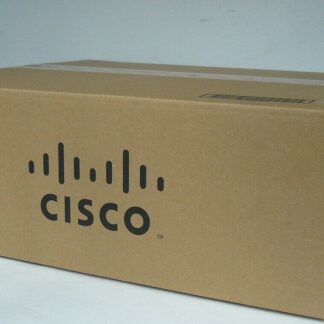
- Unpacking and Inspection: The access point comes in a box containing the device, mounting hardware, power adapter, and documentation. Unpack the device and inspect it for any damages.
- Mounting: The access point can be mounted on a ceiling or a wall using the provided mounting hardware. The device can be attached to a mounting bracket and then secured to the ceiling or wall using screws.
- Power Connection: The access point requires power to function, and it can be powered using the provided power adapter. The power adapter can be plugged into a power outlet and then connected to the access point using the power cable.
- Ethernet Connection: The access point also requires an Ethernet connection to connect to the network. The access point has two Ethernet ports, and one of them can be connected to the network switch using an Ethernet cable.
- Configuration: Once the access point is physically installed, it needs to be configured to provide wireless connectivity. This can be done using the Cisco Wireless LAN Controller or the Cisco Mobility Express solution.
Specification
- Manufacturer Cisco Systems, Inc
- Manufacturer Part Number AIR-CAP2702E-C-K9
- Type: Networking
- Sub-Type: Wireless 1.27GBPS
- Brand Name Cisco
- Product Line Aironet
- Product Series 2700
- Product Model 2702E
- Product Name Aironet 2702E Wireless Access Point
- Product Type Wireless Access Point
Technical Information
- Wireless LAN Standard IEEE 802.11ac
- Wireless Transmission Speed 1.27 Gbit/s
- MIMO Technology Yes
Interfaces/Ports
- Ethernet Port Yes
- Fast Ethernet Port Yes
- Gigabit Ethernet Port Yes
- 10Gigabit Ethernet Port No
- Number of Network (RJ-45) Ports 2
- PoE (RJ-45) Port No
- VGA No
- HDMI No
- USB No
- Powerline No
- Management Port Yes
Power Description
- Power Source AC Adapter
- Power Source PoE+
Please contact us over the phone or ask for live chat/help if you have any questions about the estimated time of arrival for any “lead time required” item.