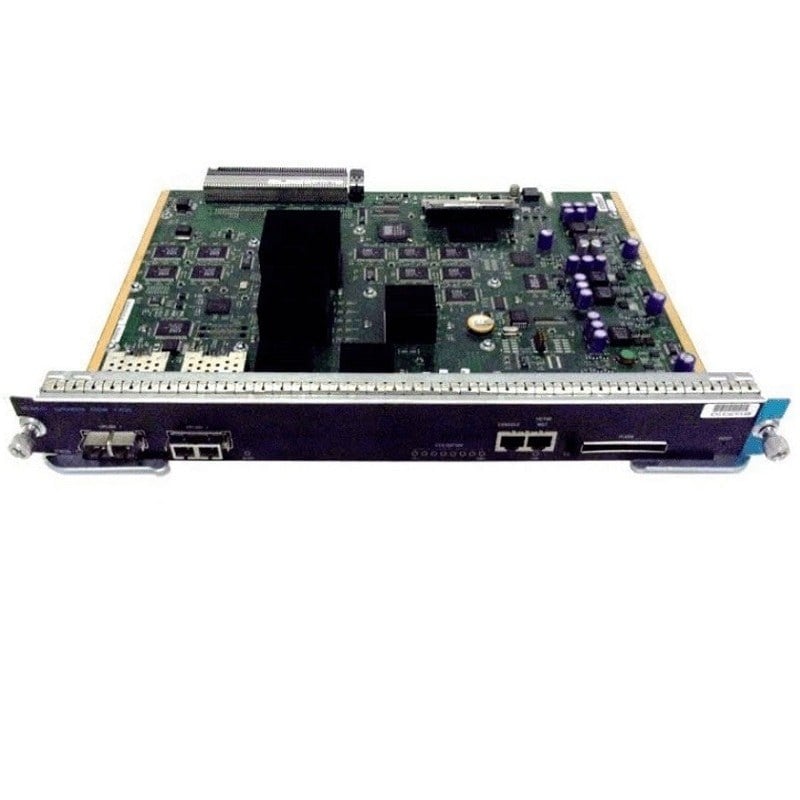
Description
Installation and Configuration of the NM-1FE1R2W
The NM-1FE1R2W network module is designed to provide Ethernet and Token-Ring connectivity to Cisco 2600, 3600, and 3700 series routers. The module includes one 10/100 Ethernet port, two Token-Ring ports, and two WAN card slots. Here are the steps for installation and configuration:
- Power off the router: Before installing the network module, power off the router and disconnect any cables.
- Install the network module: Insert the NM-1FE1R2W network module into an available network module slot on the router. Make sure to align the module with the guide rails and firmly press it in until it clicks into place.
- Connect cables: Connect the network cables to the ports on the network module. The 10/100 Ethernet port can be used to connect to other Ethernet devices, while the Token-Ring ports can be used to connect to Token-Ring networks. The two WAN card slots can be used to install additional WAN interface cards if needed.
- Power on the router: After installing the network module and connecting the cables, power on the router.
- Configure the network module: Once the router has booted up, log in to the router’s CLI (command-line interface) and configure the network module. You can use commands like “show interfaces” and “show running-config” to verify that the module is installed correctly and to configure its settings.
- Verify connectivity: Finally, test the connectivity of the network module by sending traffic through it and verifying that it is being processed correctly. You can use tools like ping or traceroute to test network connectivity.
Network Management with the NM-1FE1R2W
The NM-1FE1R2W network module is a legacy module designed for use with Cisco 2600, 3600, and 3700 series routers. It provides one 10/100 Ethernet port, two Token Ring ports, and two WAN card slots, and can be used to connect to a variety of network types and devices. Here are some network management considerations for this module:
- Monitor network traffic: Use a network monitoring tool such as SNMP (Simple Network Management Protocol) to monitor traffic on the Ethernet and Token Ring ports. This can help you identify network issues and ensure that the module is operating correctly.
- Configure VLANs: If you’re using the Ethernet port on the NM-1FE1R2W module, consider configuring VLANs to segment network traffic and improve network performance. You can use the router’s CLI to configure VLANs and assign ports to specific VLANs.
- Configure WAN connections: The two WAN card slots on the NM-1FE1R2W module can be used to connect to WAN (Wide Area Network) services such as Frame Relay or ISDN (Integrated Services Digital Network). Configure these connections using the router’s CLI and verify that they are working correctly.
- Troubleshoot network issues: If you encounter network issues, use the router’s CLI to troubleshoot the problem. For example, you can use the “show interfaces” command to check the status of the Ethernet and Token Ring ports, and the “debug” command to capture packets and identify potential issues.
- Upgrade to newer hardware: Keep in mind that the NM-1FE1R2W module is a legacy module and may not support newer network technologies or software versions. Consider upgrading to newer hardware if you need to support newer technologies or if you encounter performance issues with the module.
Power Consumption of the NM-1FE1R2W
The NM-1FE1R2W network module is a legacy Cisco module that provides a combination of 10/100 Ethernet, Token Ring, and WAN interfaces for Cisco routers. As a result, the power consumption of the module can vary depending on the specific configuration and usage.
According to Cisco’s specifications for the module, the maximum power consumption is 7 watts when all interfaces are fully utilized. However, in typical usage scenarios, the power consumption will be lower than this maximum value.
It’s important to note that the NM-1FE1R2W module is an older product and has been replaced by newer, more power-efficient modules in Cisco’s product line. If power consumption is a concern for your network, you may want to consider upgrading to a newer module or router that uses more energy-efficient hardware.
In general, it’s a good practice to verify the power consumption of any network module or device before purchasing or installing it, and to monitor power usage regularly to ensure that your network is operating efficiently and within safe power limits.
General Information
- Manufacturer: Cisco Systems, Inc
- Manufacturer Part Number: NM-1FE1R2W
- Brand Name: Cisco
- Product Name: 1-Port 10by100 Ethernet 1-Port Token Ring 2 WIC Slots Network Module
- Product Type: Network Module
Technical Information
- Application/Usage Data Networking
Interfaces/Ports
- Interfaces/Ports Details 1 x RJ-45 10/100Base-TX LAN
- Interfaces/Ports Details 1 x RJ-45 Token Ring LAN
- Interfaces/Ports Details 1 x DB-9 Token Ring LAN
Media & Performance
- Media Type Supported Twisted Pair
- Ethernet Technology Fast Ethernet
- Network Technology Token Ring
- Network Technology 10/100Base-TX
- Maximum Data Transfer Rate 100 Mbit/s
I/O Expansions
- Number of Total Expansion Slots 2
- Expansion Slot Type WIC
- Expansion Slot Type VWIC
Memory
- Memory Technology DDR SDRAM
Please contact us over the phone or ask for live chat/help if you have any questions about the estimated time of arrival for any “lead time required” item.