

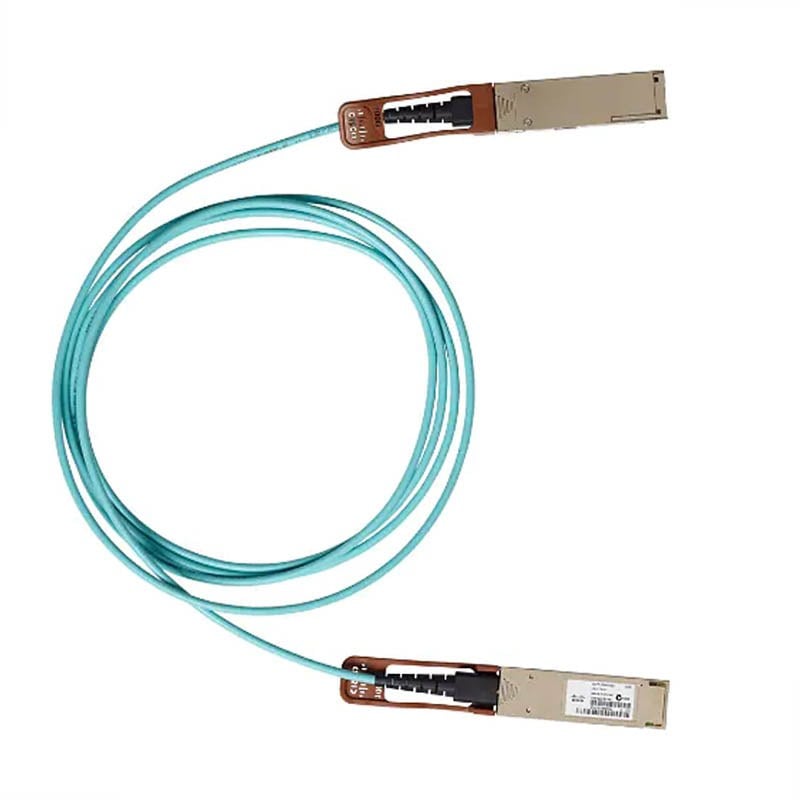


Description
Configuration and Management
The Cisco QSFP-100G-AOC30M= 30 Meter 100GB Base QSFP Active Optical Cable is a plug-and-play cable that requires no configuration or management. The cable is designed to work out of the box with compatible devices, making it easy to install and use in data center environments.
However, the devices that the cable is connected to may require configuration and management. In this case, the following steps can be taken:
- Check compatibility: Before connecting the Cisco QSFP-100G-AOC30M= cable to any devices, it is important to check the compatibility of the devices with the cable. This can be done by checking the device documentation or contacting the manufacturer.
- Connect the cable: Once compatibility has been confirmed, connect the Cisco QSFP-100G-AOC30M= cable to the devices. The cable has QSFP connectors on both ends, which are designed to plug into compatible devices.
- Configure the devices: Depending on the devices being used, configuration may be required to ensure that the cable is being used effectively. This can involve setting up VLANs, configuring link aggregation, or adjusting other network settings.
- Monitor and manage the network: Once the cable has been installed and the devices have been configured, it is important to monitor and manage the network to ensure that it is performing effectively. This can involve monitoring network traffic, diagnosing issues, and making adjustments as needed.
It is important to note that the Cisco QSFP-100G-AOC30M= cable is designed to be used with compatible devices that are designed to work with active optical cables. It is not compatible with devices that are designed to work with copper cables or passive optical cables. Additionally, the cable should be handled with care and not bent or twisted excessively, as this can damage the cable and reduce its effectiveness.
Troubleshooting
Troubleshooting the Cisco QSFP-100G-AOC30M= 30 Meter 100GB Base QSFP Active Optical Cable involves identifying and resolving any issues that may arise while using the cable. Here are some common troubleshooting steps that can help you diagnose and resolve issues with the Cisco QSFP-100G-AOC30M= cable:
- Check cable connections: Ensure that the QSFP connectors are firmly plugged into the respective ports. Also, check for any damages to the connectors, and make sure the cable is seated correctly.
- Check for errors: Use monitoring tools to check for error messages or warnings related to the cable. Most network devices have log files or diagnostic tools that can help identify the source of the issue.
- Check the device configuration: Ensure that the network devices are configured correctly, and that they are set up to support the Cisco QSFP-100G-AOC30M= cable.
- Update firmware: Ensure that the firmware of the network devices is up to date, and that it is compatible with the Cisco QSFP-100G-AOC30M= cable.
- Swap the cable: Try using a different QSFP cable to see if the issue is with the Cisco QSFP-100G-AOC30M= cable itself. If the new cable works, the issue is with the original cable, and it may need to be replaced.
- Contact support: If none of the above troubleshooting steps work, contact the support team of Cisco or your vendor to help diagnose the issue and provide further assistance.
In conclusion, troubleshooting the Cisco QSFP-100G-AOC30M= 30 Meter 100GB Base QSFP Active Optical Cable involves checking cable connections, checking for errors, device configuration, updating firmware, swapping the cable, and contacting support when
Best Practices for Deploying
Deploying the Cisco QSFP-100G-AOC30M= 30 Meter 100GB Base QSFP Active Optical Cable requires careful planning and implementation to ensure optimal performance and reliability. Here are some best practices to consider when deploying the Cisco QSFP-100G-AOC30M= cable:
- Check for compatibility: Ensure that the devices and network infrastructure support the Cisco QSFP-100G-AOC30M= cable. Check the specifications of the devices and network components to ensure they are compatible with the cable.
- Handle the cable with care: Handle the Cisco QSFP-100G-AOC30M= cable with care during installation and use. Avoid pulling, twisting, or bending the cable as this can damage the fiber-optic cable inside. Store the cable in a safe and secure location when not in use.
- Follow recommended installation procedures: Follow the recommended installation procedures outlined by the manufacturer to ensure proper cable installation. Proper installation includes ensuring correct connector orientation, avoiding excessive bending or stretching, and avoiding sharp bends.
- Test the cable before deployment: Test the cable before deployment to ensure that it is functioning correctly. Use diagnostic tools to verify the cable’s integrity and ensure that it meets the required specifications.
- Monitor cable performance: Monitor the performance of the Cisco QSFP-100G-AOC30M= cable using network monitoring tools. These tools can detect issues or errors in the network and help identify the source of the problem.
- Regularly inspect and maintain the cable: Regularly inspect the cable for damage or wear and replace it if necessary. Keep the cable clean and avoid exposure to dust, dirt, or moisture.
- Deploy cable in a suitable environment: Ensure that the cable is deployed in a suitable environment that is free from sources of electromagnetic interference, temperature extremes, or moisture.
General Information about this Cisco QSFP-100G-AOC30M=
- Manufacturer: Cisco
- Part Number or SKU# QSFP-100G-AOC30M=
- Product Type: Direct Attach Cable
Technical Information of Cisco Direct Attach Cable
- Cable Type: Fiber Optic
- Cable Length: 30 Meter
- Connector on First End: 1 x QSFP Network
- Connector on Second End: 1 x QSFP Network
- Features: Active, Flexible
- Device Supported: Network Device
- Data Transfer Rate: 12.50 GBPS


