


Description
Product Details of the Dell R93GG
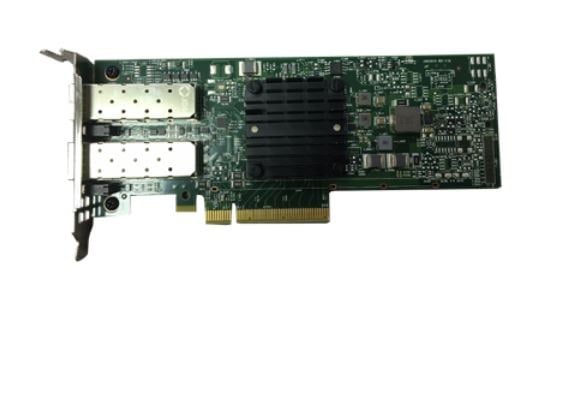
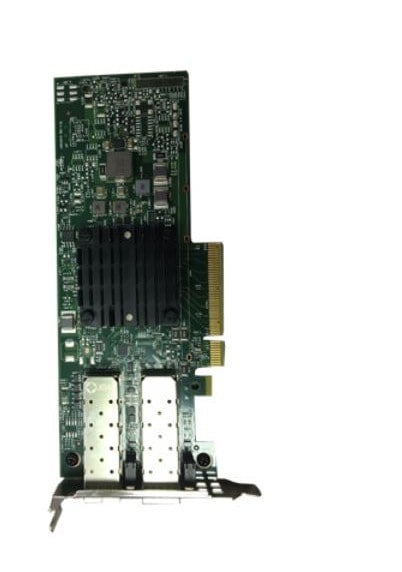
The R93GG Dell Broadcom 57404 Dual-Port 25GB DA/SFP+ Adapter is a high-performance network adapter designed for use in Dell PowerEdge servers. This adapter provides dual-port connectivity for both direct-attach and SFP+ interfaces, making it a versatile solution for a wide range of networking applications. In this article, we will discuss the features, benefits, and specifications of the R93GG Dell Broadcom 57404 Dual-Port 25GB DA/SFP+ Adapter.
Features and Benefits
The R93GG Dell Broadcom 57404 Dual-Port 25GB DA/SFP+ Adapter offers several features that make it a powerful tool for networking professionals. One of its key features is its dual-port connectivity, which allows for both direct-attach and SFP+ interfaces. This can help to improve flexibility and compatibility with a wide range of networking equipment.
Another feature of the R93GG Dell Broadcom 57404 Dual-Port 25GB DA/SFP+ Adapter is its support for 25GB Ethernet speeds. This can help to improve network performance and reduce latency, making it a great choice for high-bandwidth applications such as data centers, cloud computing, and virtualization.
The R93GG Dell Broadcom 57404 Dual-Port 25GB DA/SFP+ Adapter also supports advanced network features such as Remote Direct Memory Access (RDMA) and iWARP. These features can help to improve network efficiency and reduce CPU utilization, making it a great choice for demanding applications such as big data analytics and high-performance computing.
Specifications
The R93GG Dell Broadcom 57404 Dual-Port 25GB DA/SFP+ Adapter has the following specifications:
- Dual-port connectivity for direct-attach and SFP+ interfaces
- Support for 25GB Ethernet speeds
- Support for advanced network features such as RDMA and iWARP
- Compatibility with Dell PowerEdge servers
Compatibility
The R93GG Dell Broadcom 57404 Dual-Port 25GB DA/SFP+ Adapter is compatible with a range of Dell PowerEdge servers, including the PowerEdge R640, R740, R740xd, and R940. It is also compatible with a range of operating systems, including Windows, Linux, and VMware ESXi.
Installation
Installing the R93GG Dell Broadcom 57404 Dual-Port 25GB DA/SFP+ Adapter is a straightforward process. To install the adapter, follow these steps:
- Turn off the server and unplug it from the power source.
- Open the server chassis and locate an available PCIe slot.
- Insert the R93GG Dell Broadcom 57404 Dual-Port 25GB DA/SFP+ Adapter into the PCIe slot.
- Secure the adapter in place by screwing it onto the chassis.
- Close the server chassis and plug in the server to the power source.
Once the adapter is installed, it can be configured and managed using the server’s operating system or network management tools.
In summary, the R93GG Dell Broadcom 57404 Dual-Port 25GB DA/SFP+ Adapter is a powerful network adapter that provides dual-port connectivity for direct-attach and SFP+ interfaces. With its support for 25GB Ethernet speeds and advanced network features such as RDMA and iWARP, it can help to improve network performance and reduce latency for demanding applications. The adapter is easy to install and configure, making it a cost-effective and reliable solution for high-performance networking in Dell PowerEdge servers.
General Information about the Dell R93GG
- Manufacturer : Dell
- MPN : R93GG
- Type : Broadcom 57404 Dual-Port 25GB DA/SFP+
- SKU : R93GG


