
Description
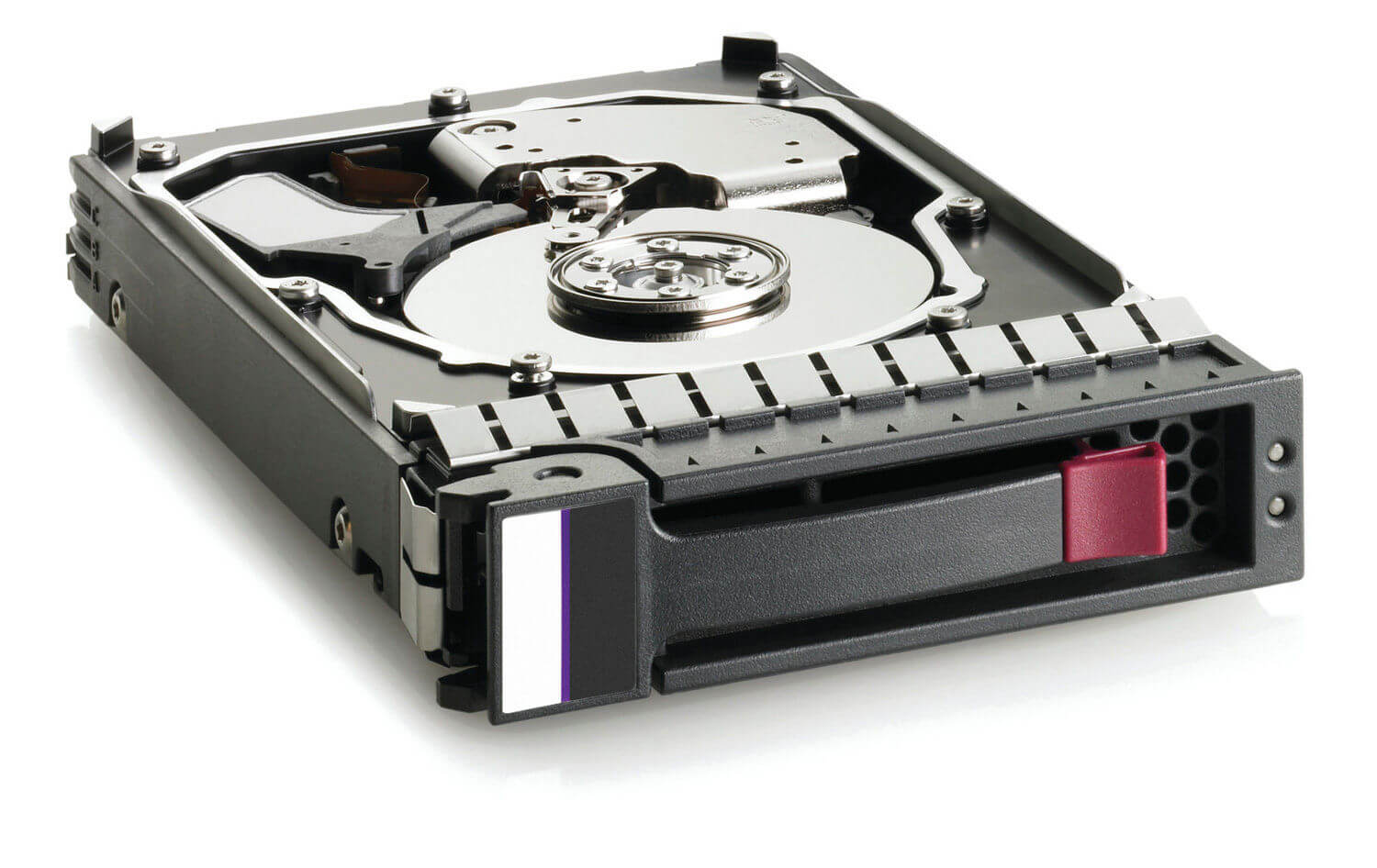
Installation and Setup of the HPE 3TB 7.2K RPM Hard Drive
Sure! Here is an overview of the installation and setup process for the HPE 3TB 7.2K RPM Hard Drive:
- Verify Compatibility: Before installing the hard drive, ensure that it is compatible with your server or storage system. Check the manufacturer’s documentation or website for compatibility information.
- Gather Tools: You will need a Phillips head screwdriver to install the hard drive.
- Prepare the System: If your system is powered on, shut it down and unplug it. Open the system chassis and locate an available hard drive bay that is compatible with the form factor of the HPE 3TB 7.2K RPM Hard Drive.
- Mount the Hard Drive: Attach the mounting screws to the sides of the hard drive tray or mounting bracket that is included with the hard drive. Slide the hard drive tray or mounting bracket into the available drive bay until it clicks into place.
- Connect the Cables: Locate the SATA data and power connectors on the system’s motherboard or RAID controller, and connect the corresponding cables to the hard drive.
- Close the Chassis: Close the system chassis and secure it with the screws or locking mechanism.
- Power on the System: Plug in the power cable and turn on the system. The system should recognize the new hard drive automatically.
- Configure the Hard Drive: Use the system’s BIOS or RAID controller utility to configure the new hard drive for use in the system. Follow the manufacturer’s instructions for configuring the hard drive.
- Format the Hard Drive: Once the hard drive is configured, you will need to format it in the operating system before you can use it. This can typically be done using the system’s Disk Management utility.
- Verify Installation: Check the operating system and RAID controller software to ensure that the new hard drive is recognized and functioning properly.
In summary, the installation and setup process for the HPE 3TB 7.2K RPM Hard Drive involves verifying compatibility, gathering tools, preparing the system, mounting the hard drive, connecting cables, configuring the hard drive in the system BIOS or RAID controller utility, formatting the hard drive in the operating system, and verifying installation. It is important to follow the manufacturer’s instructions and best practices to ensure a successful installation and avoid any issues.
Performance and Reliability
Sure! Here’s some additional information on the performance and reliability of the HPE 3TB 7.2K RPM Hard Drive:
- Performance: The HPE 3TB 7.2K RPM Hard Drive is designed for high-capacity, high-performance storage in enterprise environments. With a rotational speed of 7,200 RPM and a SATA 6 Gb/s interface, the hard drive provides fast data transfer rates and rapid access to stored data. It also features an average latency of 4.16 ms and a sustained transfer rate of up to 215 MB/s, making it well-suited for a variety of applications, including database management, data warehousing, and online transaction processing.
- Reliability: HPE is known for its high-quality and reliable hardware, and the HPE 3TB 7.2K RPM Hard Drive is no exception. It features a number of built-in features to ensure reliability, including Advanced Format technology, which optimizes the hard drive for greater capacity and reliability, and Rotational Vibration Safeguard (RVS), which helps protect the drive against vibration in multi-drive environments. The hard drive also includes built-in error correction codes (ECC) and self-monitoring, analysis, and reporting technology (SMART) to detect and correct errors and provide information about the health of the drive. In addition, the hard drive has a mean time between failures (MTBF) of up to 1.2 million hours, making it a reliable choice for enterprise-level storage.
- Endurance: The HPE 3TB 7.2K RPM Hard Drive is designed for 24/7 operation and is built to withstand high workloads and demanding operating conditions. It is rated for up to 550 terabytes written (TBW) over its lifetime, providing a durable and long-lasting storage solution.
Conclusion and Final Thoughts
In conclusion, the HPE 3TB 7.2K RPM Hard Drive is a high-capacity, high-performance storage solution designed for use in enterprise-level storage applications. With its fast data transfer rates, rapid access to stored data, and advanced features for reliability and endurance, the hard drive is well-suited for a variety of applications, including database management, data warehousing, and online transaction processing.
The hard drive is also designed with compatibility and interoperability in mind, and is supported by a range of HPE servers and storage systems. Its easy installation and setup process, combined with the comprehensive documentation and support from HPE, make it a convenient and user-friendly choice for IT professionals.
General Information
- Brand : HP
- Manufacturer : Hewlett Packard Enterprise
- Manufacturer Model Number : 861693-S21
- Type : Hard Disk Drive (HDD)
- Sub-Type : SATA-6GBPS
- RPM : 3TB-7.2K
Key Features
- Capacity : 3TB
- Spindle Speed : 7200RPM
- Hdd Form Factor : 3.5 Inch
- Interface : SATA-6GBPS
- Enclosure : Internal.