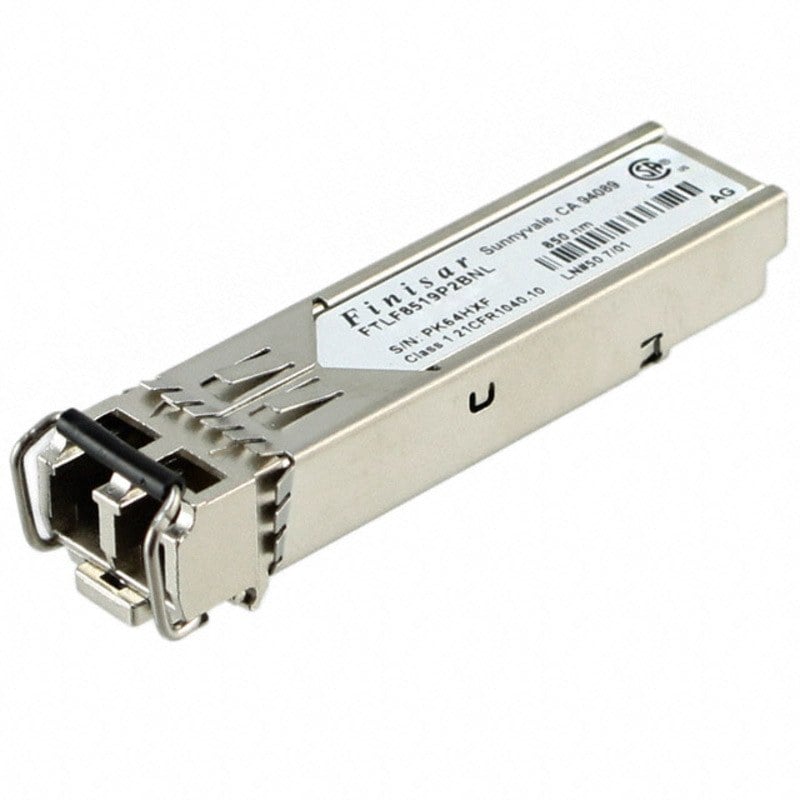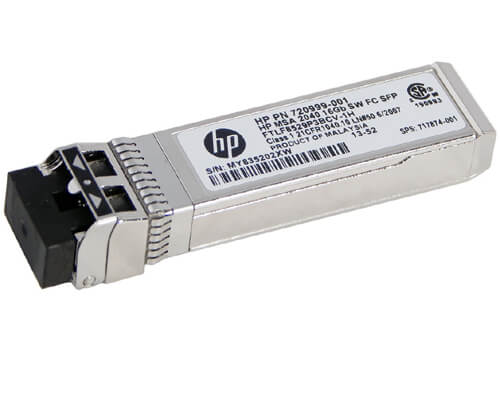
Description
Connector Type and Interface
In the context of networking and communications, a connector type refers to the physical design and shape of the plug or socket used to connect two devices together. The connector type determines the interface between the devices and plays a crucial role in ensuring that data can be transmitted accurately and reliably between them.
There are many different types of connectors used in networking and communications, each with their own unique advantages and disadvantages. Some of the most common connector types include:
- RJ45: A type of connector used for Ethernet networking, typically found on twisted pair cables.
- LC: A small form-factor fiber optic connector that uses a push-pull mechanism to secure the connection.
- SC: A fiber optic connector that uses a snap-in mechanism to secure the connection.
- ST: A fiber optic connector that uses a twist-lock mechanism to secure the connection.
- SFP+: A small form-factor pluggable connector used for high-speed networking, typically found on switches and network adapters.
The choice of connector type and interface depends on a variety of factors, including the type of device being connected, the speed and bandwidth requirements of the connection, and the distance between the devices. In many cases, the choice of connector type and interface may also be influenced by compatibility requirements with existing equipment or standards.
Optical Wavelength
Optical wavelength refers to the distance between the peaks of the electromagnetic waves that make up light. This wavelength is typically measured in nanometers (nm), with each nanometer equaling one billionth of a meter. In the context of fiber optic communications, the wavelength of light is an important factor in determining how effectively data can be transmitted over a fiber optic cable.
The optical wavelength used for transmitting data over a fiber optic cable depends on the type of cable being used and the specific application. For example, multimode fiber optic cables typically use a wavelength of 850 nm or 1300 nm, while single-mode fiber optic cables typically use a wavelength of 1310 nm or 1550 nm. In some cases, other wavelengths may also be used, such as 1490 nm or 1625 nm.
The choice of wavelength can have a significant impact on the quality and reliability of the data transmission. For example, shorter wavelengths are generally better suited for transmitting data over shorter distances, as they are less likely to experience attenuation or signal loss. Longer wavelengths, on the other hand, may be better suited for longer distance transmissions, as they are less likely to be affected by dispersion or other forms of signal degradation.
Configuration Instructions
Configuration instructions refer to a set of guidelines or steps that need to be followed to properly set up and configure a device or system to work according to specific requirements or needs. In the case of the HPE 1GB Short Wave iSCSI SFP+ 4-Pack Transceiver for HP MSA 2040 Storage, configuration instructions would typically include the following:
- Physical Installation: The first step would be to install the transceiver module properly into the SFP+ port on the HP MSA 2040 Storage device. This would involve ensuring that the module is inserted correctly and securely, and that any screws or fasteners are tightened appropriately.
- Configuration Settings: Once the module is physically installed, the next step would be to configure the device settings to ensure that the transceiver is working correctly. This may involve setting up network parameters, such as IP addresses and subnet masks, configuring the device driver or firmware settings, and verifying the configuration of the transceiver module.
- Testing and Validation: After the initial configuration is complete, it is important to test and validate the functionality of the transceiver module. This may involve running diagnostic tests, pinging the device to ensure connectivity, and monitoring network traffic to verify that data is being transmitted correctly.
- Maintenance and Troubleshooting: Finally, it is important to establish a maintenance and troubleshooting plan to ensure that the transceiver module continues to operate correctly over time. This may involve regular firmware updates, periodic testing and verification of functionality, and troubleshooting common issues such as connectivity or signal quality problems.
General information
- Packaged Quantity : 4 (Specifications Are For Single Item)
- Device Type : Sfp+ Transceiver Module
- Form Factor : Plug-In Module
Networking
- Connectivity Technology : Wired
- Cabling Type : Scsi
- Data Link Protocol : Gigabit Ethernet
Expansions And Connectivity
- Interfaces : 1 X Ethernet 1000 ( Short Wave )