



Description
Security Features
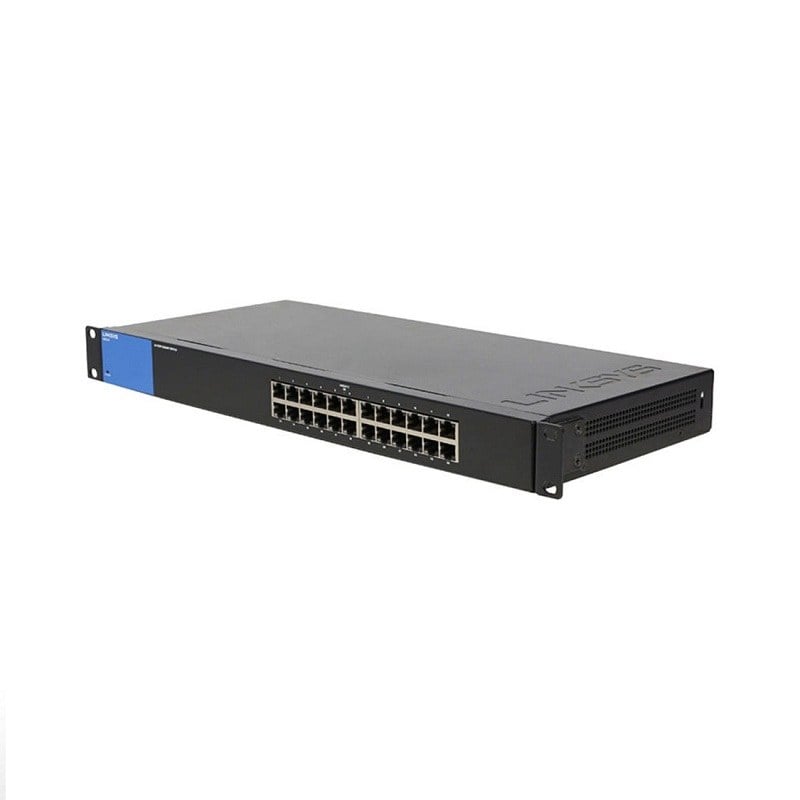
The LGS124P Linksys 24-Port Gigabit Ethernet PoE Networking Switch is a powerful and feature-rich networking switch designed for use in large organizations and businesses. Some of the security features of this switch are:
- Port Security: This switch comes with the port security feature, which allows you to control access to your network by limiting the number of devices that can connect to each port. This helps to prevent unauthorized access and improves network security.
- Access Control: The switch supports access control lists (ACLs), which allow you to control access to your network by specifying rules that permit or deny traffic based on various criteria such as IP address, port number, and protocol.
- VLAN Support: The switch supports virtual LANs (VLANs), which allow you to segment your network into multiple smaller networks. This can help to improve network security by limiting the ability of attackers to move laterally within your network.
- HTTPS Support: The switch supports HTTPS, which provides secure communication between the switch and management applications. This helps to prevent unauthorized access to the switch and ensures that all management traffic is encrypted.
- Secure Management: The switch supports various secure management protocols, including SSH, SNMPv3, and RADIUS/TACACS+. These protocols provide secure remote access to the switch and ensure that all management traffic is encrypted.
- PoE Management: The switch provides PoE management capabilities, which allow you to control and monitor the power usage of connected PoE devices. This helps to prevent power overloads and improve the overall security and reliability of your network.
The LGS124P Linksys 24-Port Gigabit Ethernet PoE Networking Switch has several advantages, including:
- High-speed data transfer: This switch supports Gigabit Ethernet speeds, which means that it can transfer data at up to 1000 Mbps. This makes it ideal for networks that require high-speed data transfer, such as video streaming or large file transfers.
- PoE support: The LGS124P supports Power over Ethernet (PoE), which means that it can provide power to connected devices, such as IP cameras, wireless access points, or VoIP phones. This simplifies the installation process and reduces the amount of cabling required.
- Energy efficiency: The switch is designed to be energy-efficient and can automatically adjust the power consumption based on the connected devices’ requirements. This feature can help reduce power consumption and save energy costs.
- Easy setup and management: The switch is easy to set up and manage, thanks to its web-based user interface. The interface provides an intuitive graphical user interface that allows you to configure and manage the switch easily.
- Security: The switch supports advanced security features, such as VLANs and access control lists, to help secure your network. These features allow you to control access to the network and ensure that sensitive data is protected.
- Durable design: The LGS124P is built to last, with a rugged metal chassis that can withstand harsh environments. This makes it ideal for use in industrial or outdoor environments where the switch may be exposed to dust, moisture, or extreme temperatures.
Troubleshooting Common Issues
The Linksys LGS124P is a 24-port Gigabit Ethernet PoE networking switch that provides power and connectivity to PoE devices, such as IP cameras, access points, and VoIP phones. Here are some common issues that users may encounter with this switch and some troubleshooting steps to resolve them:
Power issues: If the switch is not powering on or if the PoE devices are not receiving power, check the following:
- Make sure that the power cable is securely connected to the switch and the power outlet.
- Verify that the power outlet is functioning properly by plugging in another device.
- Ensure that the power supply is providing the correct voltage and amperage for the switch.
Connectivity issues: If the switch is not providing connectivity to devices, perform the following steps:
- Check the Ethernet cables for any physical damage or loose connections.
- Verify that the devices are properly configured to receive an IP address through DHCP.
- Confirm that the devices are within the same network and subnet as the switch.
VLAN issues: If VLANs are not working as expected, check the following:
- Make sure that the VLANs are properly configured on the switch and the connected devices.
- Verify that the VLAN tagging is enabled on the switch ports that are connected to VLAN-capable devices.
- Check that the devices are configured with the correct VLAN ID.
PoE issues: If PoE devices are not receiving power or are not functioning properly, try these steps:
- Verify that the PoE devices are compatible with the switch’s PoE standards.
- Check that the PoE settings are properly configured on the switch, including the power budget and priority settings.
- Confirm that the PoE devices are within the maximum power limits of the switch.
Management issues: If the switch’s web interface is not accessible or if there are issues with the management features, try these steps:
- Make sure that the computer is connected to the same network as the switch.
- Verify that the computer’s IP address is within the same subnet as the switch’s IP address.
- Check that the switch’s management settings, including the IP address and login credentials, are properly configured.
General Information about the Linksys LGS124P
- Manufacturer: Linksys
- Part Number or SKU# LGS124P
- Device Type: Networking 24-Ports Switch
Interfaces / Ports
- Total Number Of Network Ports: 24
- Token Ring Port No
- Lre Port No
- Uplink Port No
- Bypass No
- Modular No
- Management Port No
- Usb No
- Number Of Poe (Rj-45) Ports 12
- Number Of Poe+ (Rj-45) Ports 12
- Stack Port No
- Port/Expansion Slot Details 24 X Gigabit Ethernet Network
Media & Performance
- Media Type Supported Twisted Pair
- Ethernet Technology Gigabit Ethernet
- Network Technology 10/100/1000base-T
Network & Communication
- Layer Supported 2
Management & Protocols
- Manageable No
Power Description
- Poe (Rj-45) Port No
- Input Voltage 110 V Ac
- Input Voltage 220 V Ac
- Power Source Power Supply
Miscellaneous
- Package Contents Lgs124p 24-Port Gigabit Ethernet Poe Switch
- Power Cord
- Quick Start Guide
- Certifications & Standards FCC Class A


