


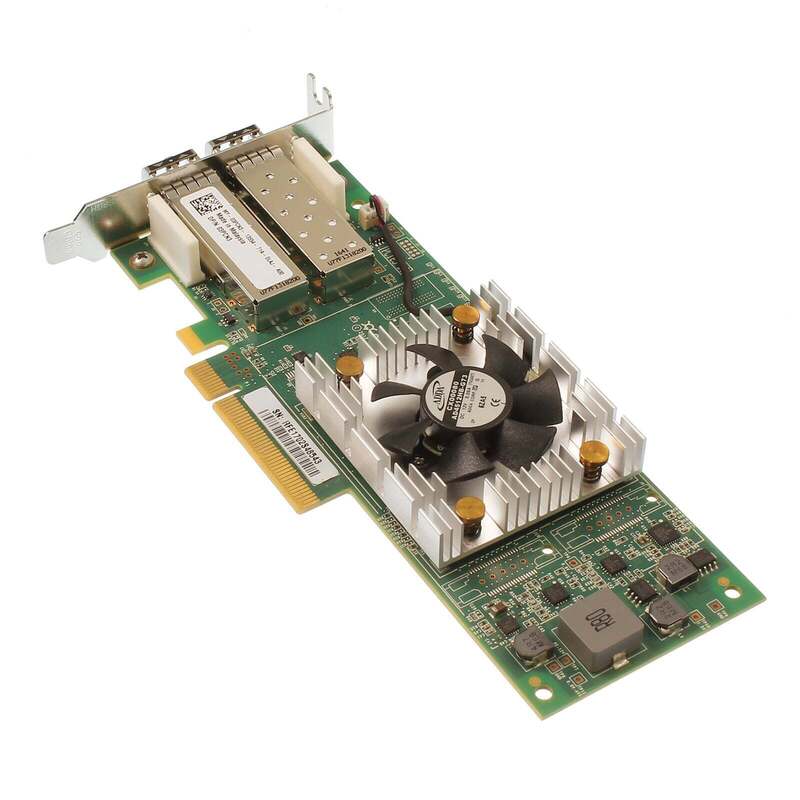
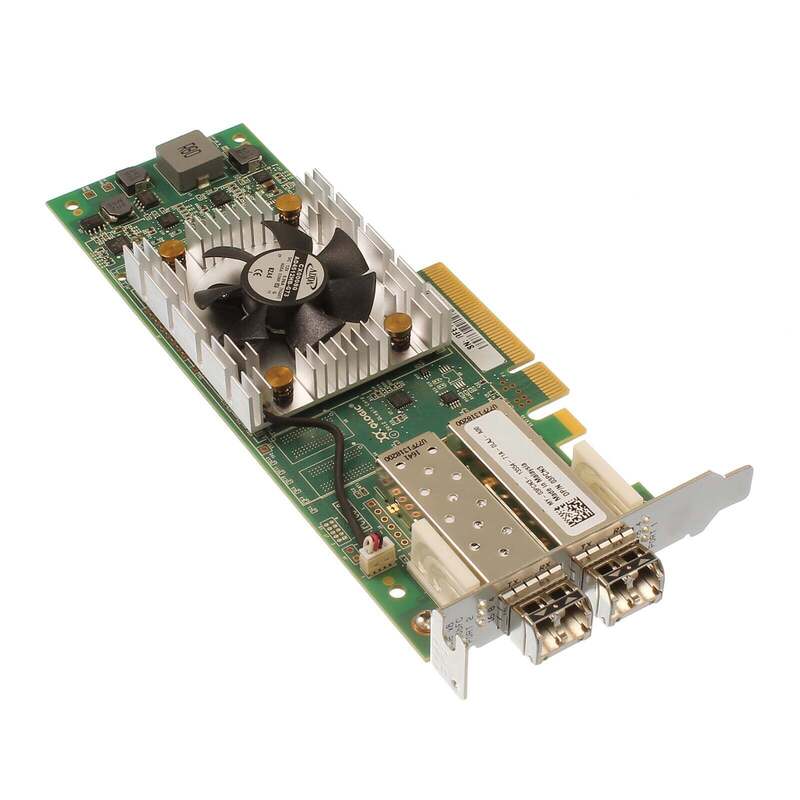

Description
Installation and Configuration of QLE2662-CK QLogic Sanblade 16GB
Here are the steps to install and configure the QLE2662-CK QLogic Sanblade 16GB Dual Channel PCI-Express Fiber Channel Host Bus Adapter:
- Shut down your server and unplug it from the power source.
- Open the server case and locate an available PCIe slot.
- Carefully insert the QLE2662-CK HBA into the PCIe slot and secure it with a screw.
- Connect the fiber optic cables to the HBA ports and the SAN or storage system.
- Close the server case and reconnect the power source.
- Power on the server and wait for the operating system to detect the HBA.
- Install the QLogic drivers and management software provided with the HBA. You can download the latest version of the drivers and software from the QLogic website.
- Configure the HBA settings using the management software. This may include setting the SAN boot order, configuring port settings, and enabling/disabling features such as T10 Protection Information (T10-PI) and Fibre Channel over Ethernet (FCoE).
- Verify the HBA is functioning correctly by checking the device manager for any errors or warnings.
- Connect to the SAN or storage system and verify that the server can access the storage resources.
Performance and Throughput of QLE2662-CK QLogic Sanblade 16GB FC HBA
The QLE2662-CK QLogic Sanblade 16GB Dual Channel PCI-Express Fiber Channel Host Bus Adapter is designed to provide high-performance and low-latency connectivity to storage devices through a Fibre Channel network.
In terms of performance, the QLE2662-CK supports up to 1.2 million IOPS (Input/Output Operations Per Second) and up to 12,800 MB/s throughput (maximum transfer rate). These numbers are dependent on the configuration of the host system, the network environment, and the storage devices being used.
The QLE2662-CK is a dual-channel adapter, meaning it can support two Fibre Channel connections simultaneously, providing redundancy and load balancing capabilities. The adapter supports both 16Gbps and 8Gbps Fibre Channel protocols, allowing it to be used with a wide range of storage devices.
The QLE2662-CK also includes features such as virtualization support, which enables multiple virtual machines to share a single adapter, and hardware offload capabilities to reduce CPU utilization.
Troubleshooting and Diagnostic Tools for QLE2662-CK QLogic
The QLE2662-CK QLogic Sanblade 16GB Dual Channel PCI-Express Fiber Channel Host Bus Adapter is a hardware component used to connect servers to storage networks. If you’re experiencing issues with this adapter, there are a few troubleshooting and diagnostic tools you can use to identify and resolve the problem. Here are some suggestions:
- QConvergeConsole (QCC): This is a web-based management tool that allows you to manage and monitor your QLogic adapters. QCC provides real-time information about adapter performance, and you can use it to update firmware, change adapter settings, and run diagnostic tests.
- QLogic Diagnostic Tool (QLDT): This tool is designed to test the functionality of QLogic adapters. It can be used to test the adapter hardware, firmware, and driver. QLDT includes a wide range of diagnostic tests, including loopback tests, link tests, and stress tests.
- Fibre Channel Trace (FC Trace): This is a utility that allows you to capture and analyze Fibre Channel traffic. You can use FC Trace to troubleshoot connectivity issues, performance problems, and other issues related to the Fibre Channel network.
- QLogic Support Assistant (QSA): This is a diagnostic tool that can be used to troubleshoot issues with QLogic adapters. QSA collects diagnostic information from the adapter and generates a report that can be used by QLogic support to identify the problem.
- Performance Monitoring: You can use performance monitoring tools like Windows Performance Monitor or third-party monitoring tools to monitor the performance of the adapter. Performance monitoring can help you identify performance issues and bottlenecks that may be affecting the adapter.
General Information
- Brand Name : QLogic
- MPN : QLE2662-CK
- Sub-Type : Fiber Channel
- Type : Controller
Technical Information
- Form Factor : Plug-in Card
- Product Type: Network Interface Card
- Data Transfer Rate: 16 GGBPS
- Interface / Connectivity: PCI-Express
- Number of Port(s): 2
- Ports Type: LC


