Description
Overview
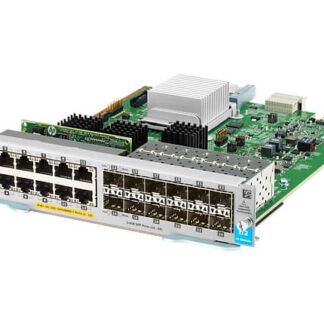
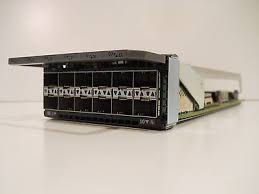
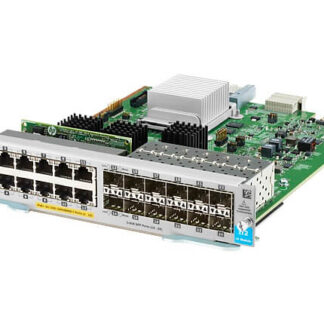
The J9989-61001 HPE 5400R 12-Ports V3 Zl2 Expansion Module is an add-on device that can be installed in the HPE 5400R switch. This expansion module provides an additional 12 ports to the existing ports in the HPE 5400R switch. The J9989-61001 expansion module is designed to increase the flexibility, scalability, and performance of the HPE 5400R switch. In this article, we will discuss the features, benefits, and technical specifications of the J9989-61001 HPE 5400R 12-Ports V3 Zl2 Expansion Module.
Features of Expansion Module
The J9989-61001 HPE 5400R 12-Ports V3 Zl2 Expansion Module has several key features that make it a valuable addition to the HPE 5400R switch. Some of these features are as follows:
- Additional 12 ports – The J9989-61001 expansion module provides an additional 12 ports to the HPE 5400R switch. These ports can be used to connect additional devices to the network.
- High-speed connectivity – The J9989-61001 expansion module provides high-speed connectivity with 10 Gigabit Ethernet (GbE) and 40 GbE connectivity options.
- Hot-swappable – The J9989-61001 expansion module is hot-swappable, which means that it can be installed or removed while the HPE 5400R switch is in operation.
- Flexibility – The J9989-61001 expansion module is designed to be flexible, allowing it to support a range of different configurations and network topologies.
- Scalability – The J9989-61001 expansion module provides scalability, allowing the HPE 5400R switch to be expanded as the network grows.
Installation Guide 12-Ports V3 Zl2 Expansion Module
Here is a general guide for installing the J9989-61001 HPE 5400R 12-Ports V3 Zl2 Expansion Module:
- Before you begin, ensure that you have the appropriate tools, including a grounding strap, a Phillips head screwdriver, and an anti-static mat.
- Turn off the power to the switch and unplug all cables from the switch.
- Locate the expansion module slot on the switch. It is typically located on the back of the switch.
- Remove the blank module from the expansion slot by loosening the two screws on either side of the blank module and sliding it out of the slot.
- Remove the expansion module from its packaging and carefully align it with the expansion slot.
- Gently slide the expansion module into the slot, ensuring that the connectors on the module align with the connectors in the slot.
- Once the expansion module is fully seated in the slot, tighten the two screws on either side of the module to secure it in place.
- Reconnect all cables to the switch.
- Turn on the power to the switch and verify that the expansion module is recognized by the switch.
- If necessary, configure the switch to use the expansion module.
That should be all you need to do to install the J9989-61001 HPE 5400R 12-Ports V3 Zl2 Expansion Module. However, if you encounter any issues during the installation process, refer to the user manual or contact HPE support for further assistance.
General Information about the HPE J9989-61001
- Manufacturer: HPE
- Part Number or SKU# J9989-61001
- Device Type : Expansion Module 12 Ports
Networking
- Ports : Gigabit Ethernet (POE+) X 12 + Gigabit SFP X 12
- Connectivity Technology : Wired
- Cabling Type : Ethernet 10Base-T, Ethernet 100Base-Tx, Ethernet 1000Base-T
- Data Link Protocol : 10MB LAN, 100MB LAN, Gige
- Data Transfer Rate : 1 GBPS
- Features : POE+, Macsec Support
- Form Factor : Plug-In Module
Expansion / Connectivity
- Interfaces : 12 X 1000Base-T (POE+) – RJ-45 ¦ 12 X Ethernet 1000 – SFP (Mini-Gbic)